
[ภาษาไทย] วิธีสมัครผ่านเว็บไซต์ | วิธีสมัครผ่านแอปพลิเคชัน
[EN] Instructions for Web Browser | Instructions for Mobile App
Sign Up Link / ลิงก์สำหรับสมัครสมาชิก: https://trade.bitazza.co.th/signup
วิธีสมัครผ่านเว็บไซต์
1. กรอกอีเมลของคุณ จากนั้นเลือกภาษาที่ต้องการใช้งานและกดที่ปุ่ม 'Next'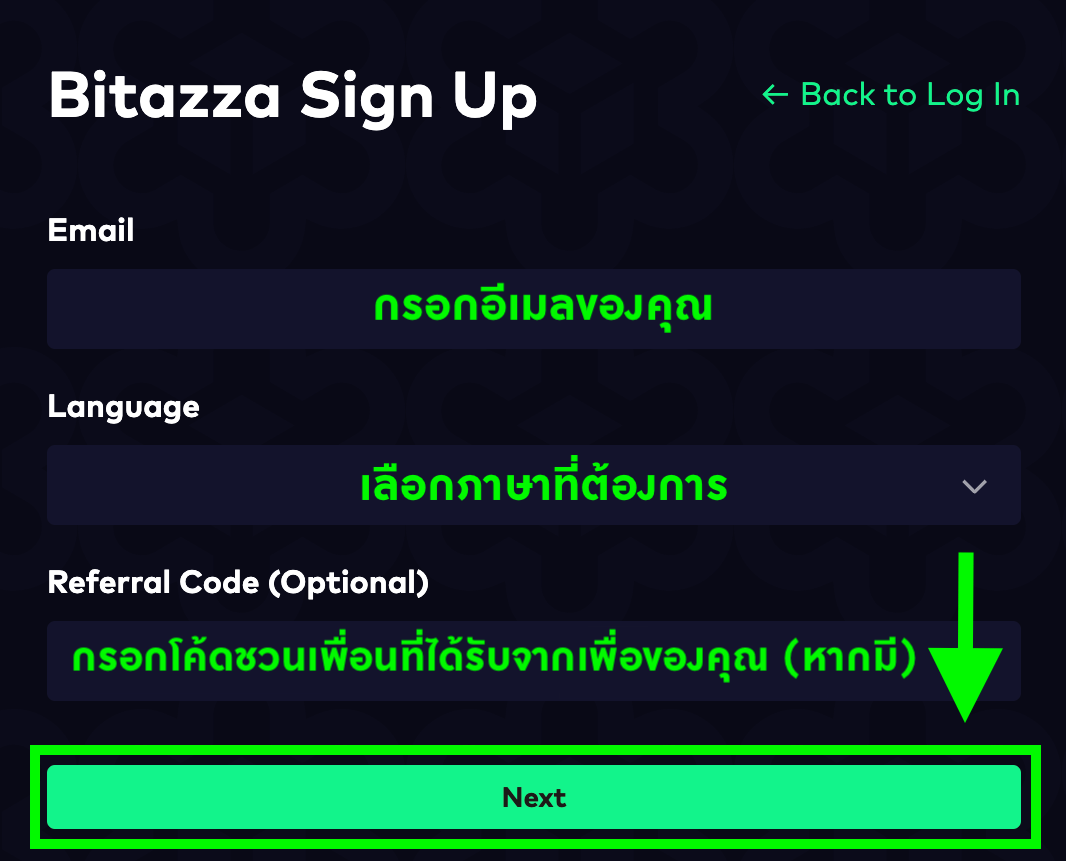
2. ตั้งรหัสผ่านตามข้อกำหนด จากนั้นกรอกรหัสชุดเดียวกันในช่อง 'Confirm Password' และกดที่ปุ่ม 'Create Password' ครับ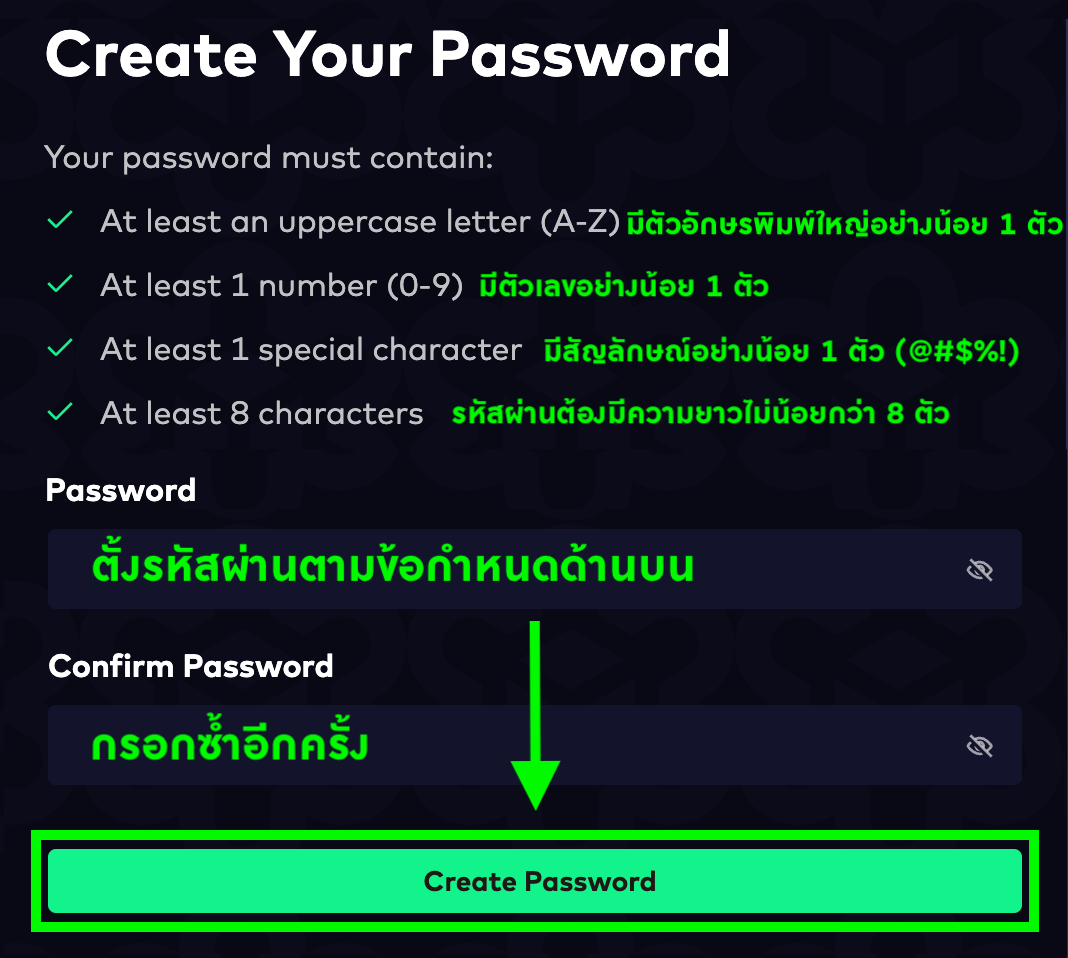
คุณจะต้องตั้งรหัสผ่านให้มีความยาว 8-40 ตัว และประกอบด้วย
- อักษรภาษาอังกฤษพิมพ์ใหญ่ (A-Z)
- อักษรภาษาอังกฤษพิมพ์เล็ก (a-z)
- ตัวเลข (0-9)
- สัญลักษณ์ (@#$%!?)
ยกตัวอย่างเช่น B1t@zzaPW เป็นต้น
3. จากนั้นทางบิทาซซ่าจะส่งอีเมลยืนยันการเปิดบัญชีเข้าสู่กล่องข้อความของคุณ กดที่ 'Verify Now' เป็นอันเสร็จสิ้น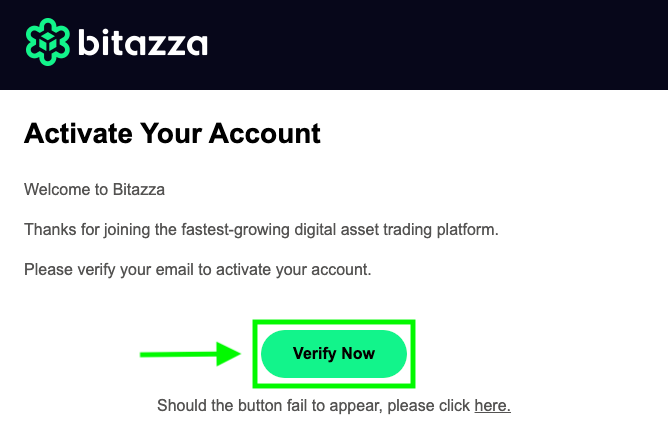
บัญชีบิทาซซ่าของคุณจะสามารถใช้เข้าสู่ระบบได้ทันที ทั้งนี้โปรดดำเนินการยืนยันตัวตนเพื่อให้สามารถฝากเงินและซื้อขายได้
วิธีสมัครผ่านแอปพลิเคชัน
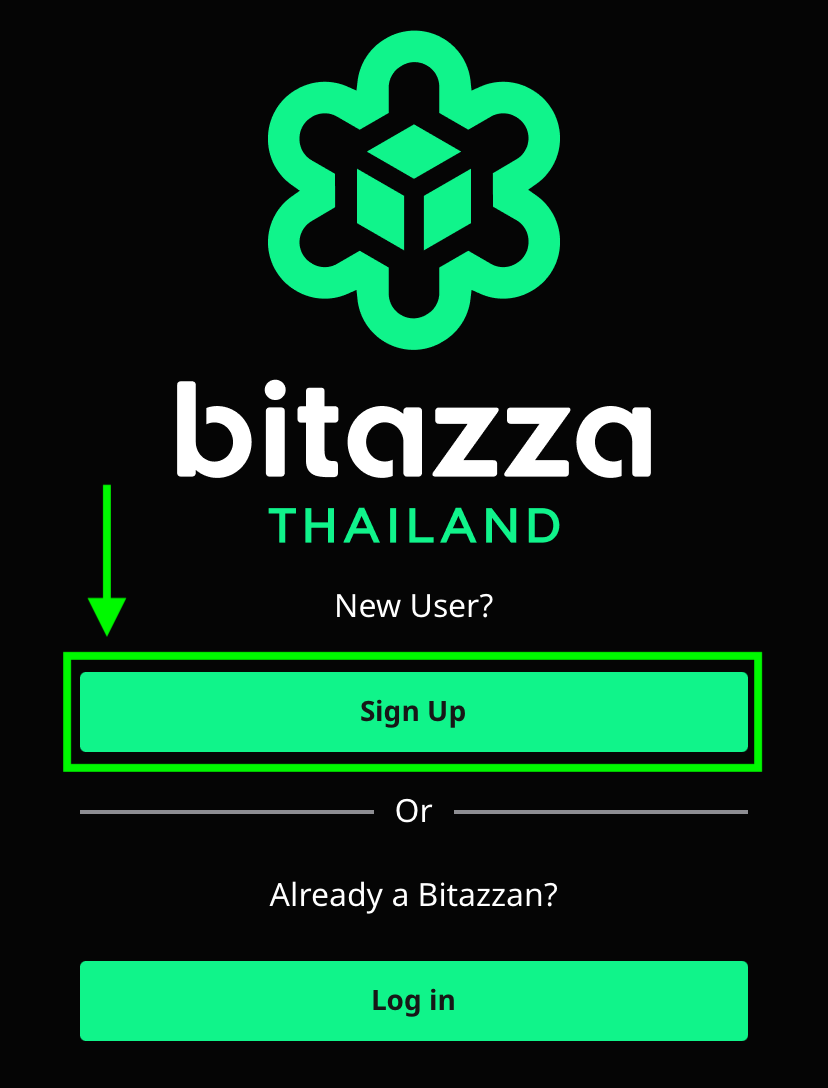
1. จากหน้าแรกของแอปพลิเคชัน กดที่ปุ่ม 'ลงทะเบียน'

2. กรอกอีเมลที่ต้องการใช้เปิดบัญชี จากนั้นกดที่ 'ต่อไป'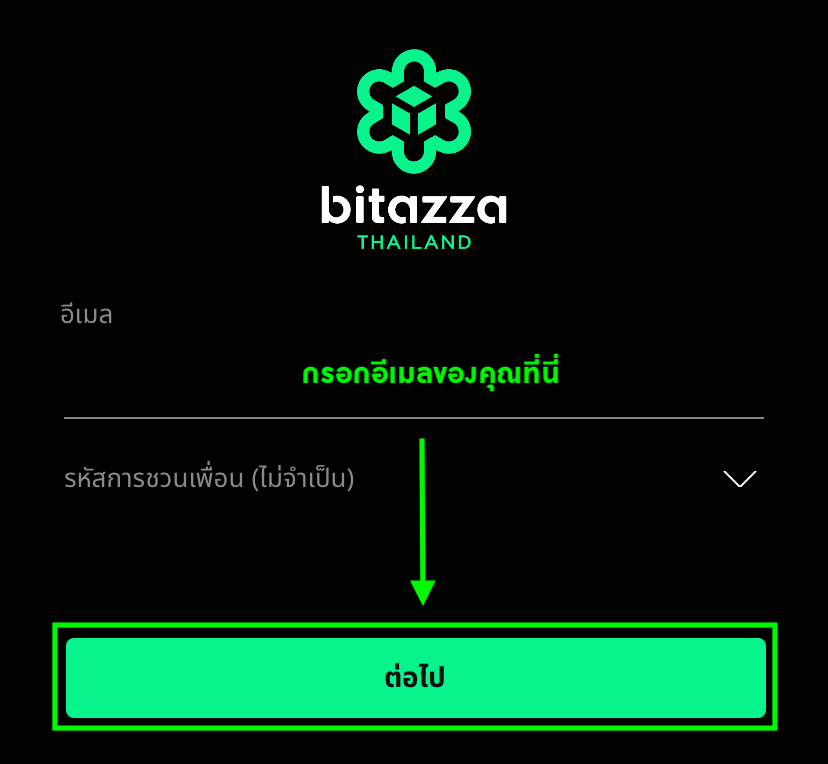
Note
- The email must not have been previously registered.
- Click on the dropdown symbol to enter the referral code (if available).
3. กรอกรหัสผ่านให้เหมือนกันทั้ง 2 ช่องเพื่อยืนยันการตั้งรหัสผ่านของคุณ จากนั้นกดที่ 'ลงทะเบียน'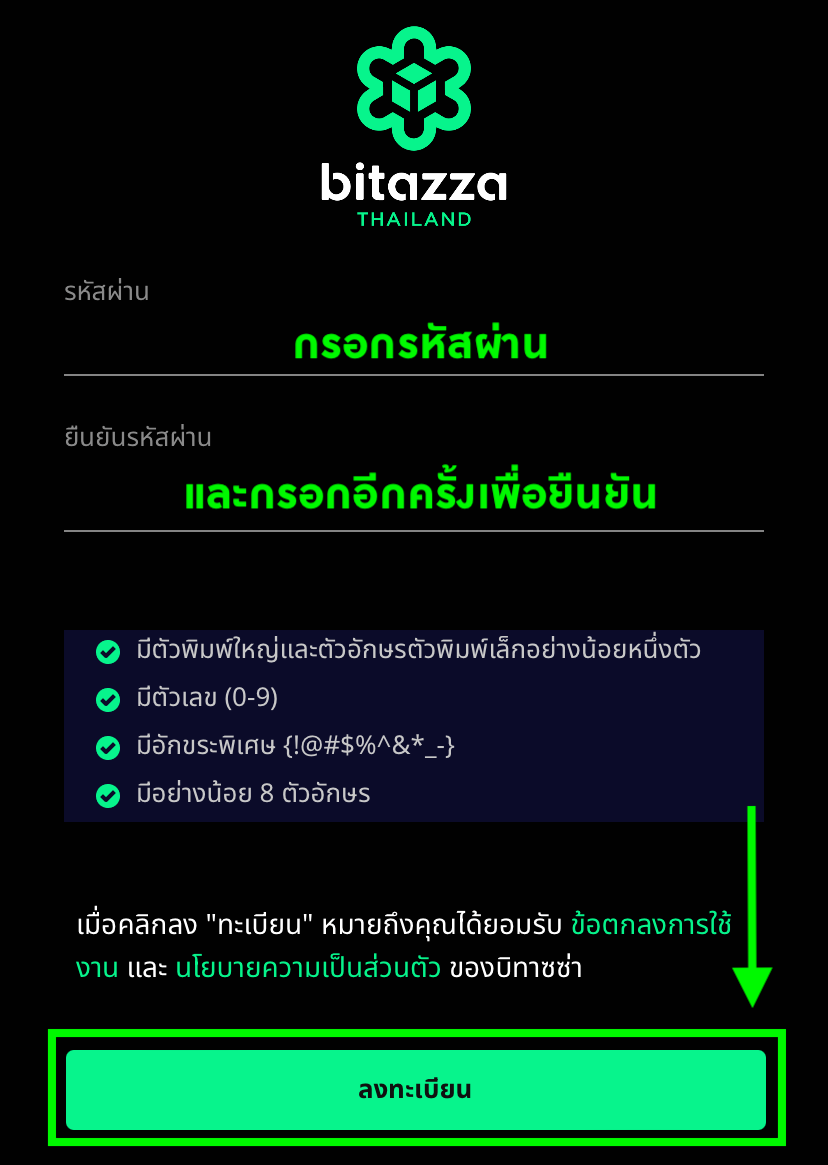
รหัสผ่านของคุณจะต้องมีความยาวตั้งแต่ 8-40 ตัวอักษร
- มีตัวอักษรพิมพ์ใหญ่ และตัวอักษรพิมพ์เล็ก (A-Z)
- มีตัวเลข (0-9)
- มีสัญลักษณ์ (@#$%^&/?[;)
ตัวอย่างเช่น B1t@zzaPW.
4. เราจะส่งอีเมลยืนยันไปที่กล่องข้อความของคุณ กดที่ 'เปิดอีเมลของคุณ' เพื่อไปยังแอปพลิเคชันอีเมล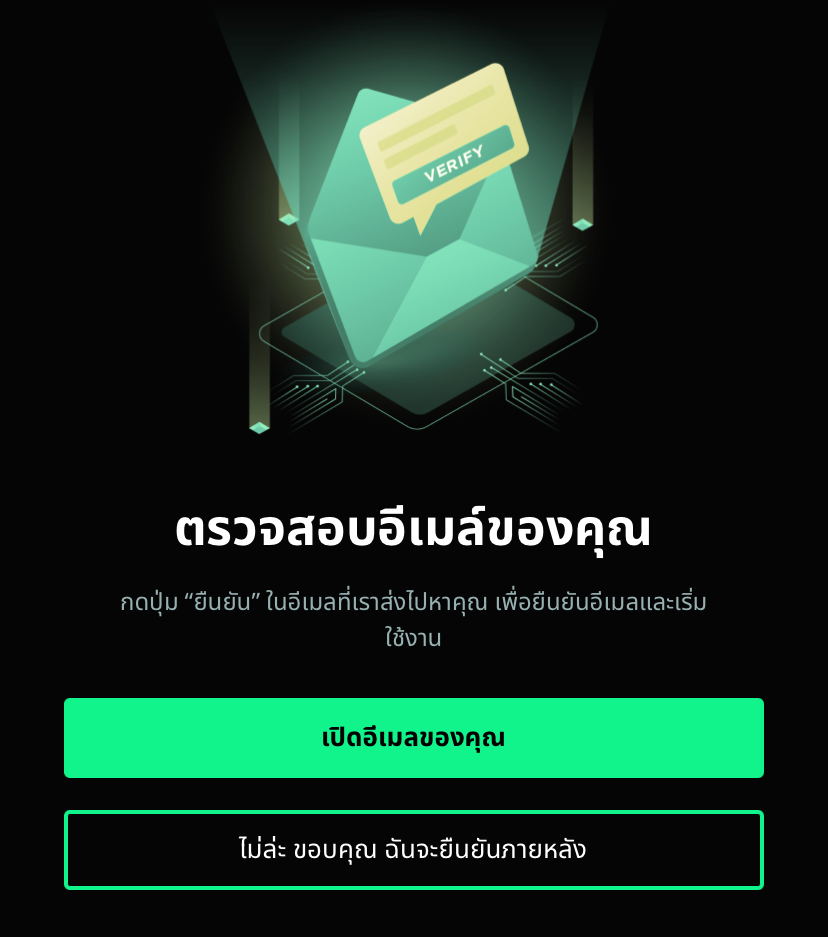
5. เปิดอีเมลยืนยันการใช้งานบัญชีและกดที่ 'ยืนยันบัญชี' เป็นอันเสร็จสิ้น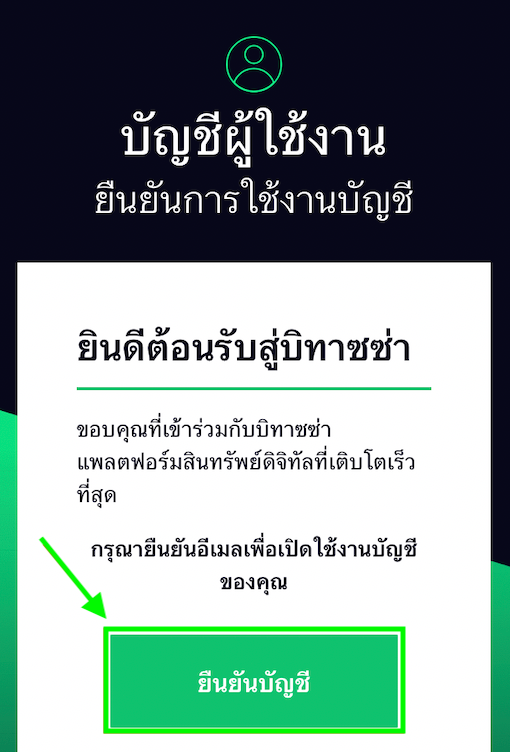
บัญชีบิทาซซ่าของคุณจะสามารถใช้เข้าสู่ระบบได้ทันที ทั้งนี้โปรดดำเนินการยืนยันตัวตนเพื่อให้สามารถฝากเงินและซื้อขายได้
Instructions for Web Browser
1. Enter your email, select your preferred language, then click the 'Next' button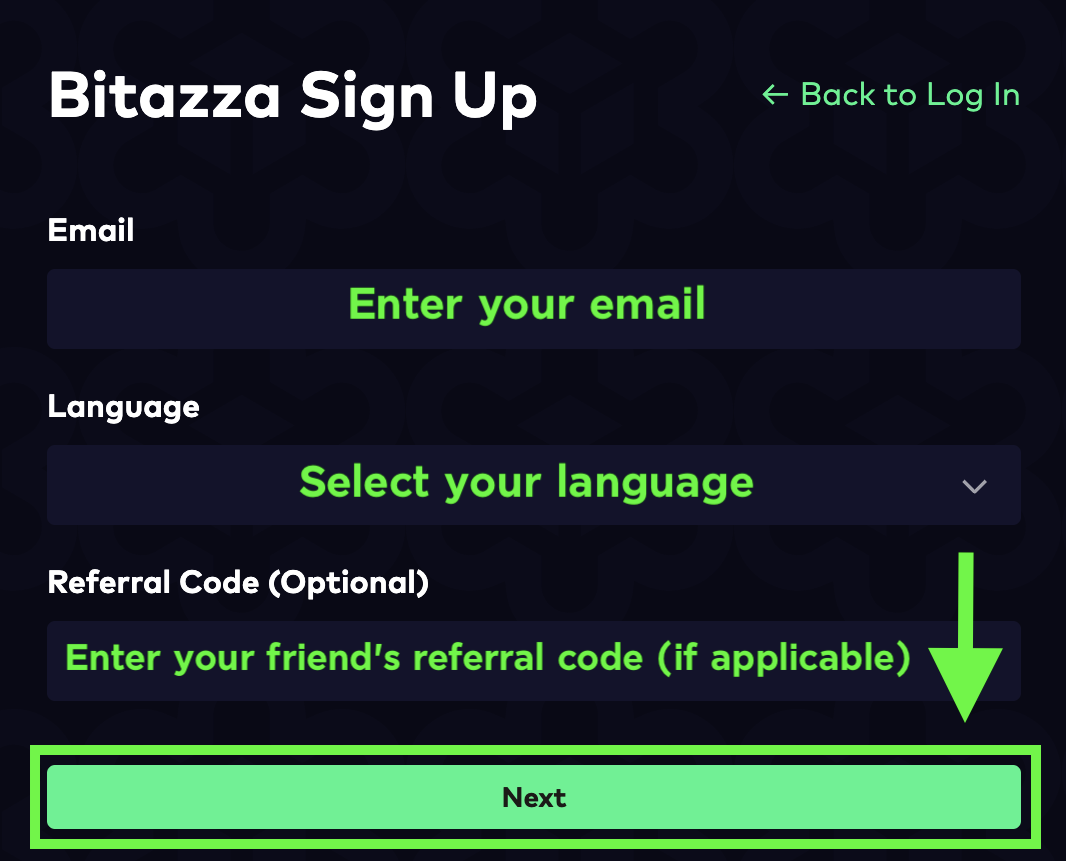
2. Set up a password based on the conditions, retype it, then click 'Create Password'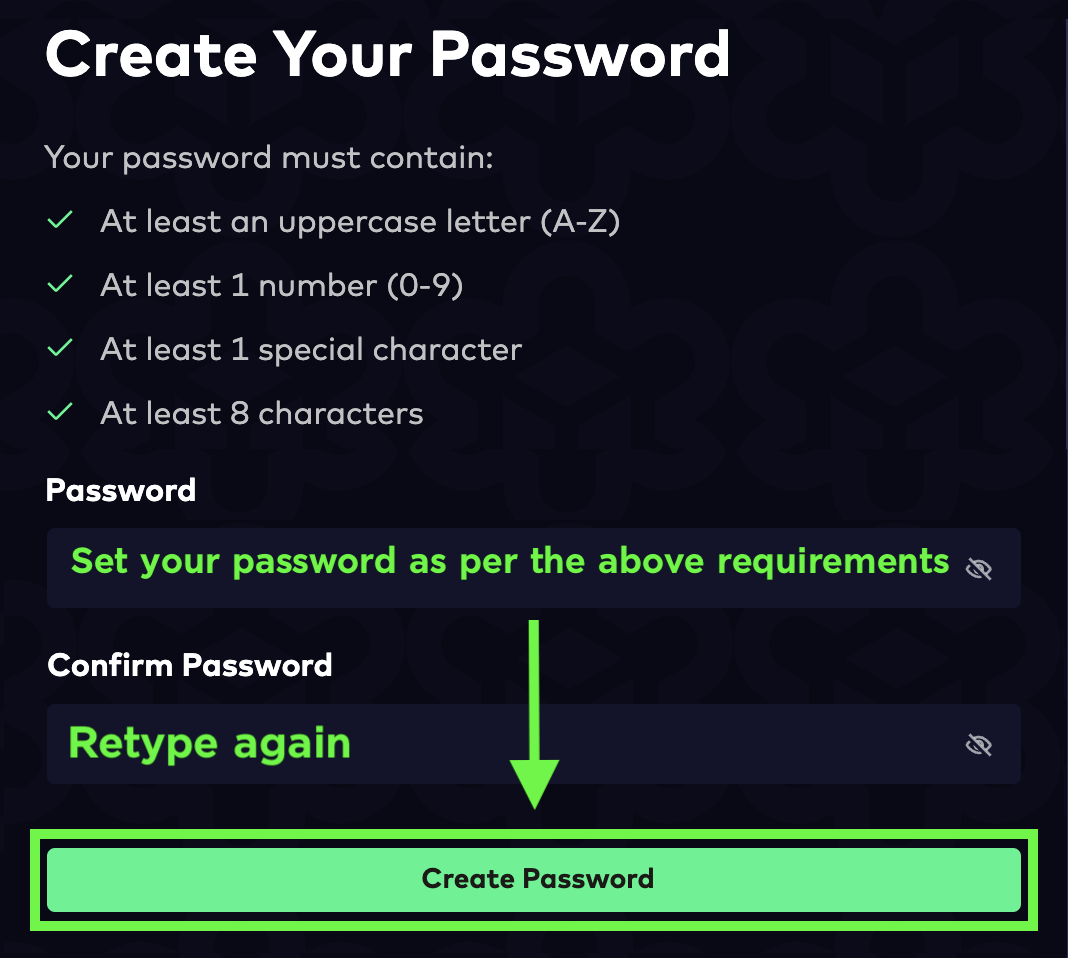
Your password must be 8-40 characters long and include at least one
- Uppercase letter (A-Z)
- Lowercase letter (a-z)
- Number (0-9)
- Special character (@#$%!?)
For example, B1t@zzaPW
3. Bitazza will then send a verification email to your email address. Click 'Verify Now' to activate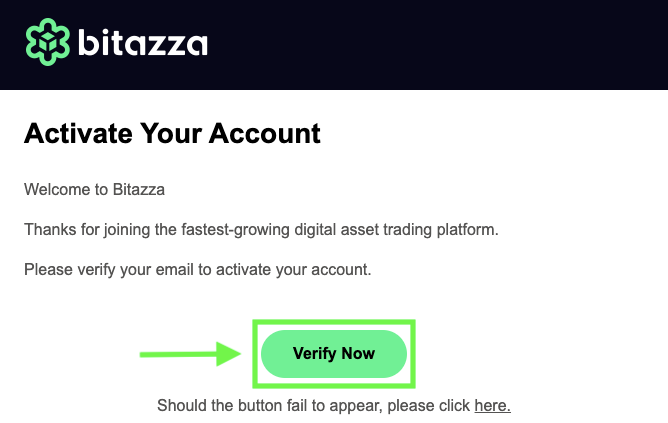
Your Bitazza account will be activated for login. Please complete the KYC verification process in order to access the deposit and trading functions
Instructions for Mobile App
1. Click on 'Sign Up' on the first page of the Bitazza application.
2. Enter the email you want to use for registration. Then click 'Next'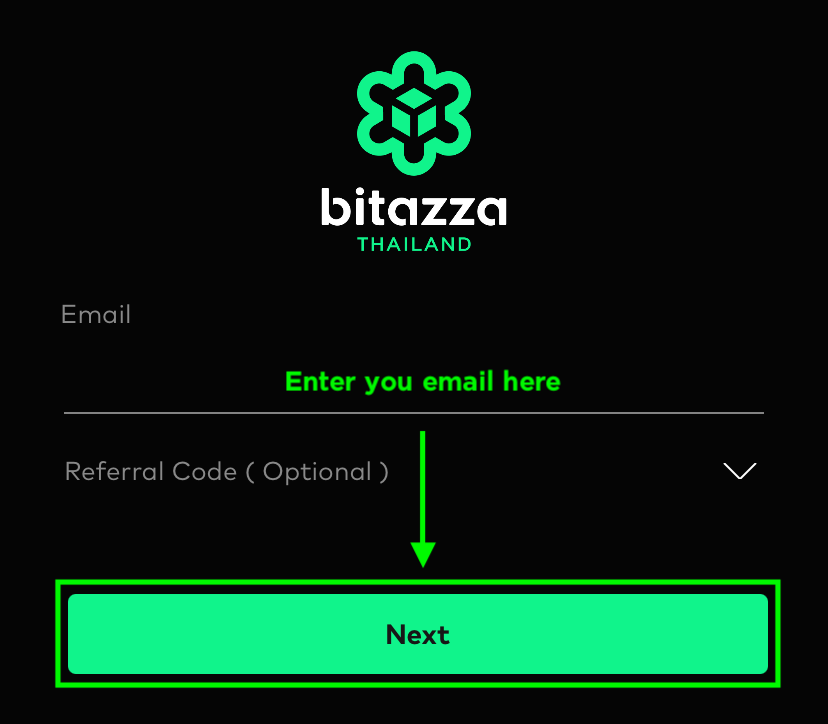
Note
- The email must not have been previously registered.
- Click on the dropdown symbol to enter the referral code (if available).
3. Enter the desired password, re-enter it in the 'Confirm Password' field, and then click on 'Sign Up'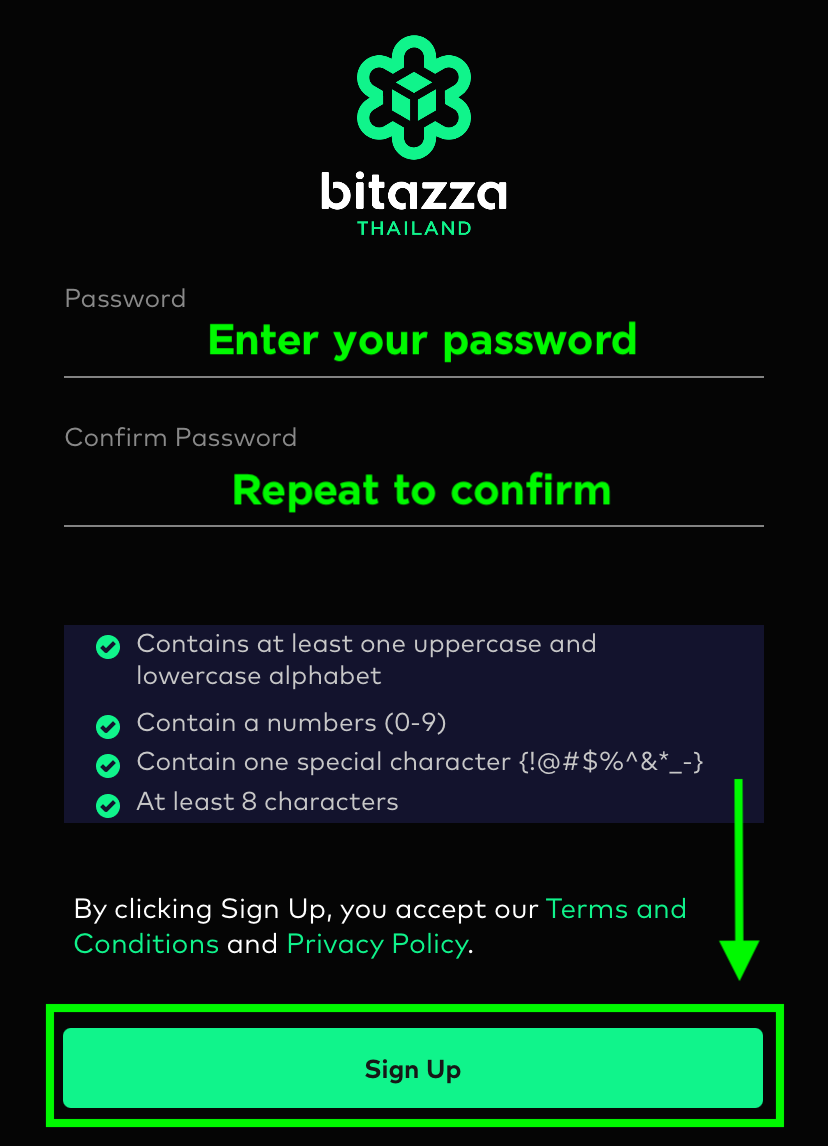
Your password must be 8-40 characters long and include at least one
- Uppercase letter (A-Z)
- Lowercase letter (a-z)
- Number (0-9)
- Special character (!@#$%)
For example, B1t@zzaPW.
4. Bitazza will send a confirmation email to your email address. Click 'Open your email app' and proceed to the email application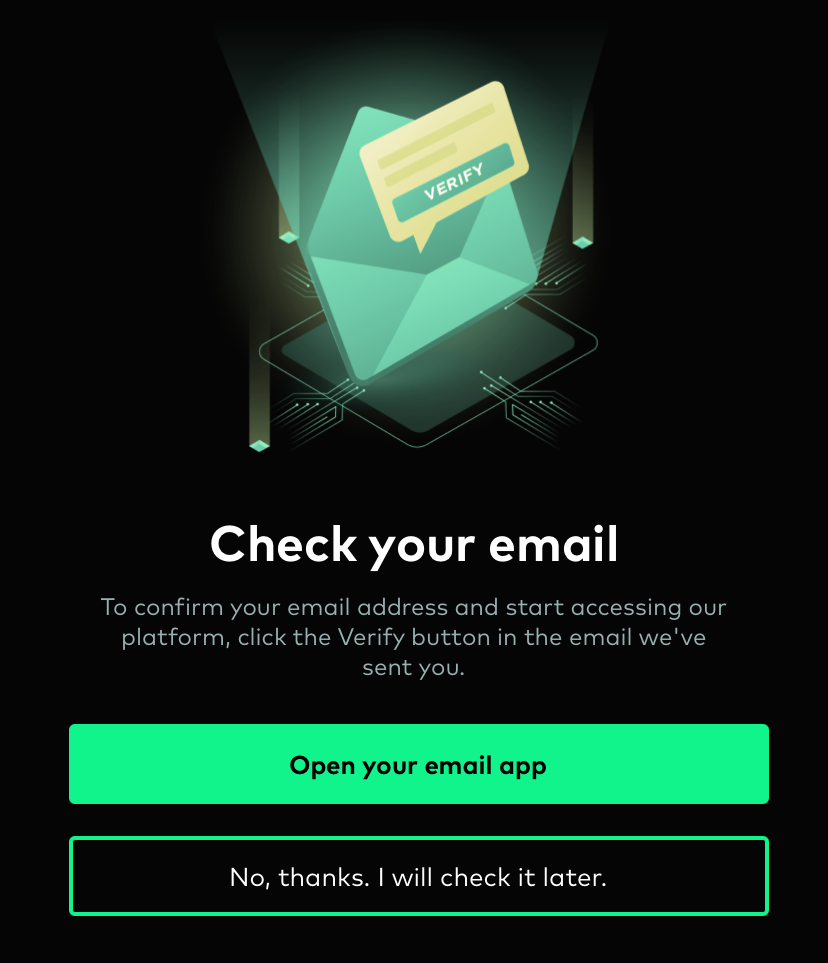
5. Open the confirmation email and click on the 'Verify Account' button to complete the process.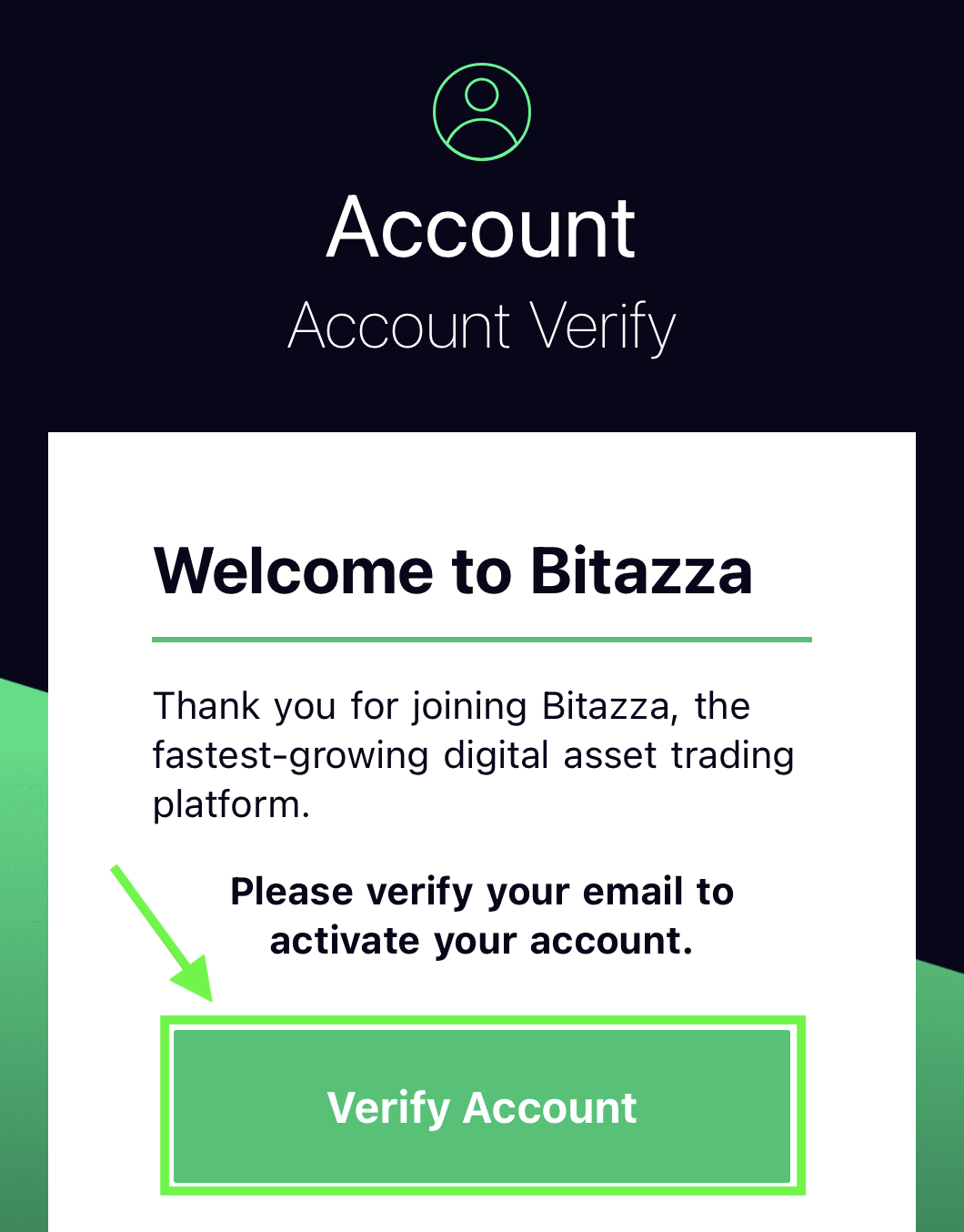
Your Bitazza account will be activated for login. Please complete the KYC verification process in order to access the deposit and trading functions