[ภาษาไทย] วิธีฝากเงินผ่านแอปพลิเคชัน | วิธีฝากเงินผ่านเว็บไซต์
[EN] Instructions for Web Browser | Instructions for Mobile App
วิธีฝากเงินผ่านแอปพลิเคชัน
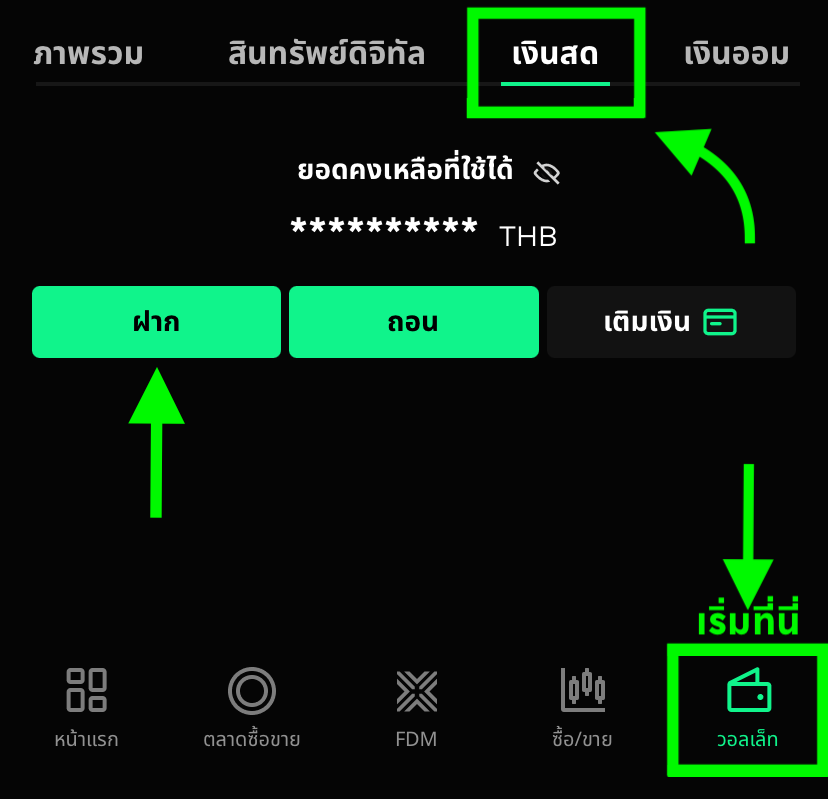
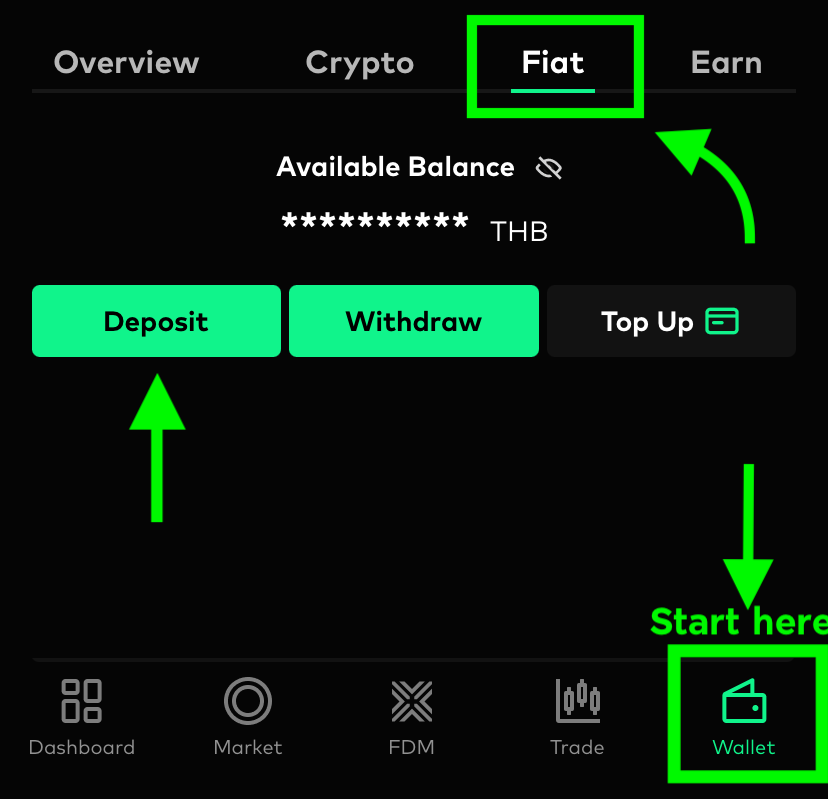
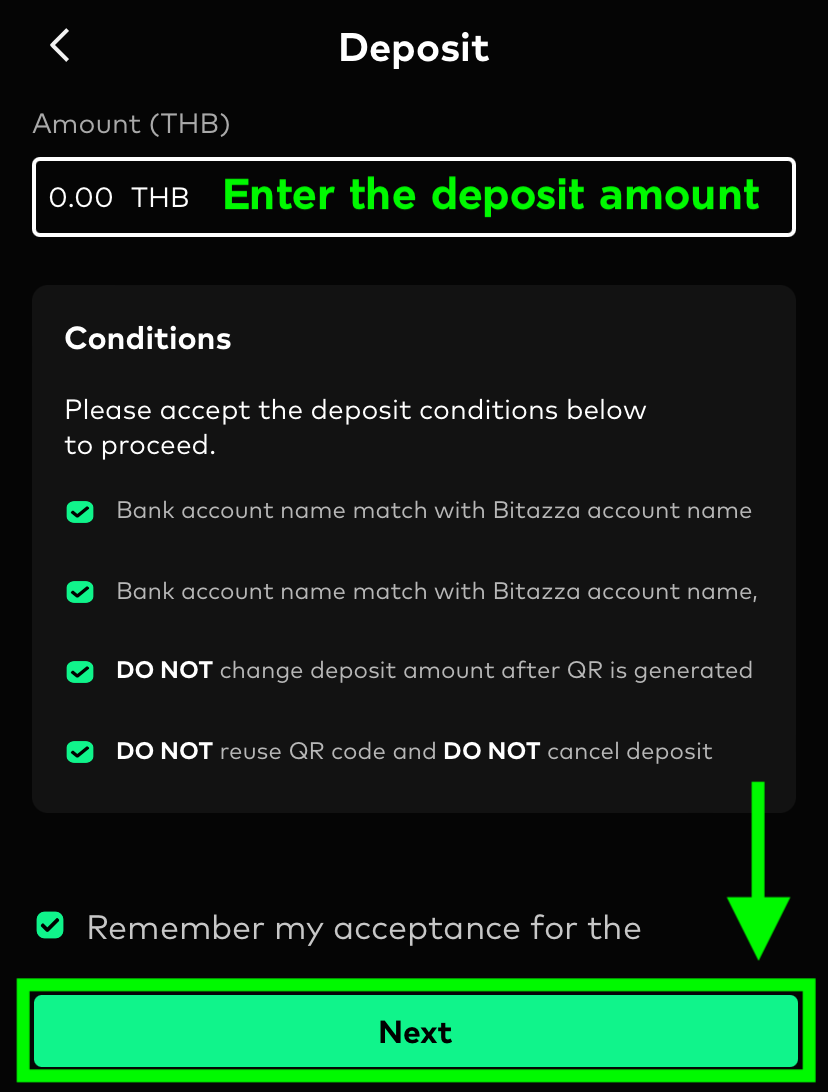
1. ไปยังแท็บ วอลเล็ท จากนั้นเลือกหัวข้อ เงินสด และคลิกที่ปุ่ม ฝาก
3. คุณสามารถกดปุ่ม บันทึก QR ลงเครื่อง จากนั้นทำภาพ QR Code ดังกล่าวไปใช้กับแอปพลิเคชันธนาคารเพื่อฝากเงิน
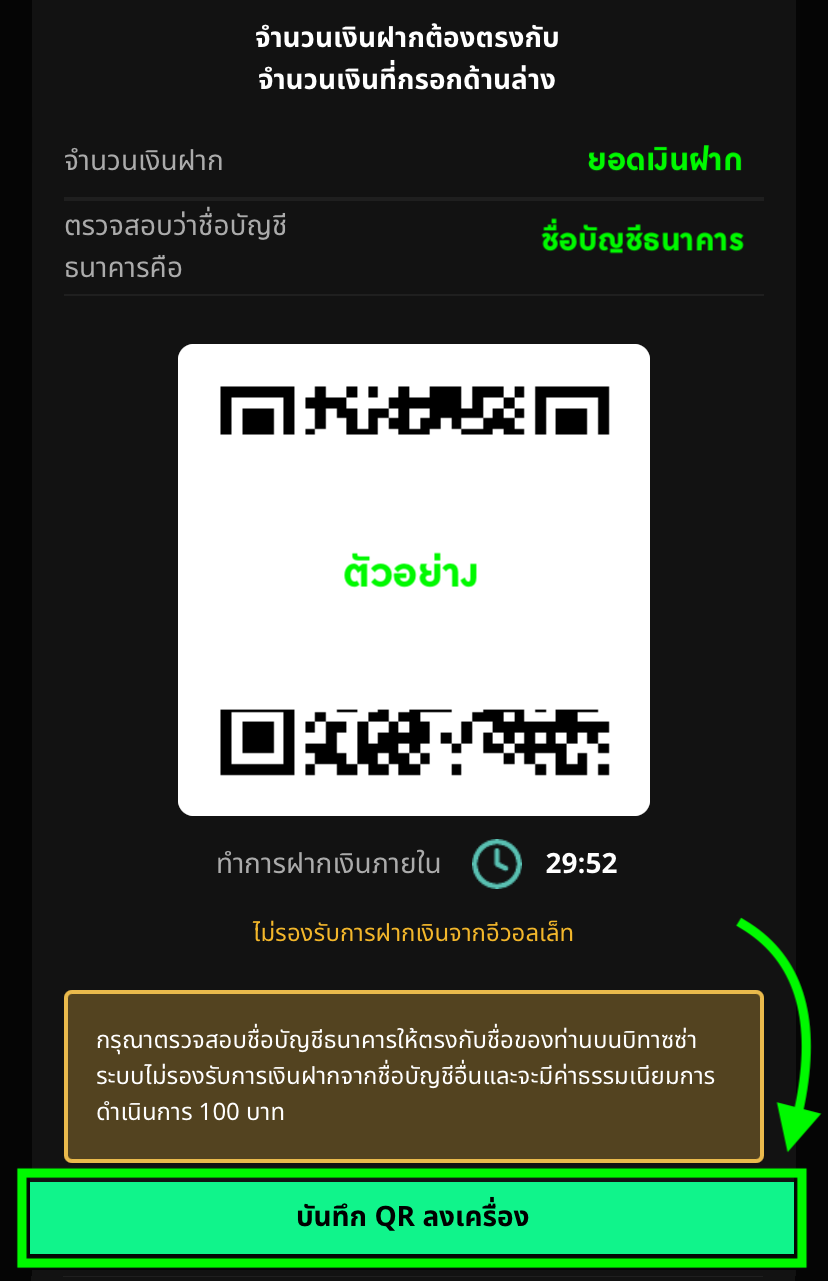
*การฝากเงินสามารถฝากจากบัญชีธนาคารใดก็ได้ที่มีชื่อ-นามสกุลตรงกันกับชื่อบัญชีบิทาซซ่าของคุณ และไม่จำเป็นต้องดำเนินการเพิ่มบัญชีหรือเปลี่ยนบัญชีเพื่อฝากเงินแต่อย่างใด
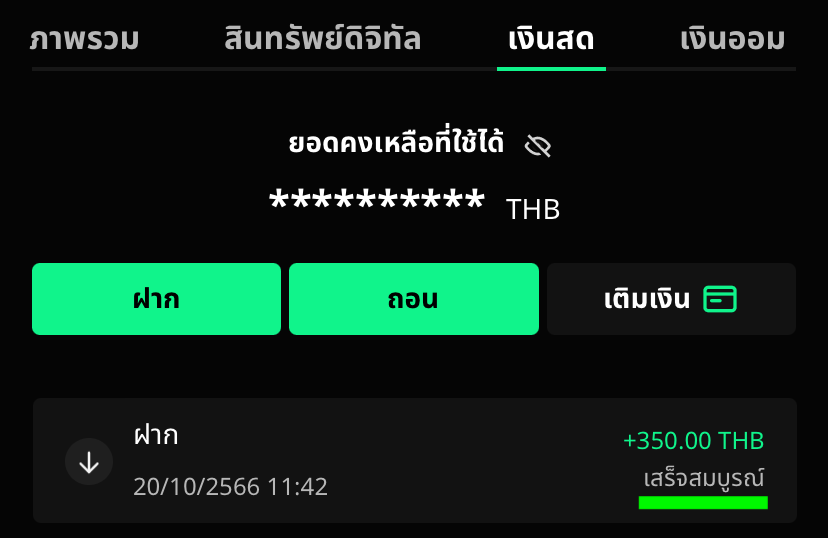
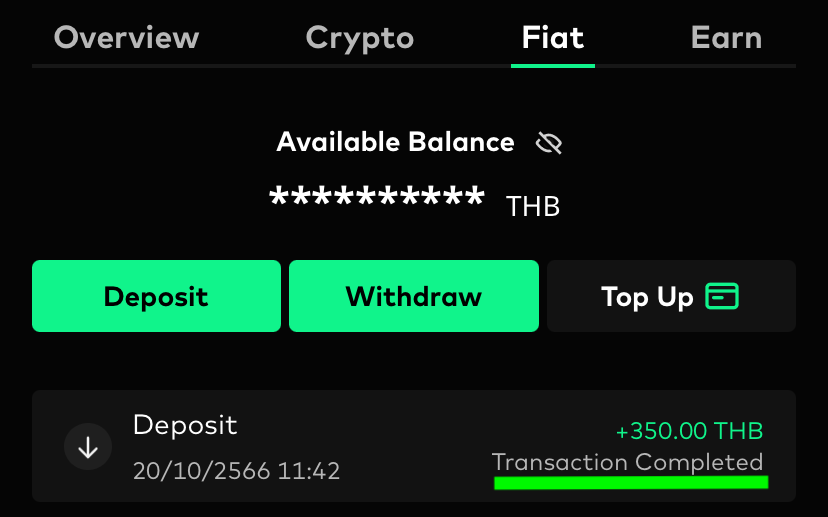
4. เมื่อการฝากเงินสำเร็จ สถานะการฝากเงินจะแสดงเป็น เสร็จสมบูรณ์
บิทาซซ่าไม่กำหนดวงเงินสูงสุดสำหรับการฝากเงินสดต่อวัน อย่างไรก็ตาม การถอนเงินสดมีการจำกัดวงเงินไว้ที่ 5 ล้านบาทต่อวัน
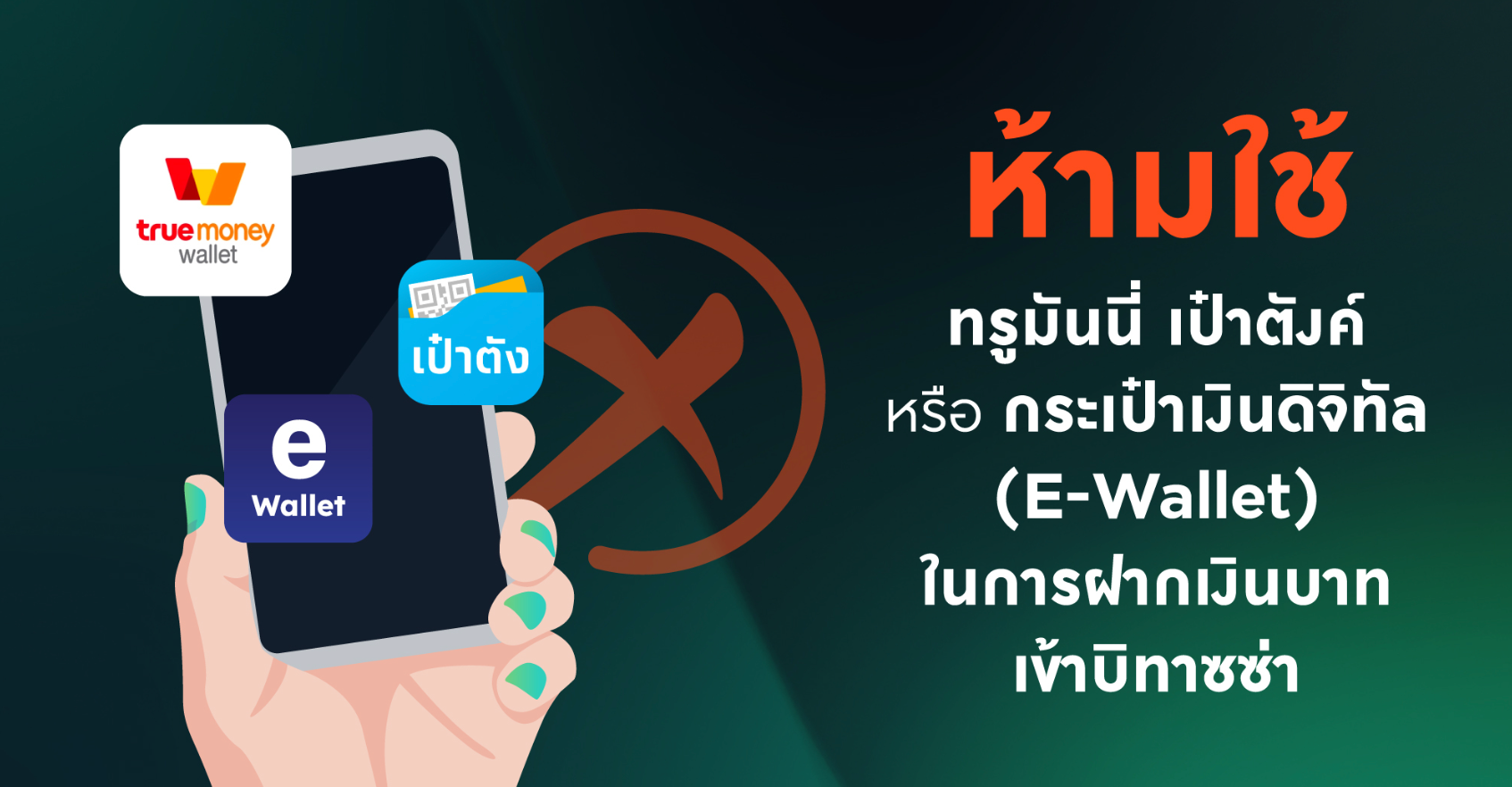
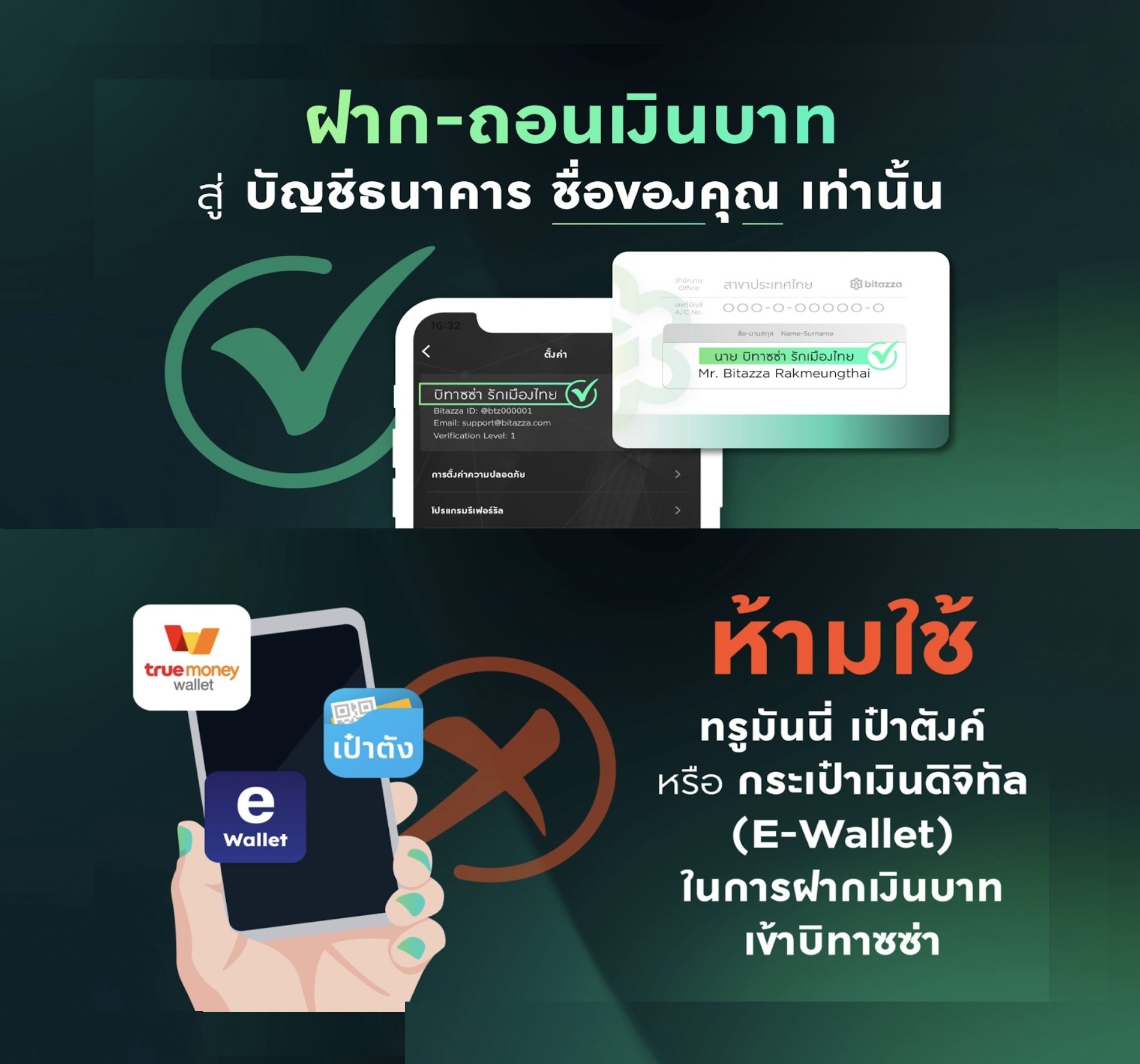
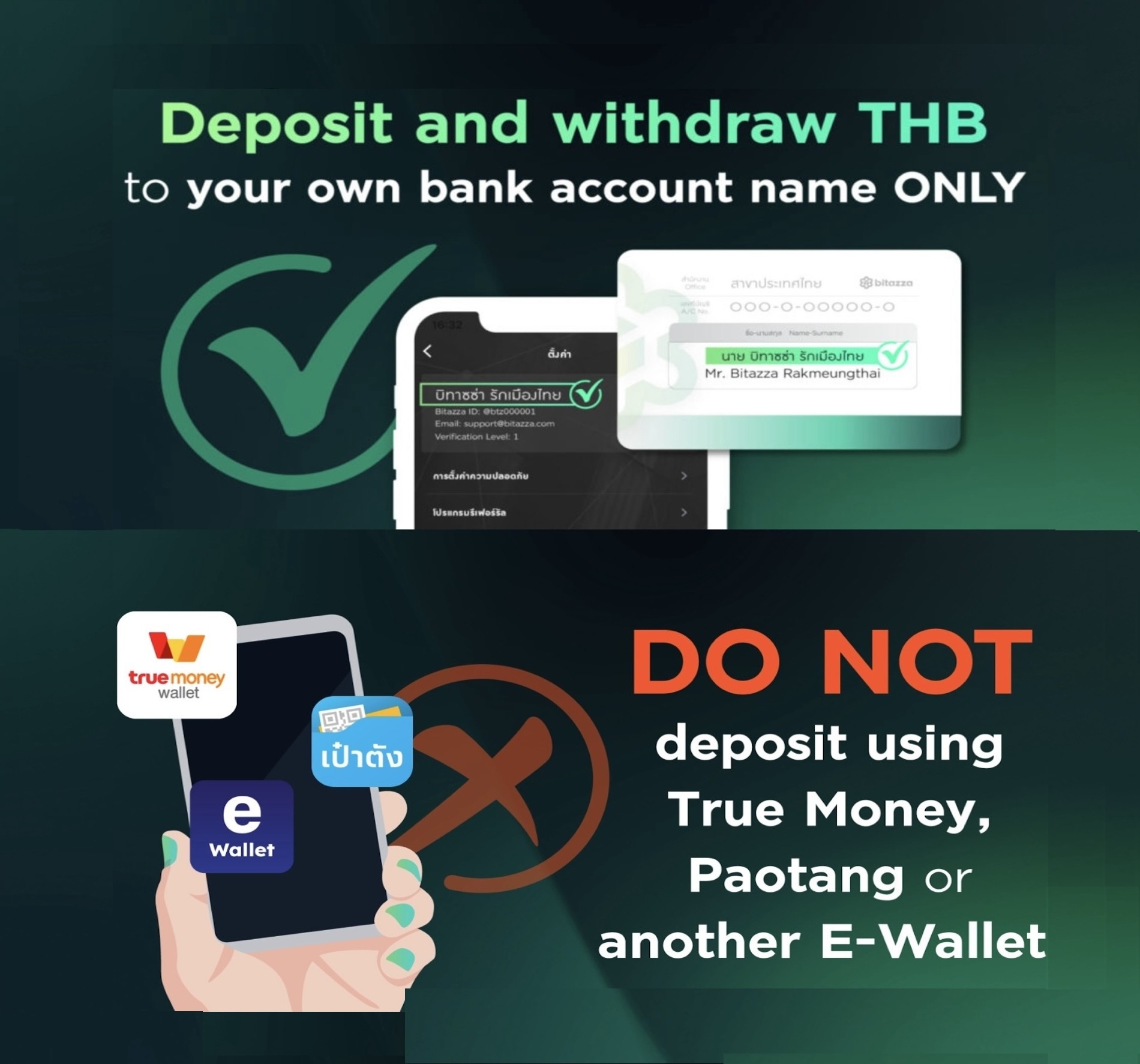
ห้ามใช้ ทรูมันนี่วอลเลท, เป๋าตัง หรือกระเป๋าเงินดิจิทัล ในการฝากถอนเงินบาท เนื่องจากบิทาซซ่ายังไม่รองรับการฝากถอนในรูปแบบดังกล่าว
วิธีฝากเงินผ่านเว็บไซต์
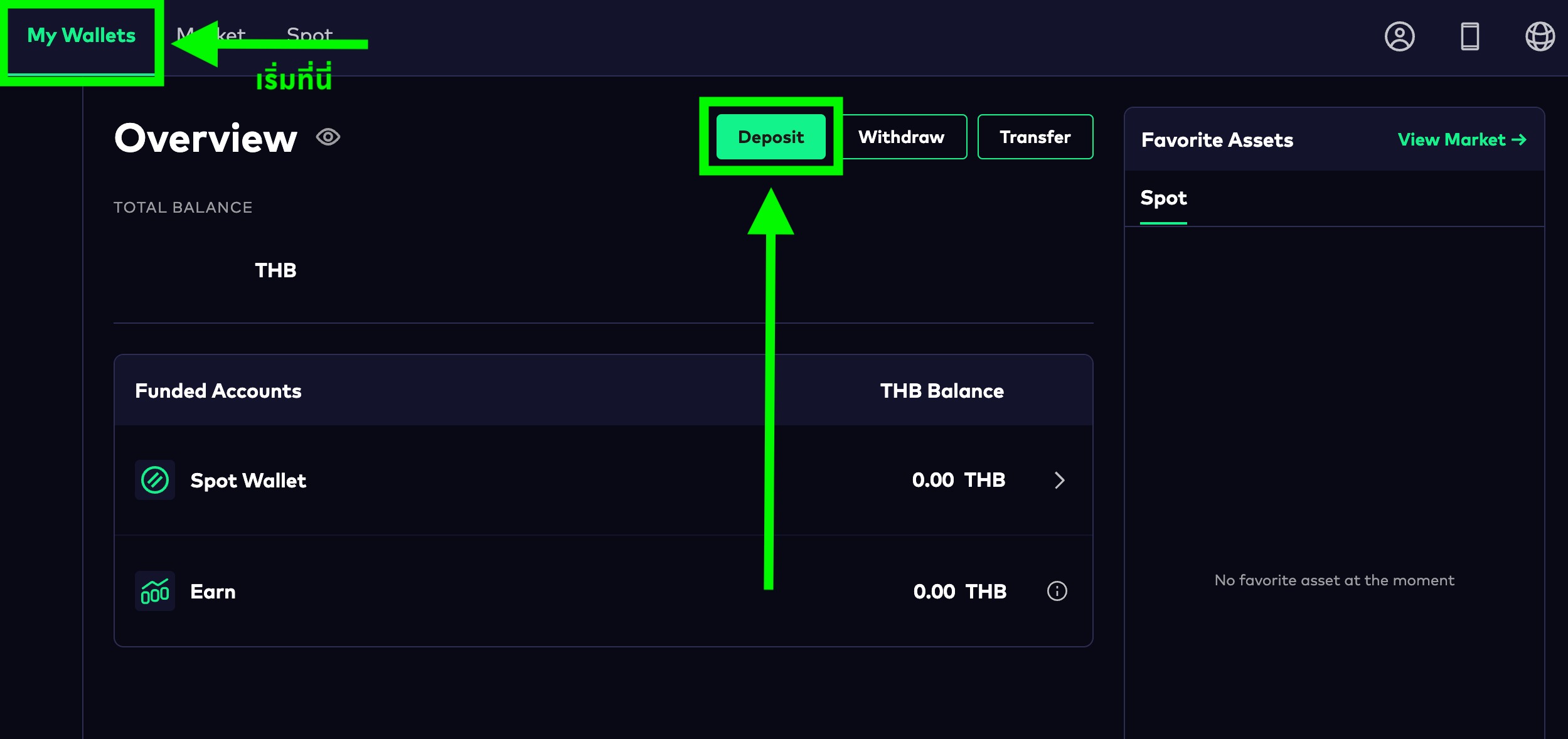
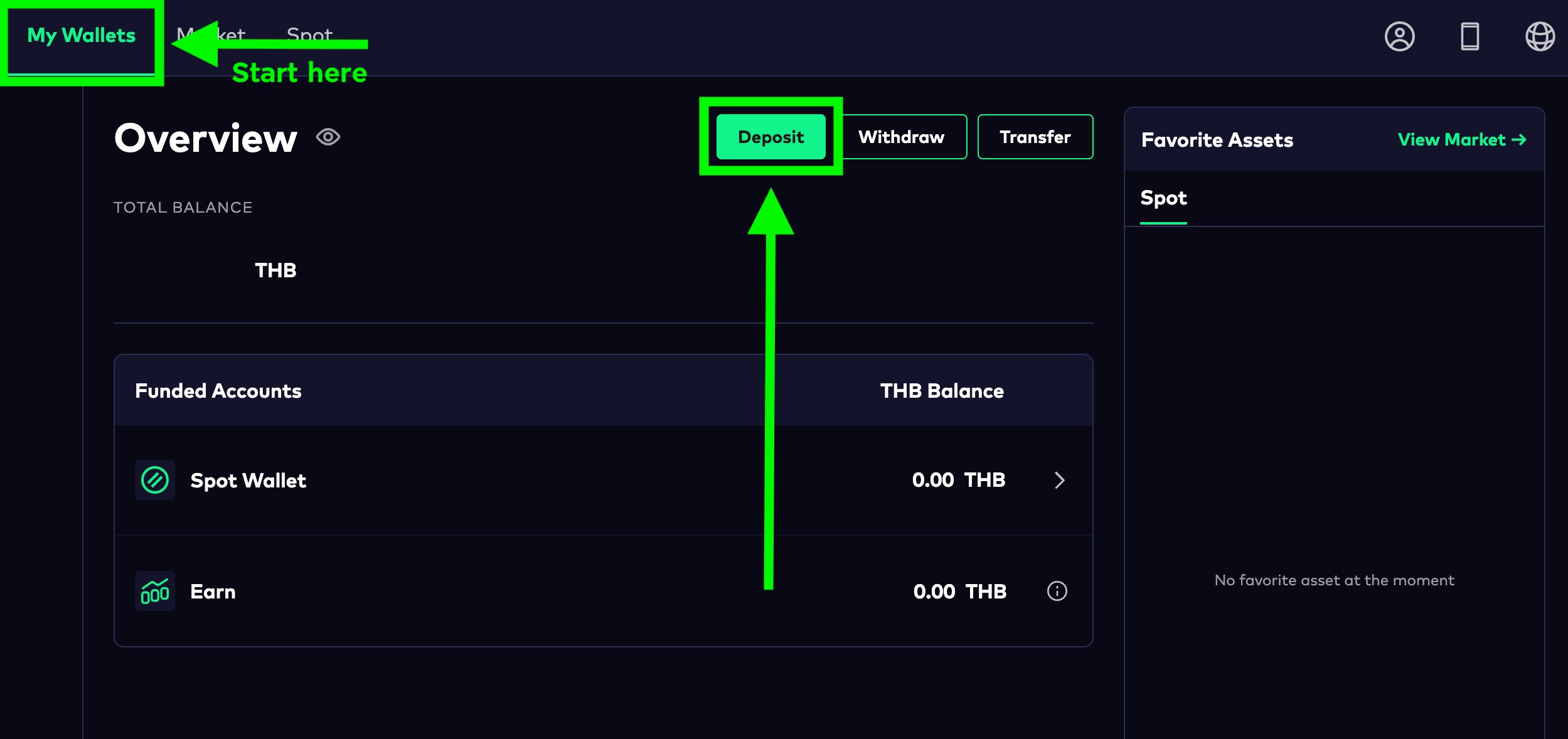
1. คลิกที่ปุ่ม 'Deposit' จากหน้า 'My Wallets' ของคุณ
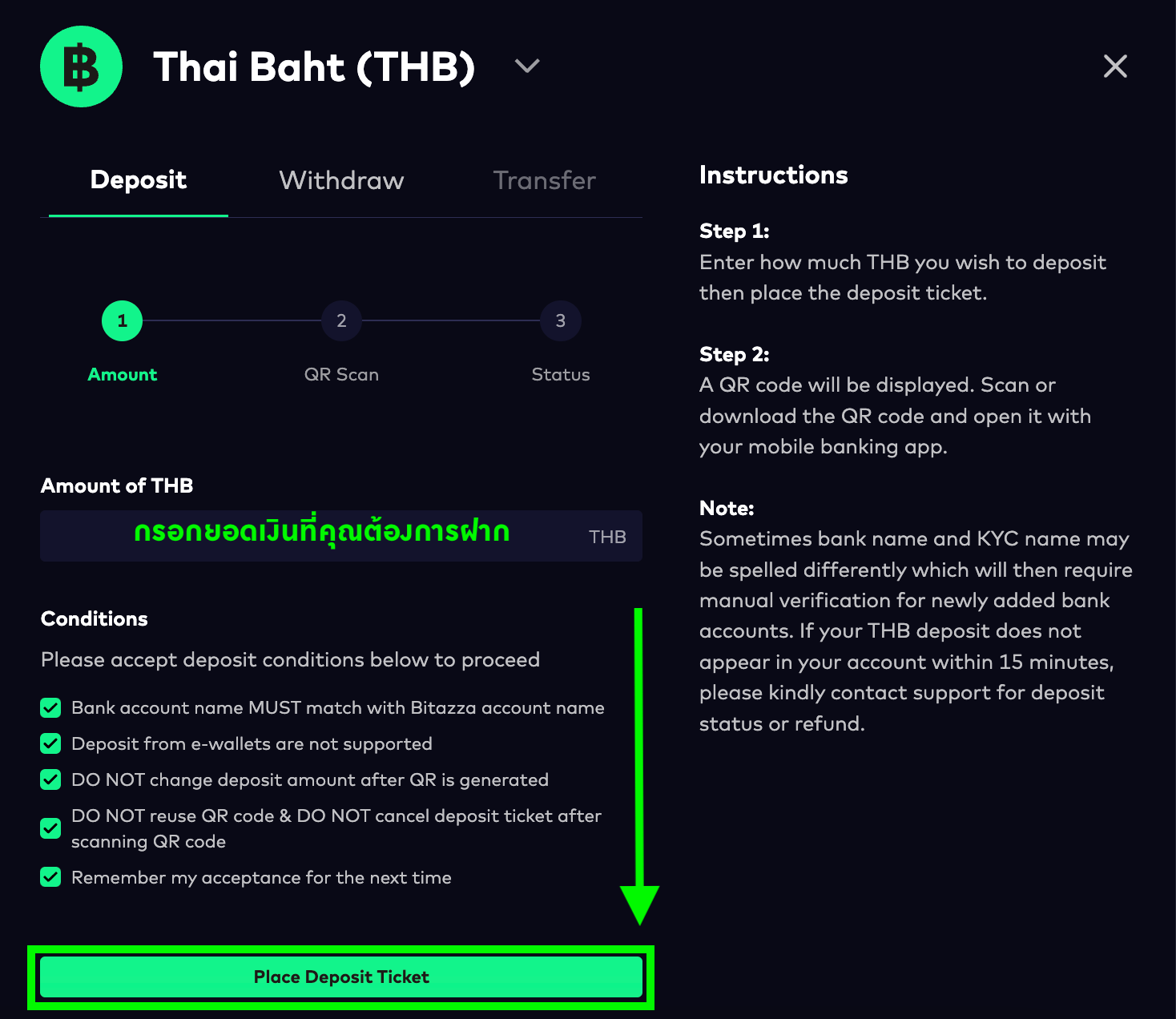
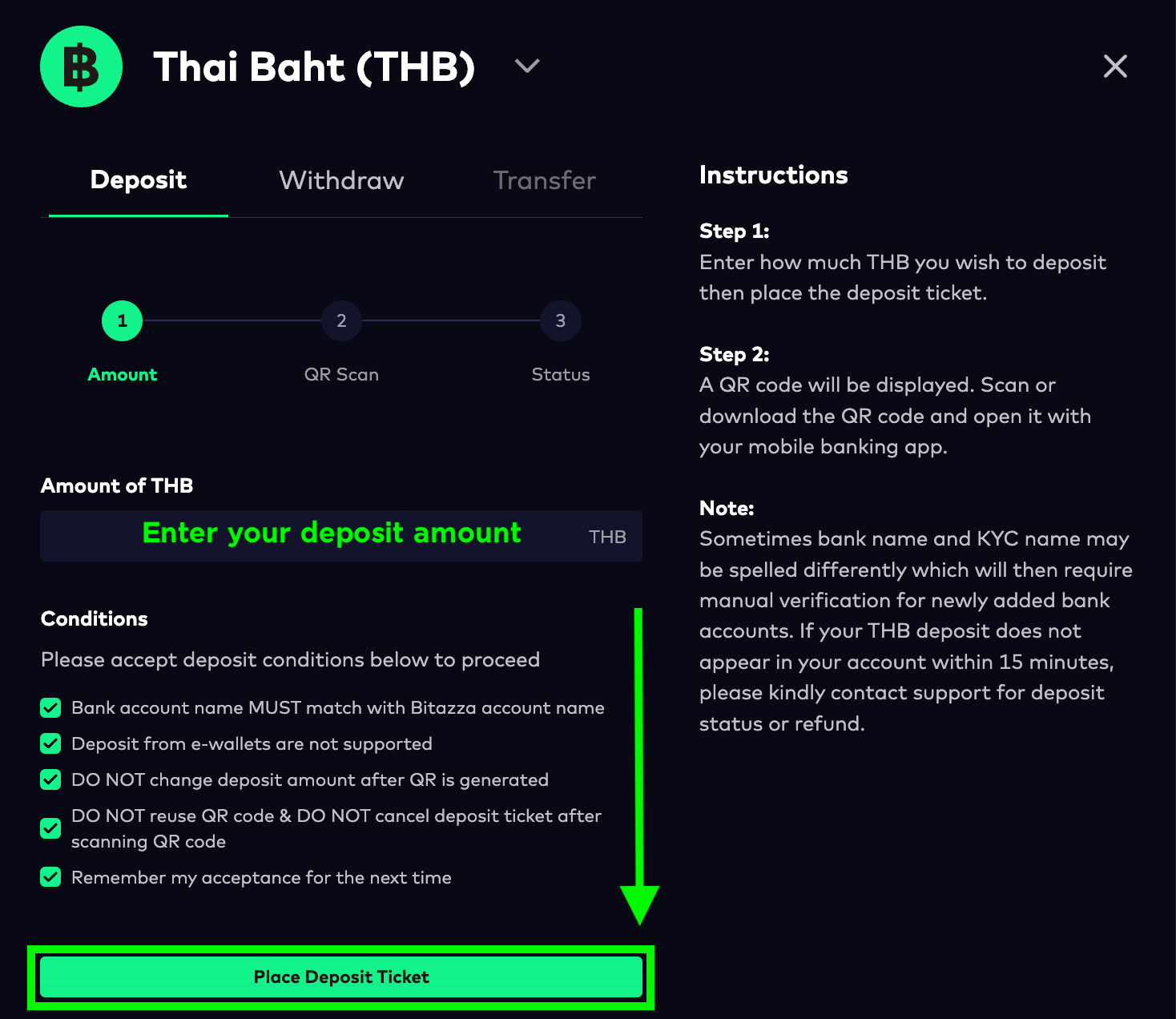
2.ใส่จำนวนเงินที่คุณต้องการฝาก จากนั้นคลิกที่ปุ่ม 'Place Deposit Ticket'
ยอดการฝากจะต้องไม่เกิน 2 ล้านบาทต่อ 1 ธุรกรรม
3. สแกน QR code หรือ อัปโหลด QR code ไปที่แอปพลิเคชันธนาคารเพื่อฝากเงิน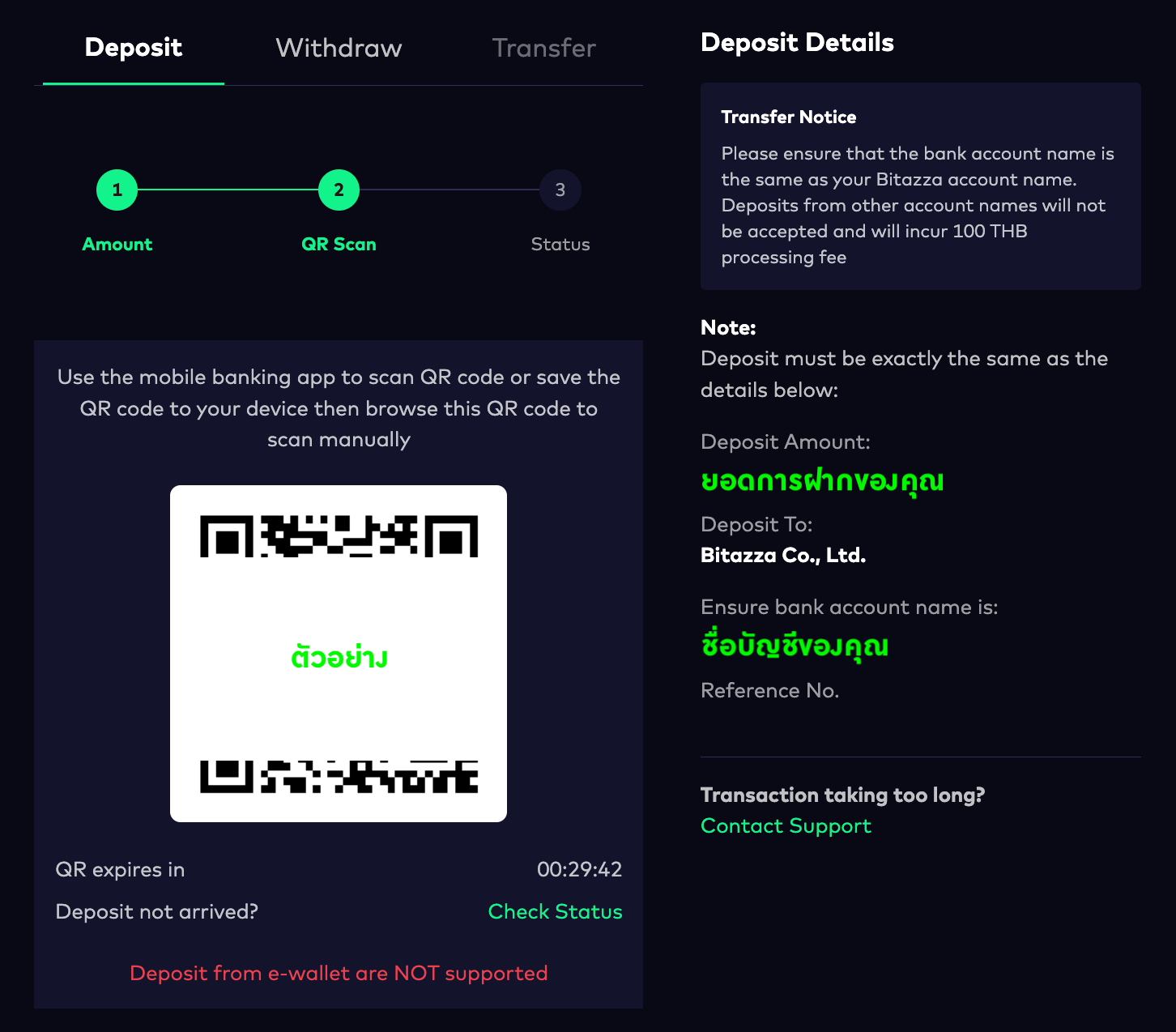
*การฝากเงินสามารถฝากจากบัญชีธนาคารใดก็ได้ที่มีชื่อ-นามสกุลตรงกันกับชื่อบัญชีบิทาซซ่าของคุณ และไม่จำเป็นต้องดำเนินการเพิ่มบัญชีหรือเปลี่ยนบัญชีเพื่อฝากเงินแต่อย่างใด
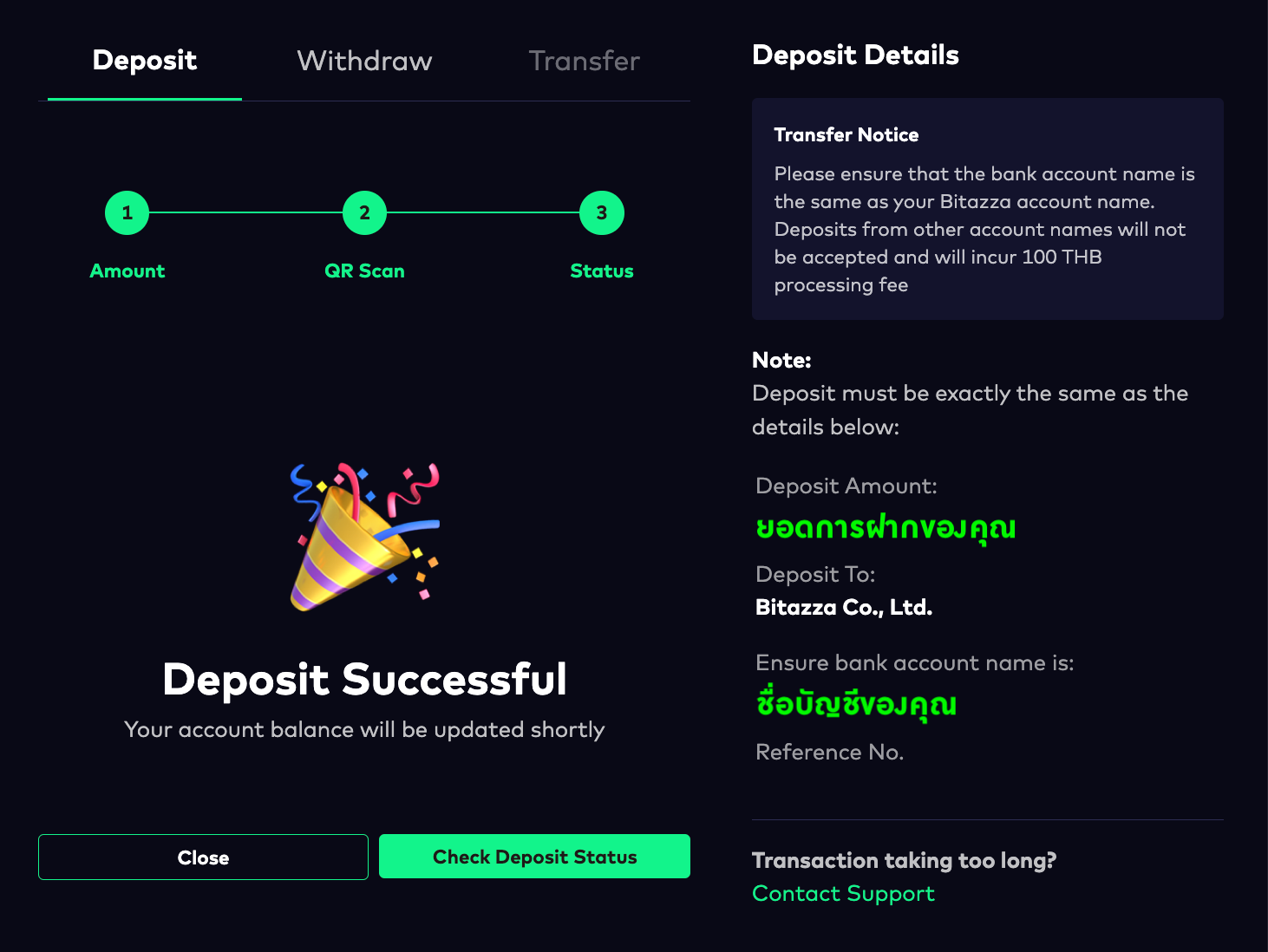
เมื่อการฝากเงินสำเร็จ หน้าการฝากเงินจะแสดงสถานะ 'Deposit Successful'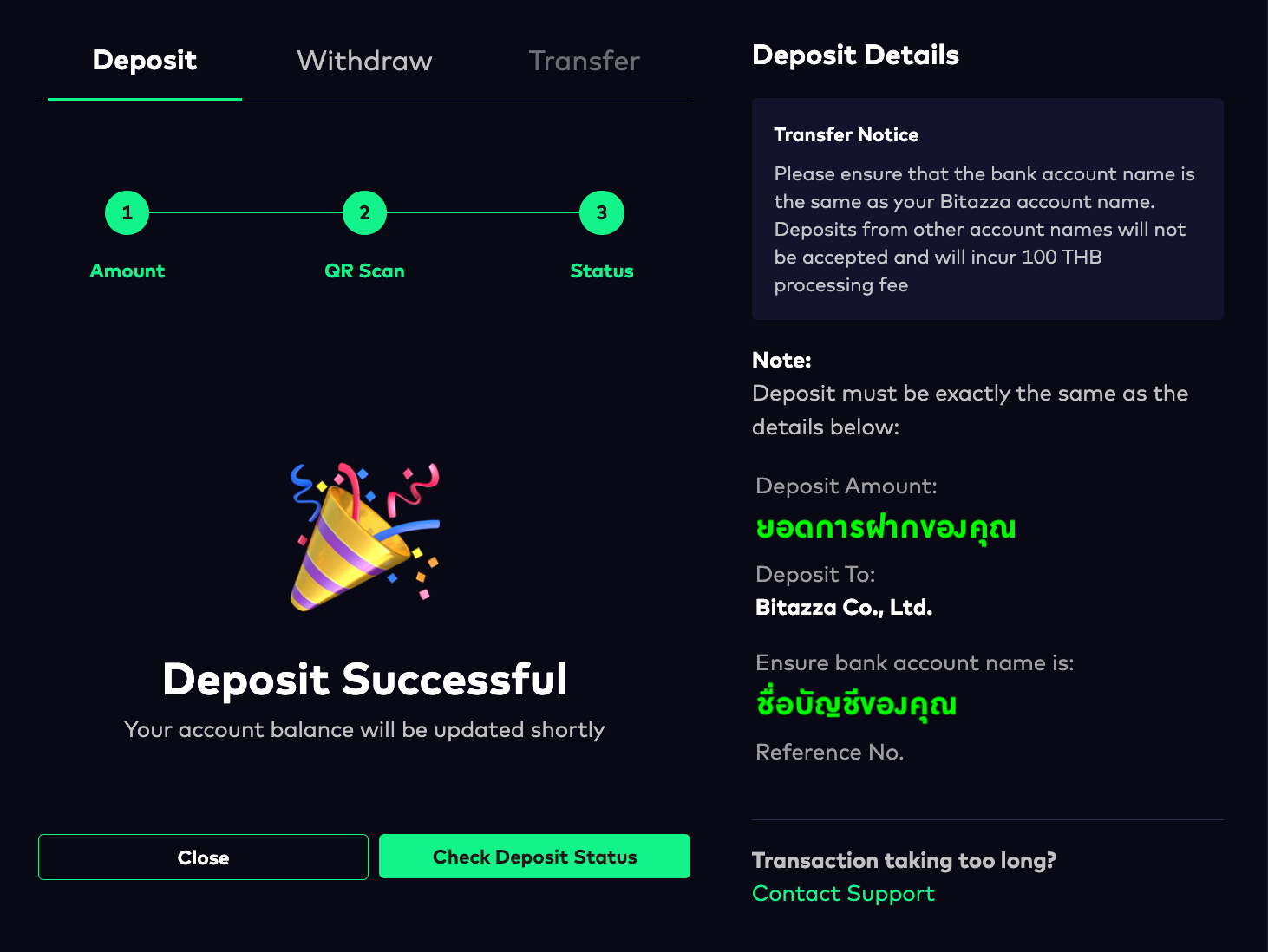
บิทาซซ่าไม่กำหนดวงเงินสูงสุดสำหรับการฝากเงินสดต่อวัน อย่างไรก็ตาม การถอนเงินสดมีการจำกัดวงเงินไว้ที่ 5 ล้านบาทต่อวัน
Instructions for Mobile App
1. Please navigate to the Wallet tab, click on the Fiat section, and then click on Deposit.
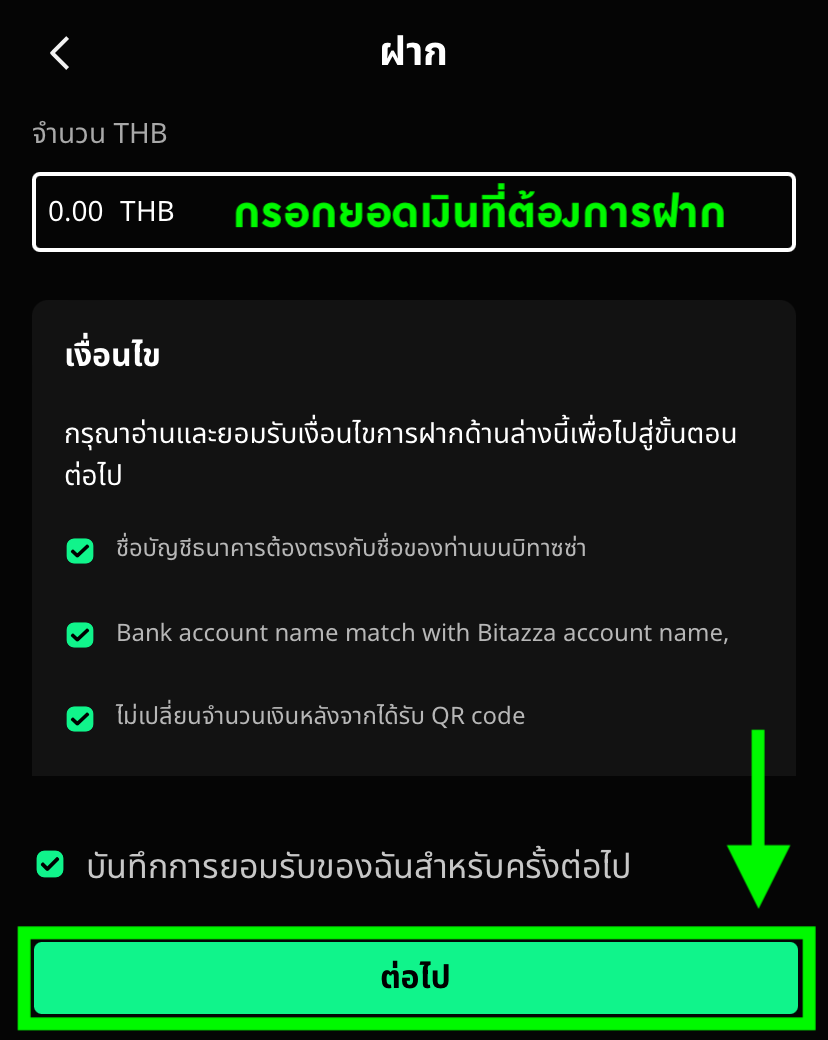
2. Enter the amount of THB you wish to deposit, then click to accept the deposit conditions and click Next.
3. Click Save QR code and then upload it to your mobile banking app to deposit money.
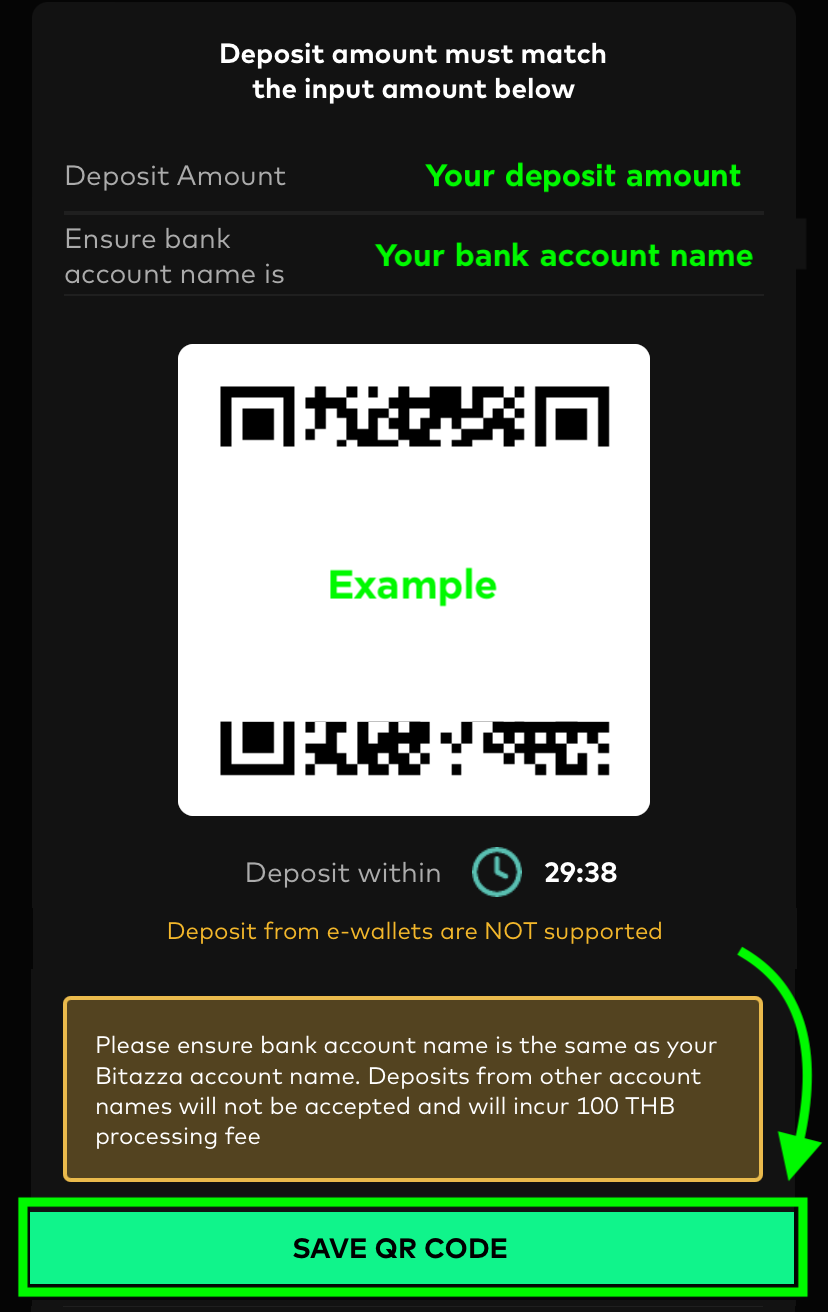
Deposits can be made from any bank account that matches the name on your Bitazza account, and there is no need to add or change the account before depositing
4. When the deposit is successful, the deposit status will display Transaction Completed.
Bitazza does not impose a maximum limit on daily THB deposits. However, THB withdrawals are limited to 5 million baht per dayBitazza does not support deposits using True Money, Paotang, or any other E-wallet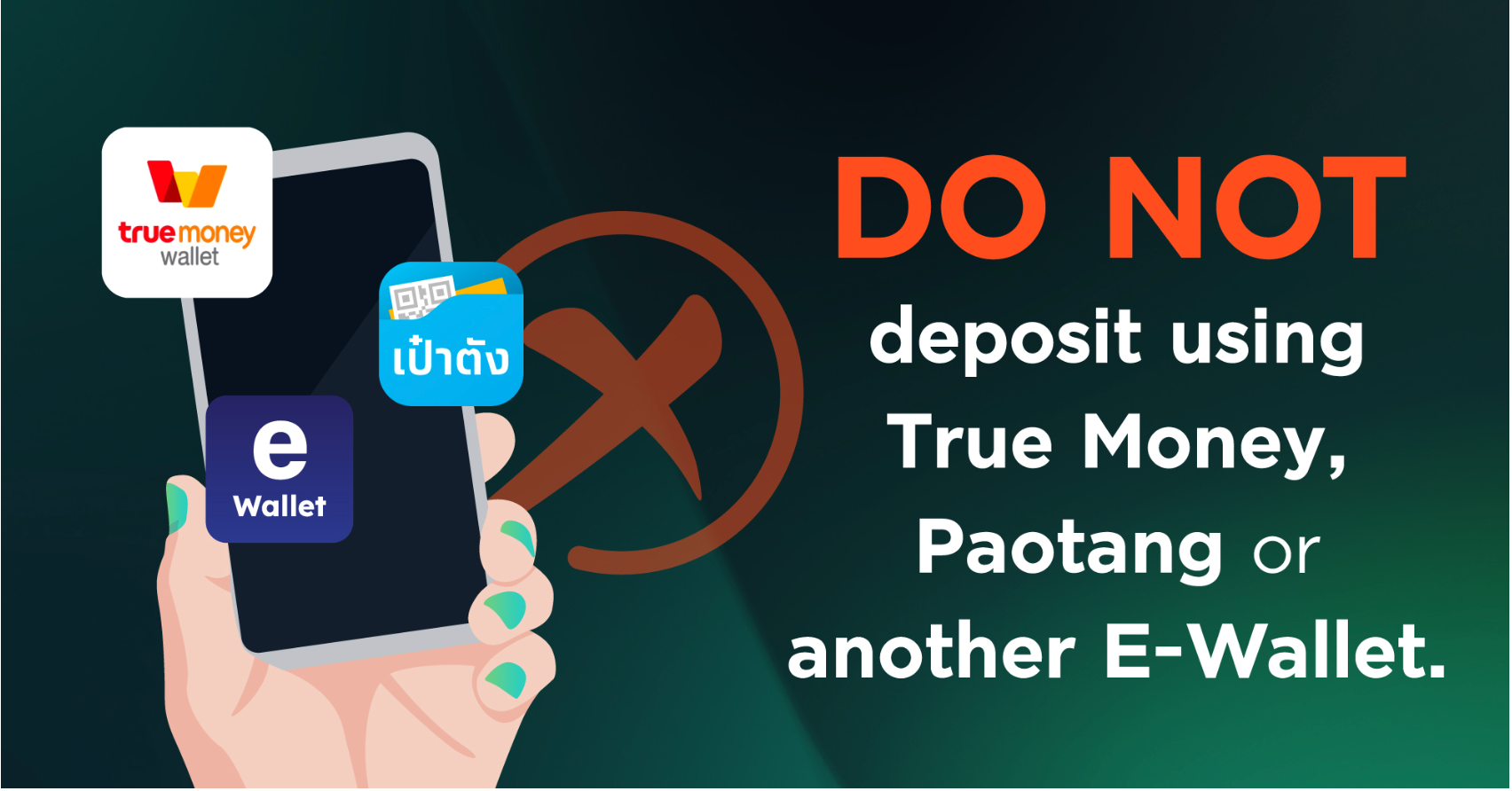
Instructions for Web Browser
1. Click on the 'Deposit' button in your 'My Wallets' tab
2. Enter the amount of THB you wish to deposit, then click on the 'Place Deposit Ticket' button
The deposit limit must not exceed 2 million baht per transaction
3. Scan the QR code or upload the QR code with your mobile banking app to deposit money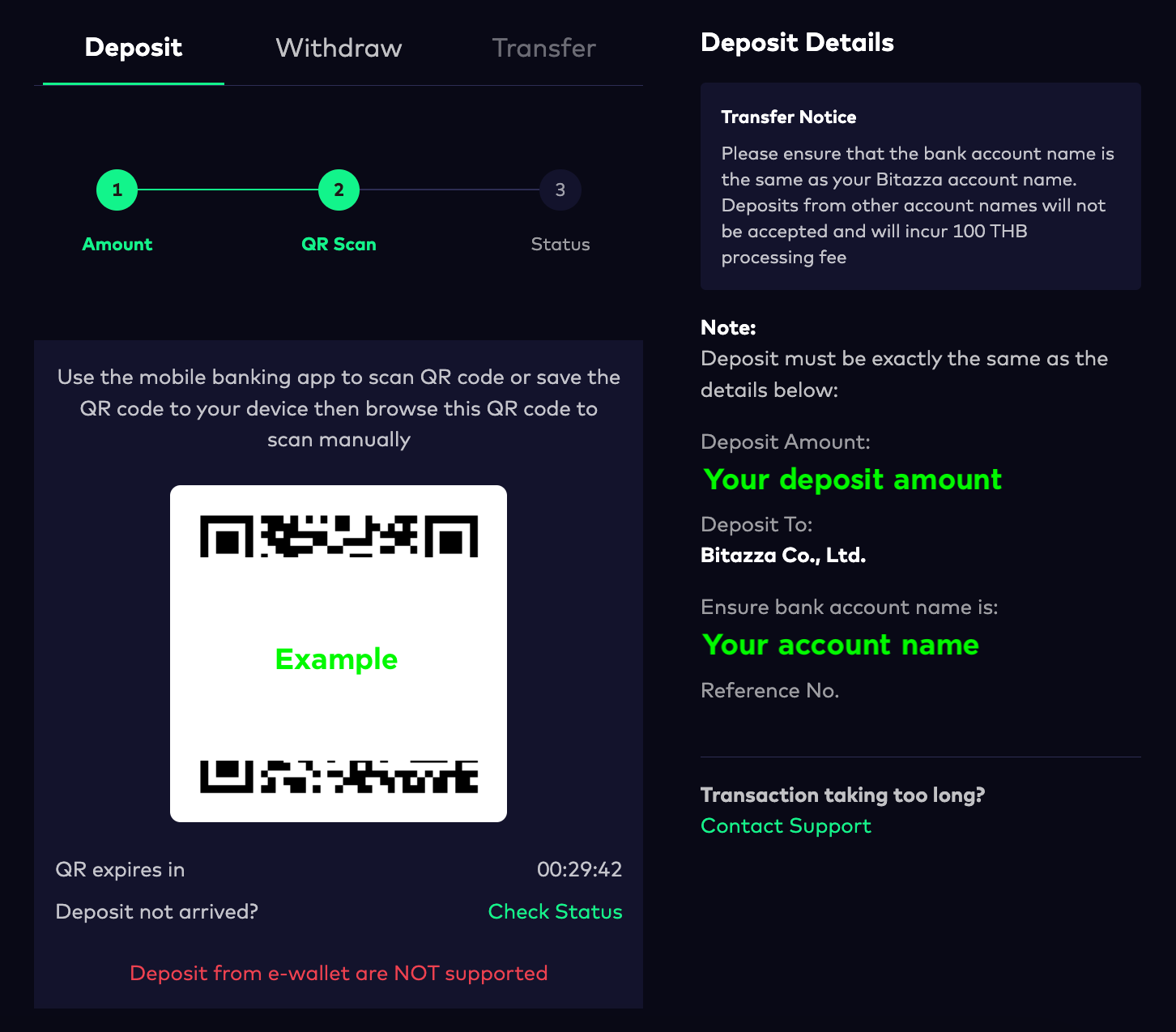
Deposits can be made from any bank account that matches the name on your Bitazza account, and there is no need to add or change the account before depositing
When the deposit is successful, the deposit confirmation page will display 'Deposit Successful'