

1. เข้าแอปพลิเคชัน Google Authenticator และกดที่ปุ่มเมนูจากโทรศัพท์เครื่องเก่าของคุณ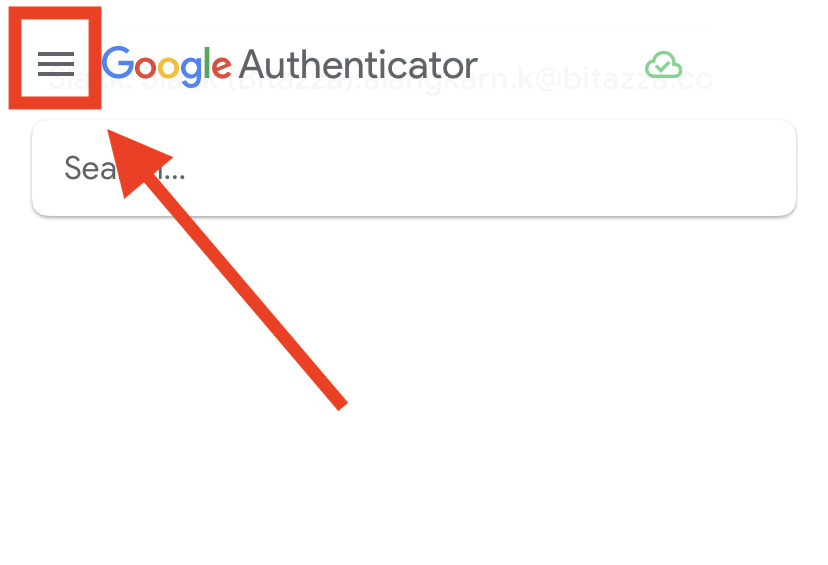
2. เลือก 'โอนบัญชี'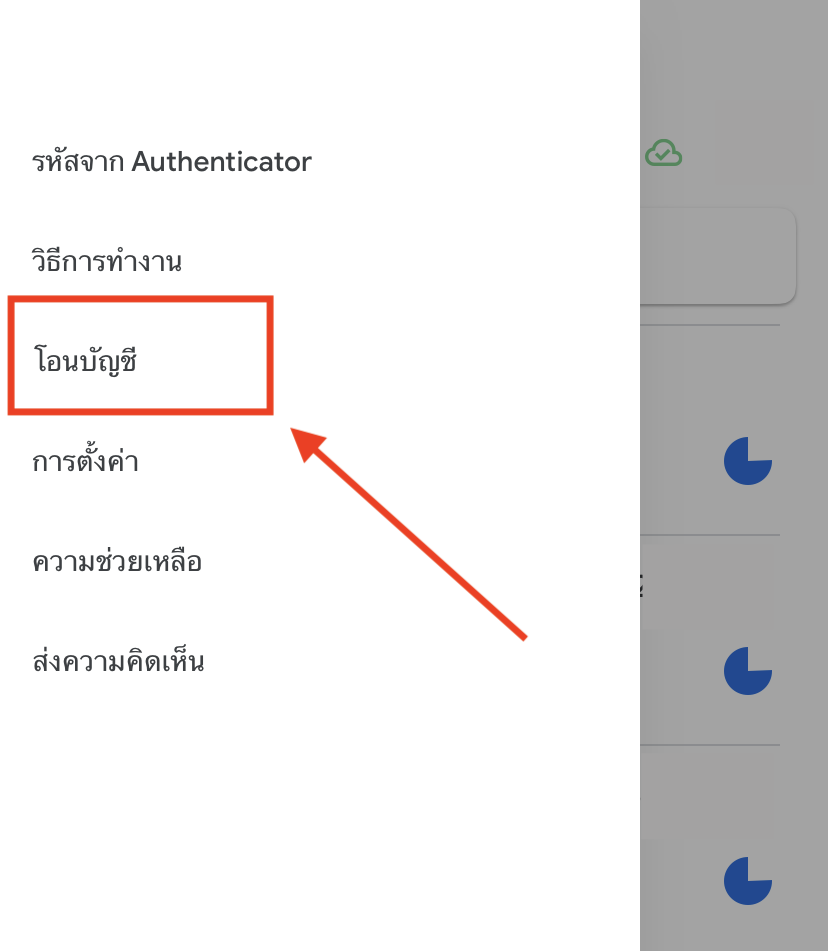
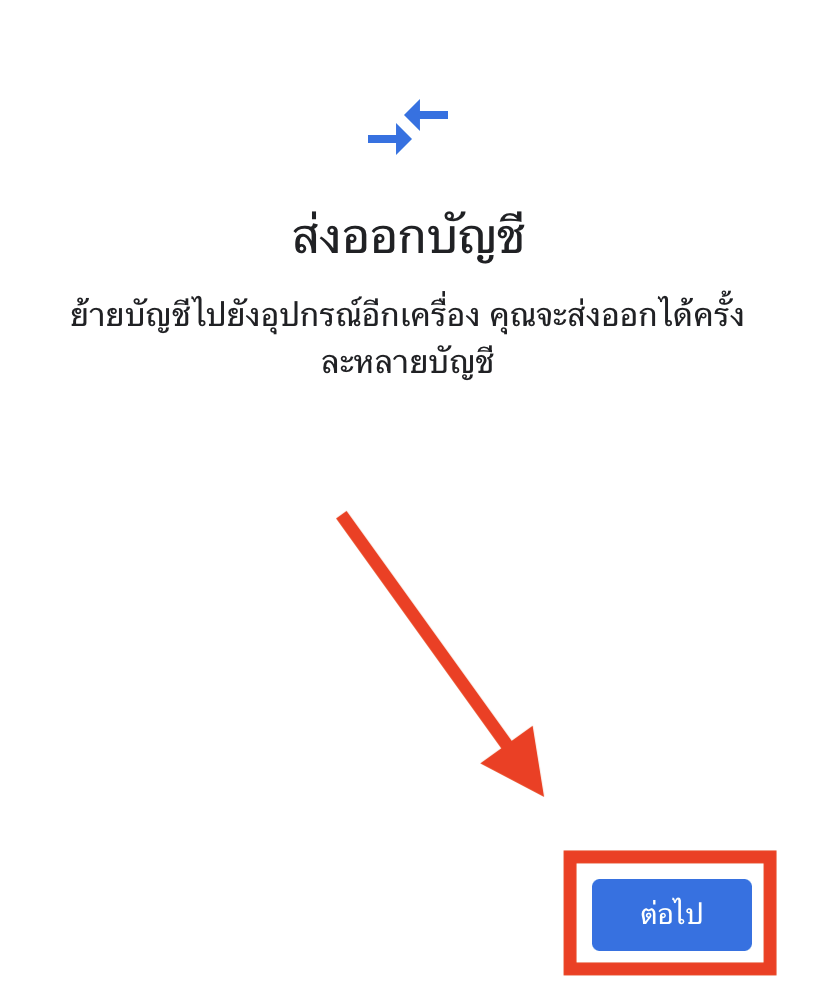
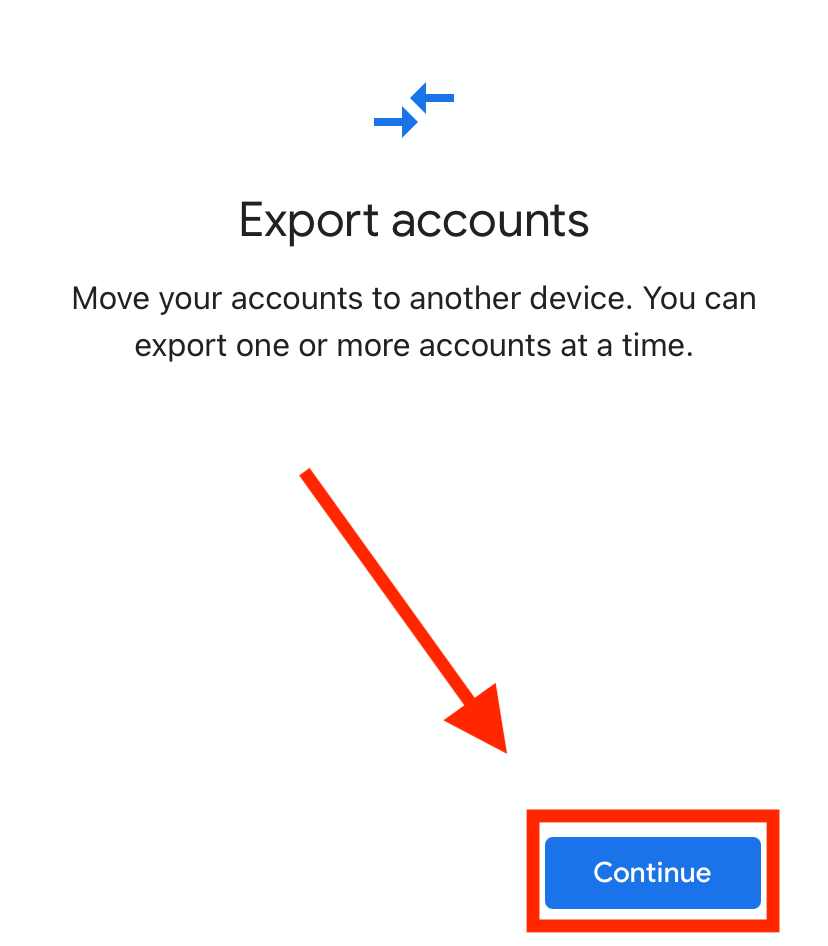
3. คลิก 'ส่งออกบัญชี' หรือ 'ต่อไป'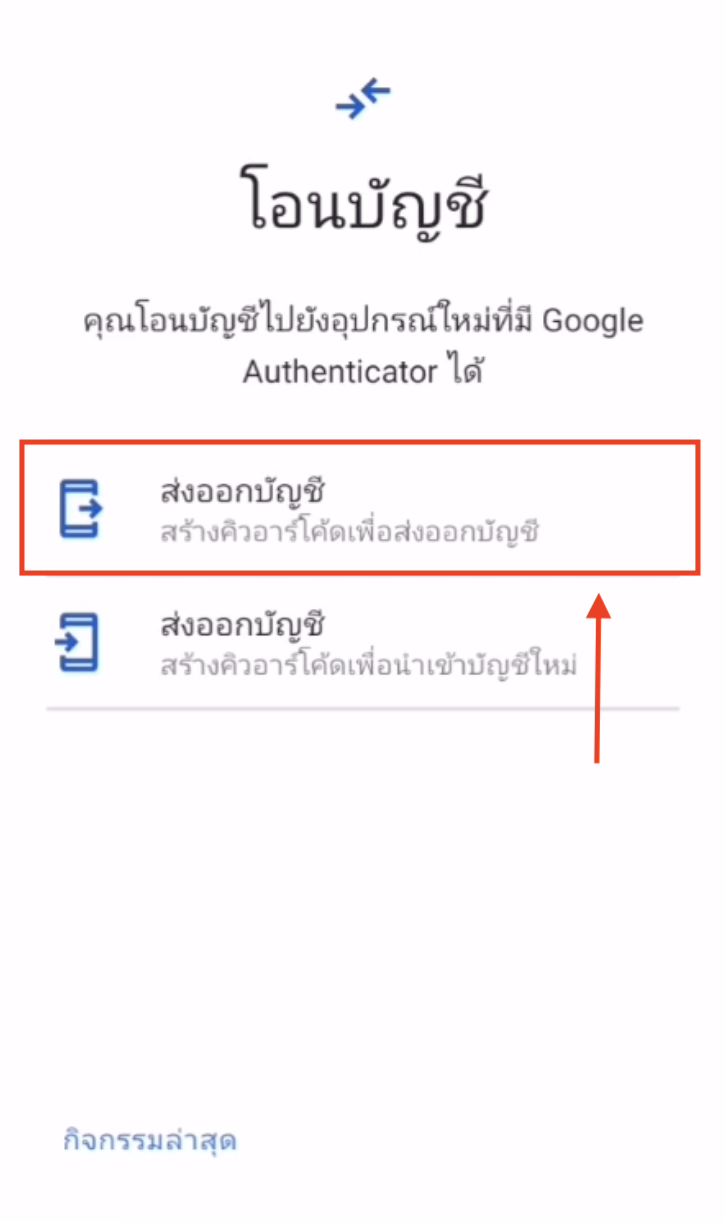
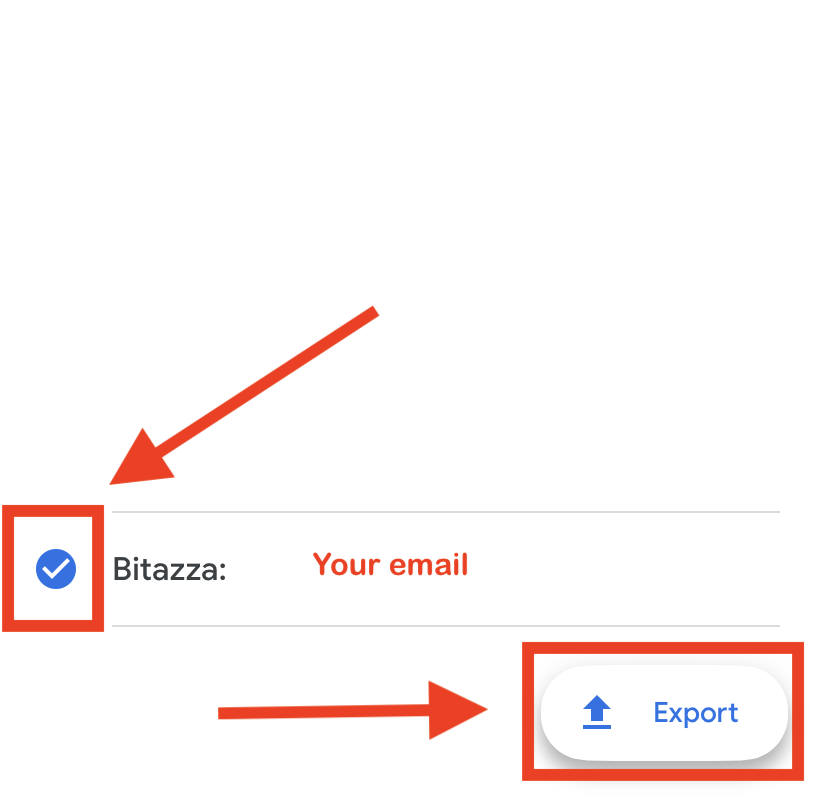
4. กดเลือกบัญชี 2FA บิทาซซ่าของคุณและกดที่ 'ส่งออก'
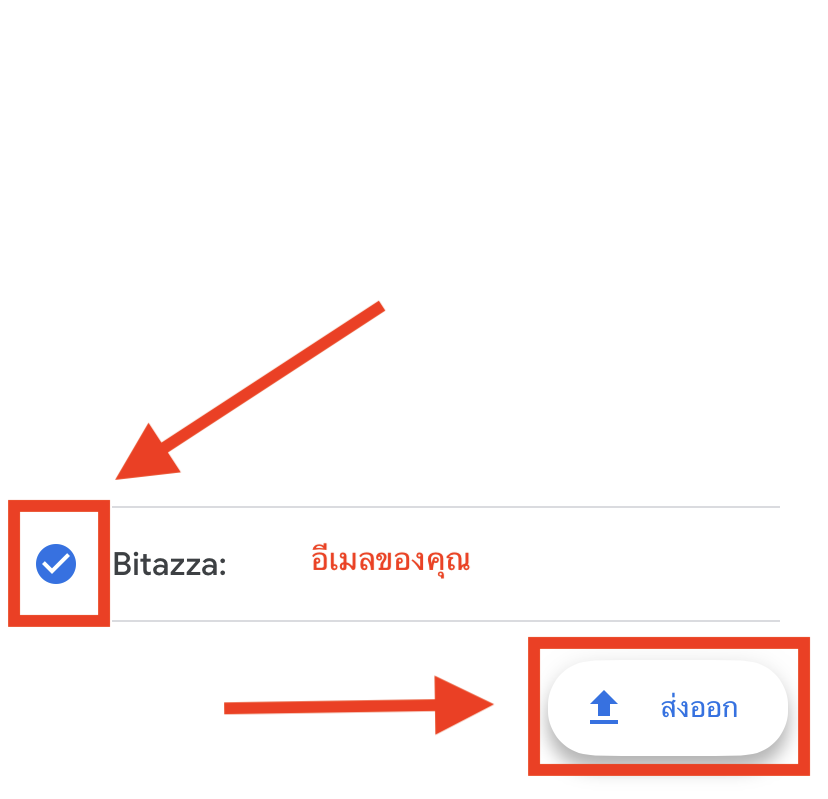
เมื่อทำตามขั้นตอน QR code สำหรับย้ายบัญชี 2FA จะแสดงบนโทรศัพท์เครื่องเก่าของคุณ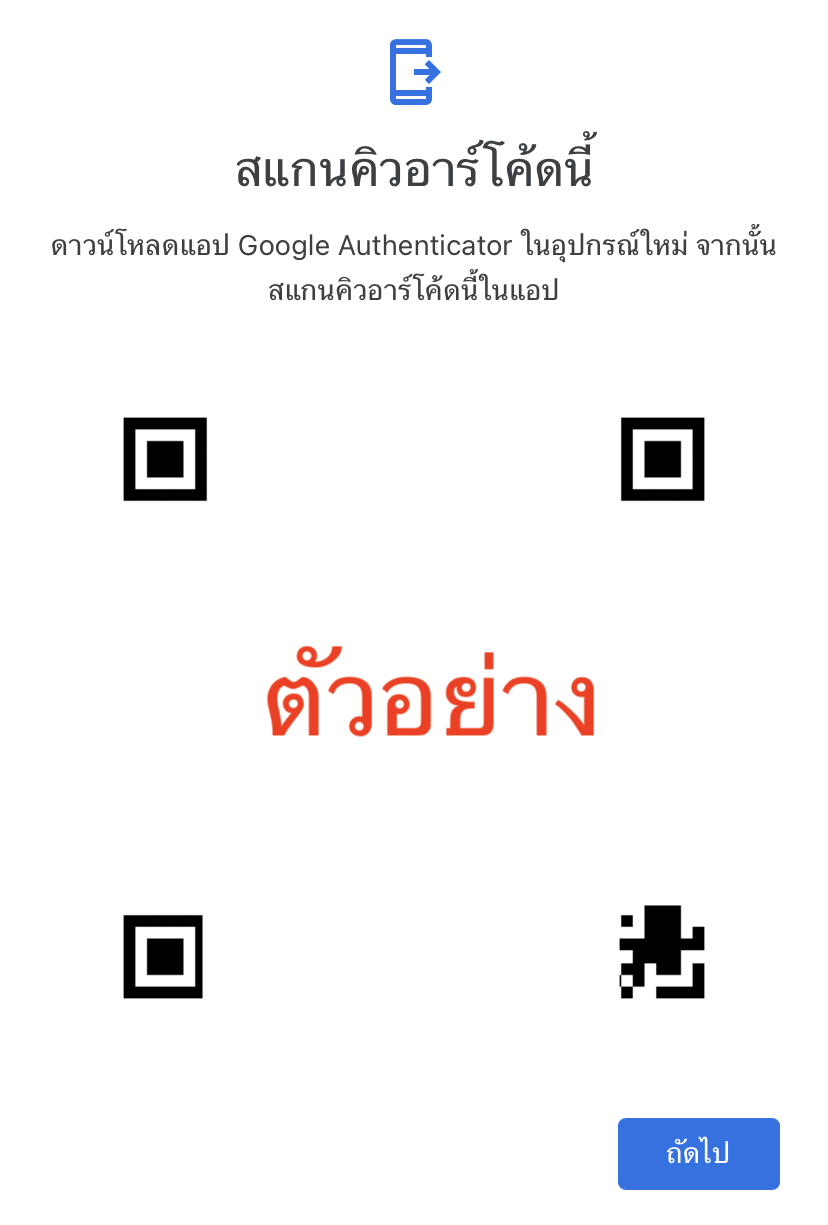
5. ไปที่โทรศัพท์เครื่องใหม่ของคุณ ดาวน์โหลดแอปพลิเคชัน Google Authenticator จากนั้นกดที่ปุ่ม '+' เพื่อสแกน QR code เป็นอันเสร็จสิ้น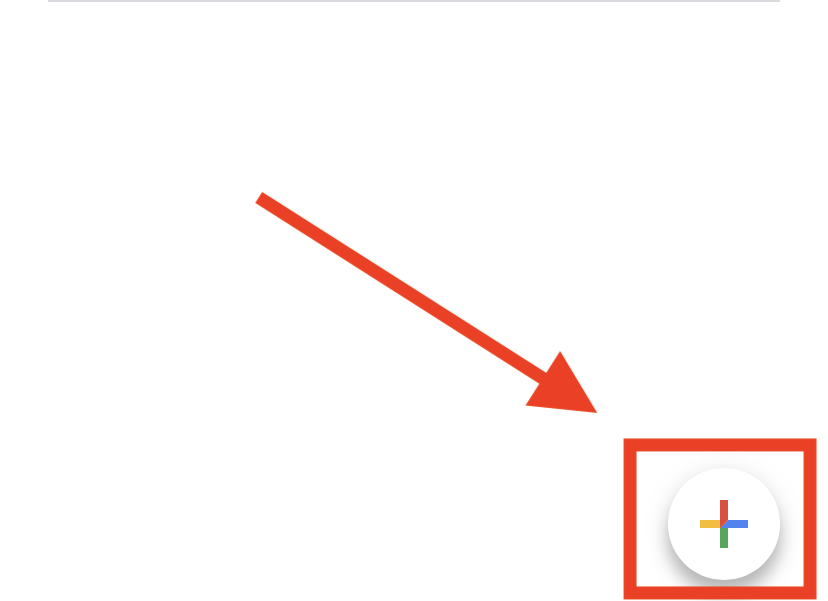
--------------------------------------------------------------------------------------------------------------------------------------
1. From your old device, open the Google Authenticator app and tap the 'Menu' button
2. Select 'Transfer accounts'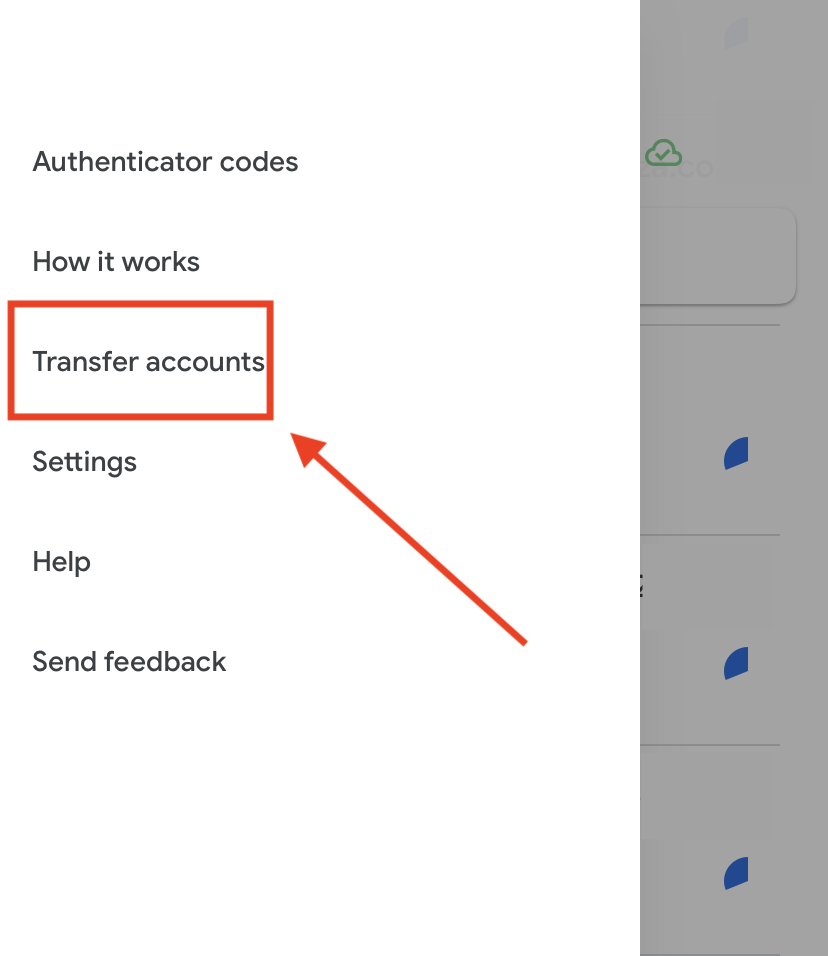
3. Click 'Export accounts' or 'Continue'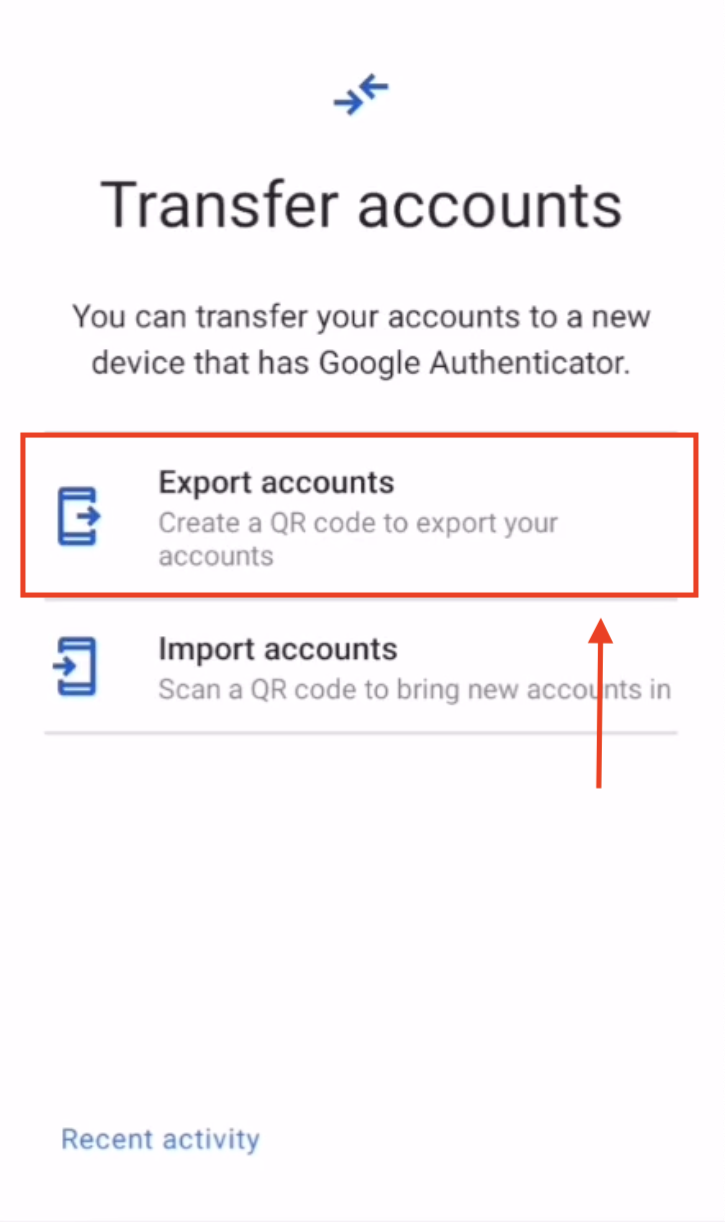
4. Select your Bitazza account 2FA and click 'Export'
The transfer QR code will be displayed on your old device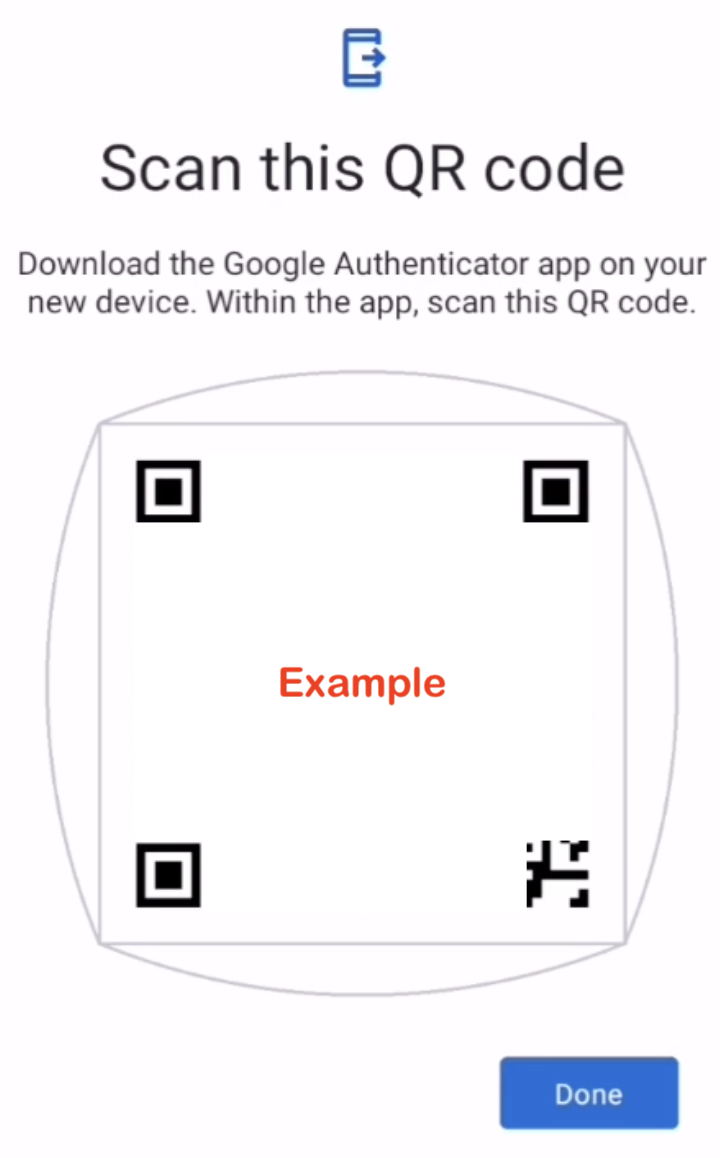
5. On your new device, download Google Authenticator, tap the '+' symbol, and scan the QR code to complete the 2FA transfer