
1. Not Receiving an Email
- If you are not receiving your withdrawal confirmation, password reset, or verification email, please check your Junk & Spam mailbox first. Sometimes, your email filtering process may mark Bitazza emails as spam.
2. Withdrawal not received
- Please check the withdrawal status on the dashboard and see the explanation below: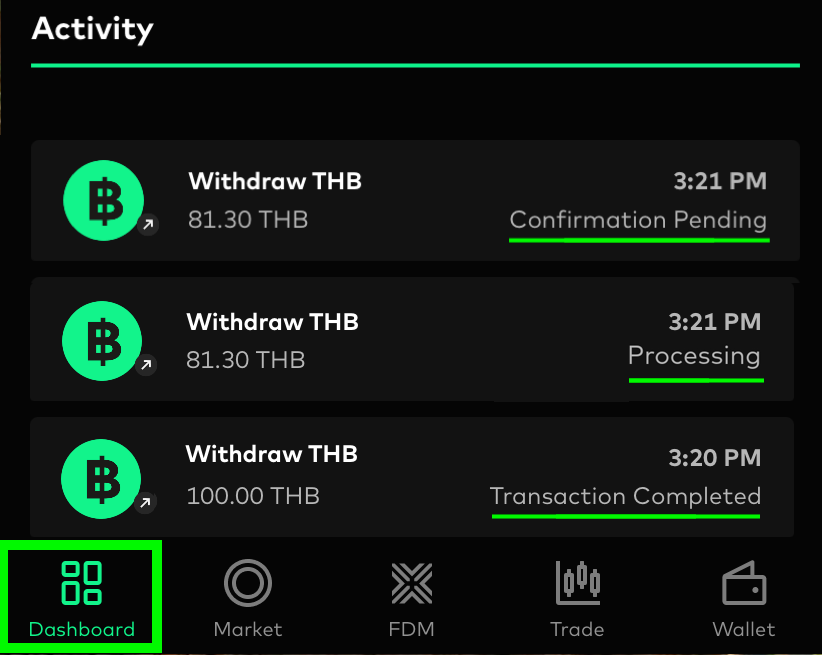
- Confirmation Pending: It means you have not confirmed it by email yet. Please click 'Confirm your withdrawal' in the latest withdrawal email and check if the status has changed
Note: If you have already confirmed but the status still has not changed, please delete the old withdrawal email, cancel the withdrawal, make a new withdrawal, and confirm with the latest email
- Transaction Completed: Kindly check the bank statement of your withdrawal bank account first, If you couldn't find your withdrawal amount please contact our agent and provide your statement, we'll check it for you
- Processing: It means the transaction is still processing and will be withdrawn to your bank account within 4 hours. If you have waited for 4 hours and the status still hasn’t changed, please provide a screenshot of the withdrawal from the application to our agent so we can check it for you.
3. Change withdrawal account
If you want to change the withdrawal bank account, you will need to add the new bank account information by clicking the ‘Manage’ button on the withdrawal page, you can add your desired withdrawal bank account information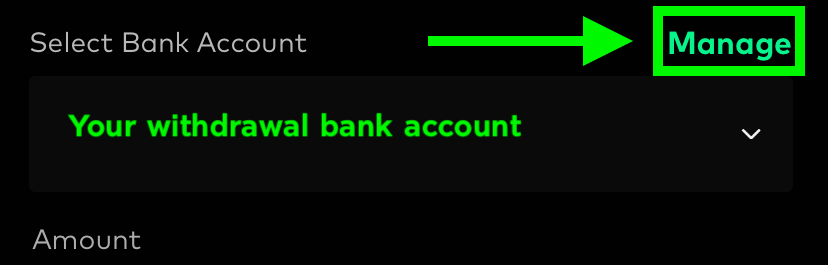
4. Hold Balance
If you have THB or Crypto that are being held and are unable to trade or withdraw the assets as desired, the reason may be due to pending trade or withdrawal orders that have not yet been completed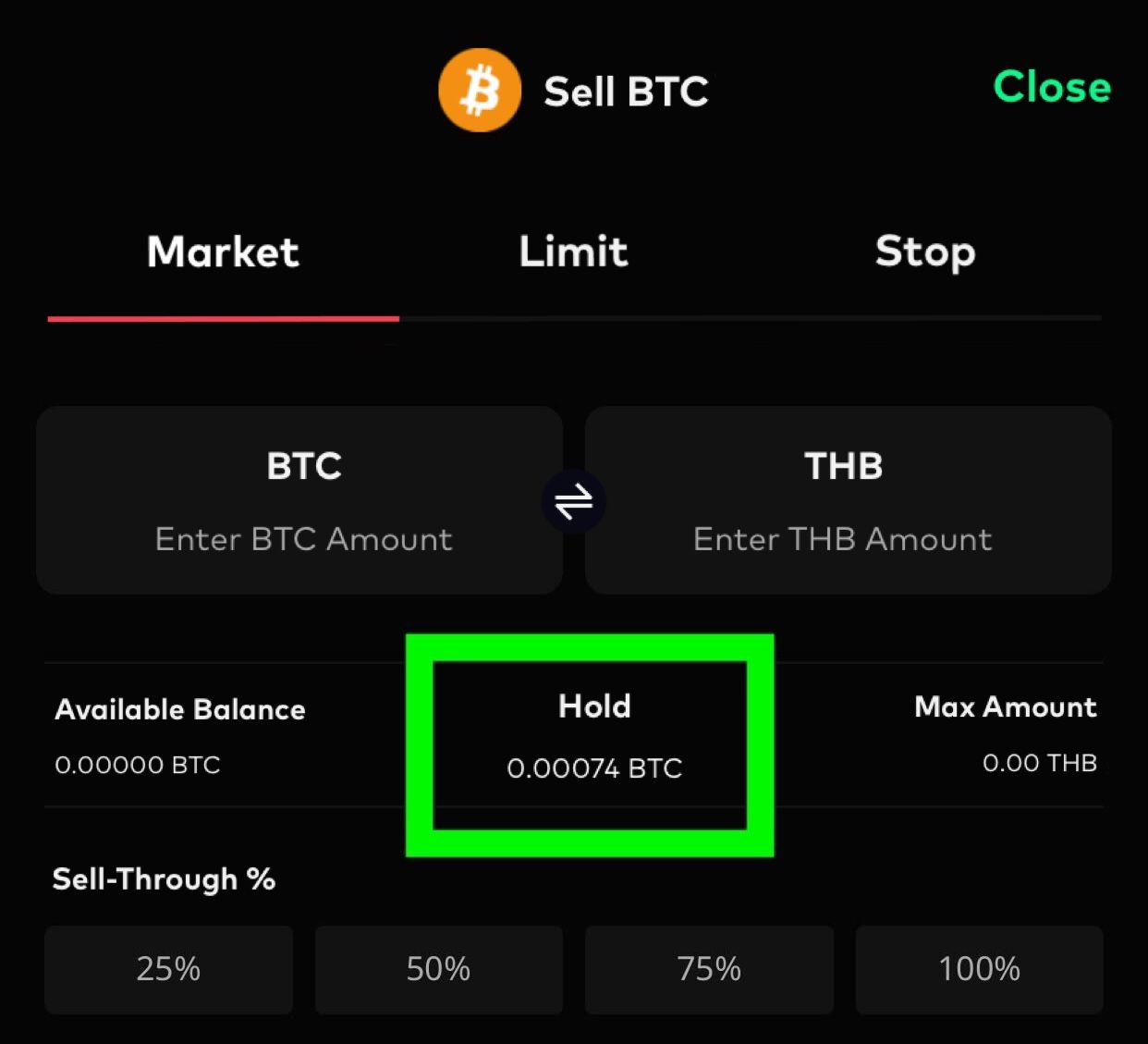
To resolve this:
1. Check the trade orders on the ‘Orders’ page and cancel any pending orders
2. Check both Fiat and Crypto withdrawal transactions to see if there are any unfinished transactions and cancel the withdrawal orders