
You can easily cancel your order by following these steps:
1. Go to the 'Market' or 'Trade' menu, then click on the 'Orders' button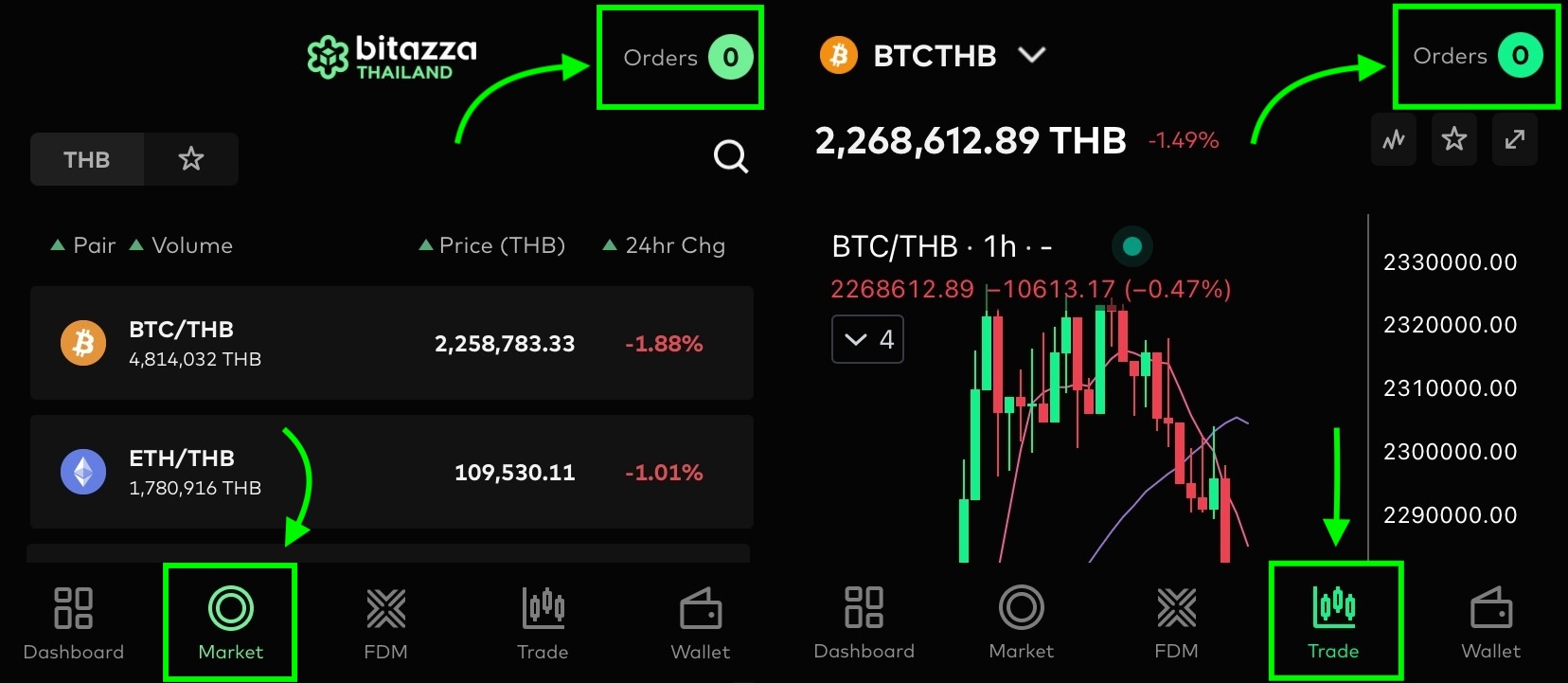
2. Select the 'Open' order, then click on the transaction you wish to cancel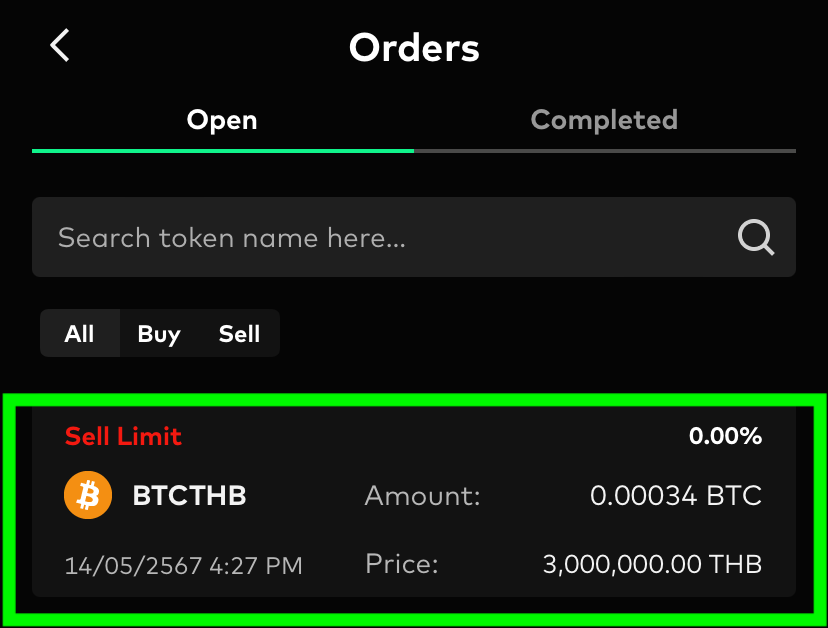
3. Click on the 'Cancel Order' button to complete the process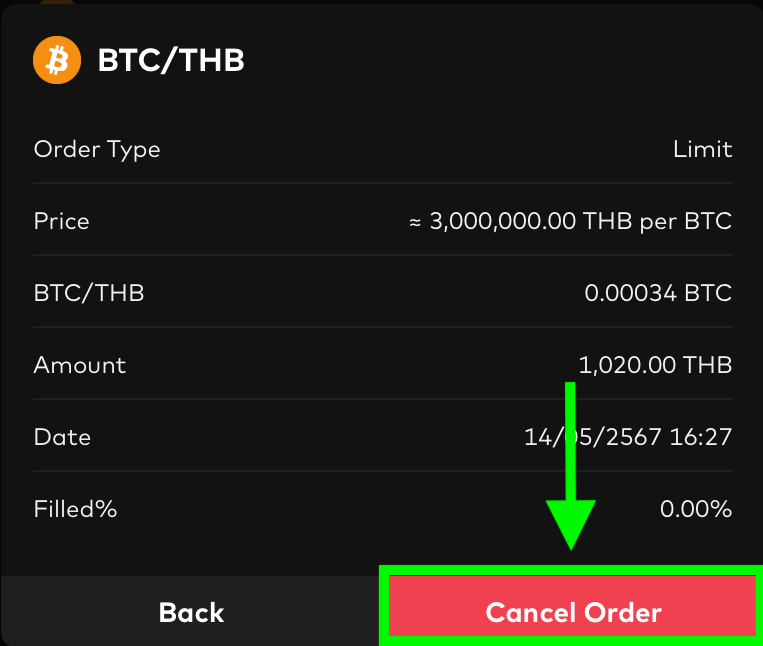
How to Cancel Orders Print
Modified on: Mon, 2 Mar, 2026 at 1:15 PM
Did you find it helpful? Yes No
Send feedbackSorry we couldn't be helpful. Help us improve this article with your feedback.