
[ภาษาไทย] วิธีถอนงินผ่านแอปพลิเคชัน | วิธีถอนเงินผ่านเว็บไซต์
[EN] Instructions for Web Browser | Instructions for Mobile App
วิธีถอนเงินผ่านแอปพลิเคชัน
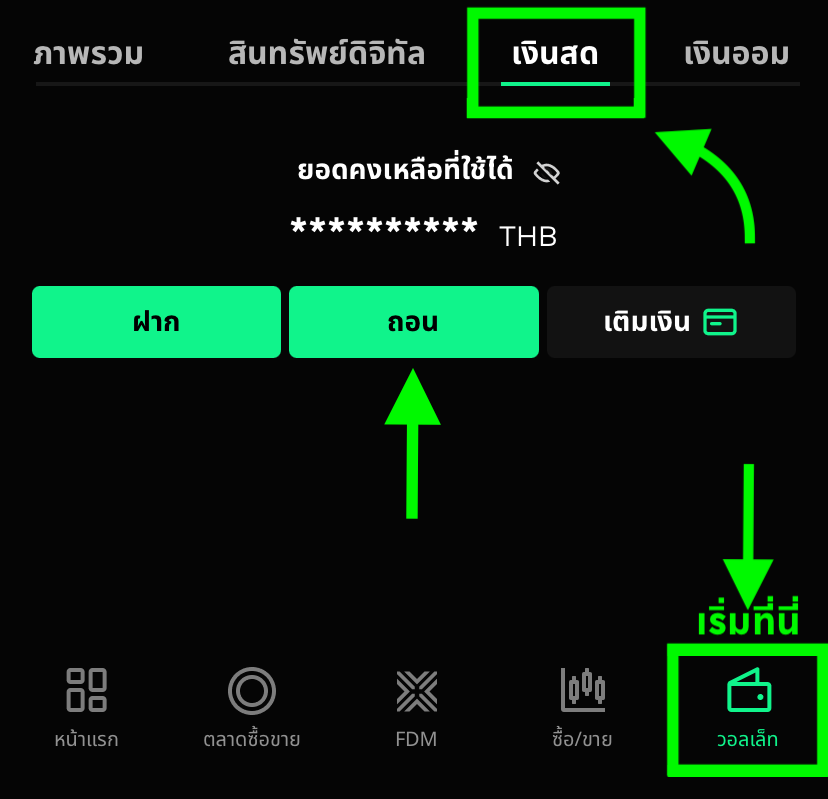
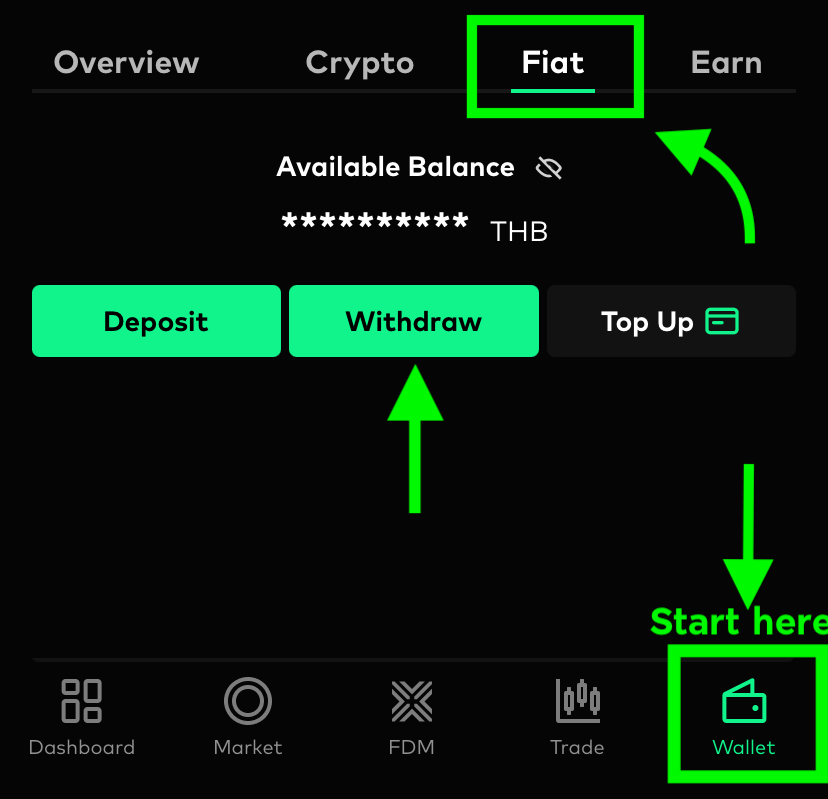
1. ไปยังแท็บ วอลเล็ท จากนั้นเลือก เงินสด และคลิกที่ปุ่ม ถอน
2. หากคุณเพิ่งเคยทำรายการถอนครั้งแรก คุณจะต้องใส่ข้อมูลบัญชีธนาคารโดยกดที่ สัญลักษณ์ธนาคาร จากนั้นกรอก หมายเลขบัญชีธนาคาร และกดที่ ยืนยันเลขที่บัญชี
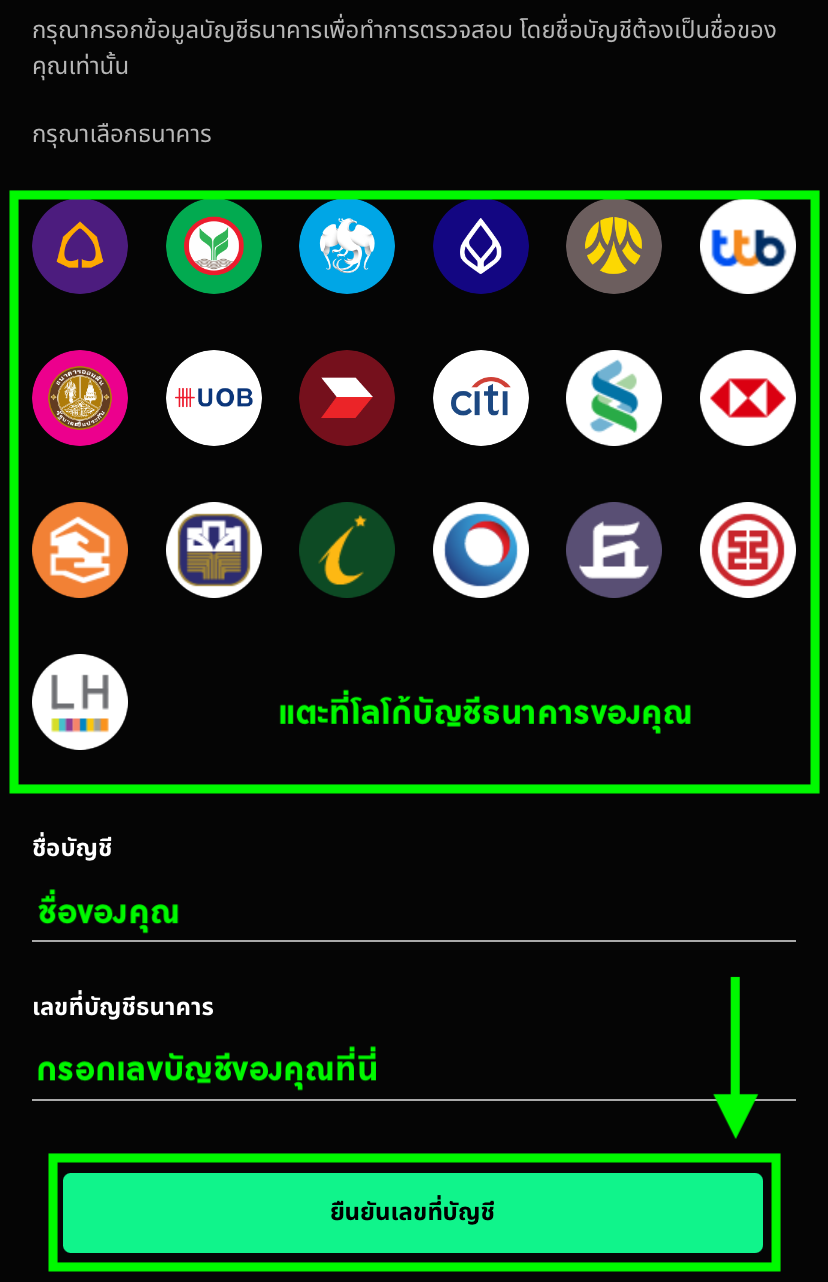
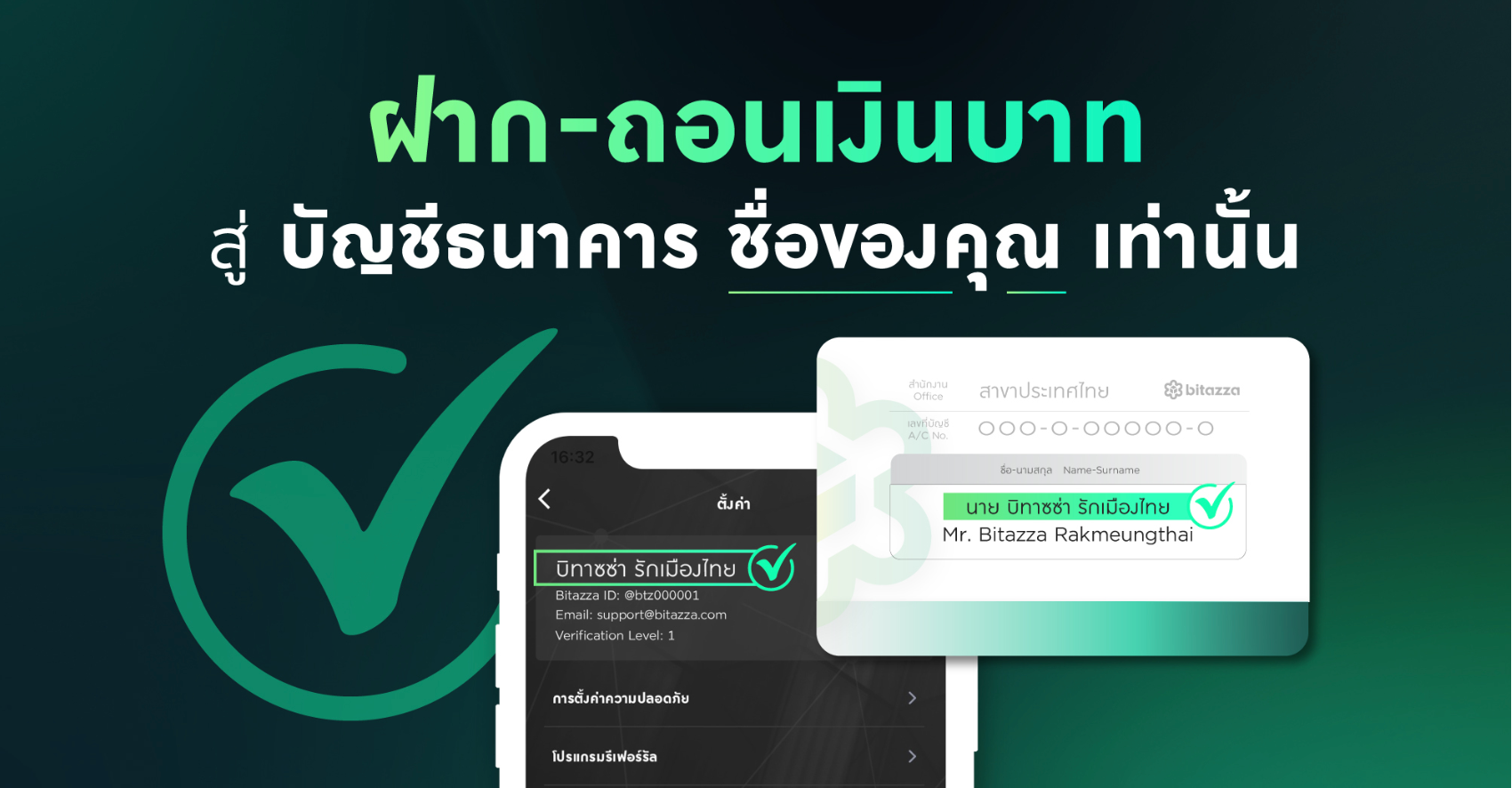
ชื่อเจ้าของบัญชีธนาคารที่ใช้ถอนและชื่อบัญชี Bitazza ต้องเป็นชื่อเดียวกันเท่านั้น
3. ใส่จำนวนเงินที่คุณต้องการถอน และกดปุ่ม ถอน
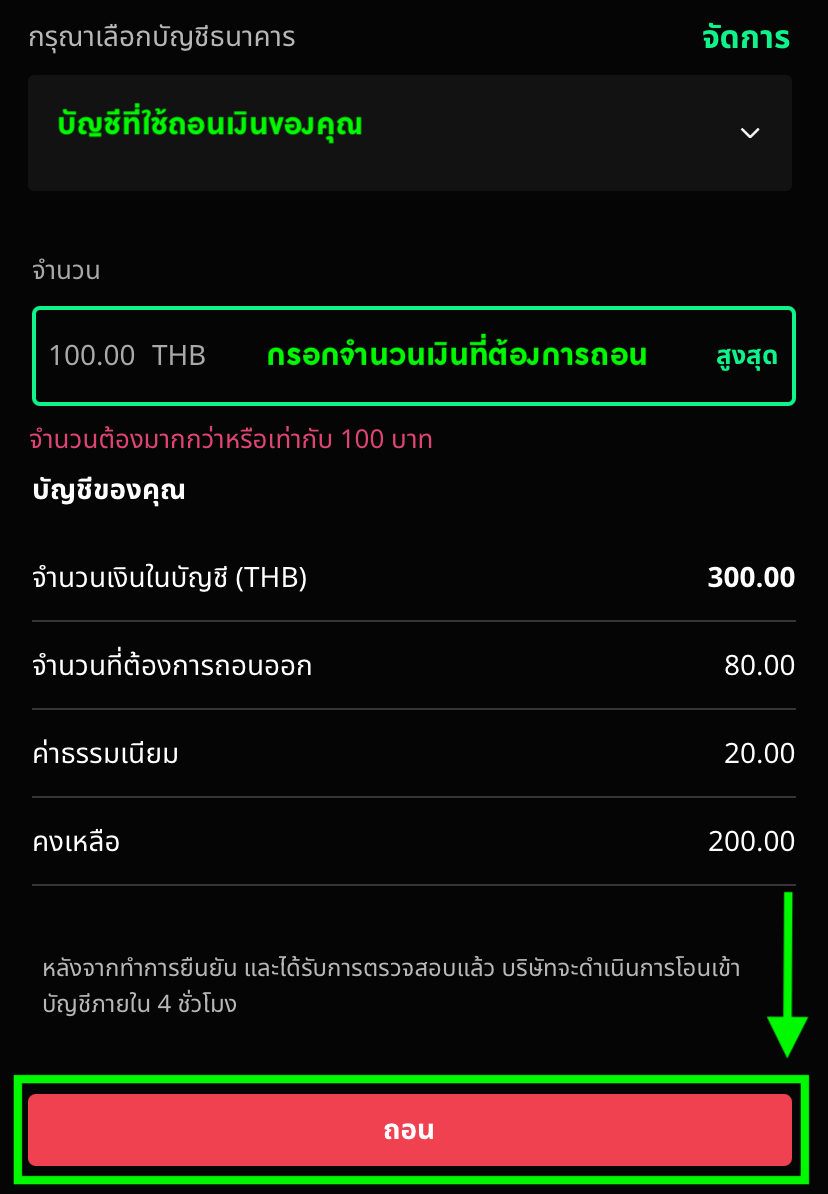
ขั้นต่ำการถอนเงินจะอยู่ที่ 100 บาท และจะมีค่าธรรมเนียม 20 บาทต่อธุรกรรม (ราคานี้ทุกยอดการถอน) บิทาซซ่าไม่กำหนดวงเงินสูงสุดสำหรับการฝากเงินสดต่อวัน อย่างไรก็ตาม การถอนเงินสดมีการจำกัดวงเงินไว้ที่ 5 ล้านบาทต่อวัน4. ระบบจะให้คุณกรอก รหัสยืนยันตัวตนสองขั้นตอน (2FA) จากนั้น อีเมลยืนยันการถอน จะถูกส่งไปที่อีเมลของคุณ 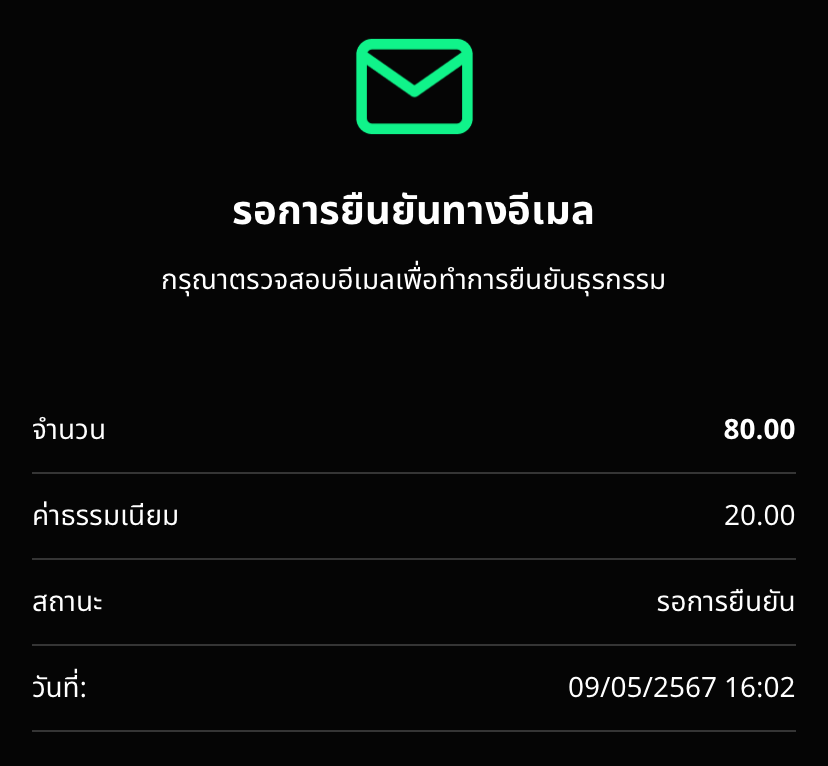
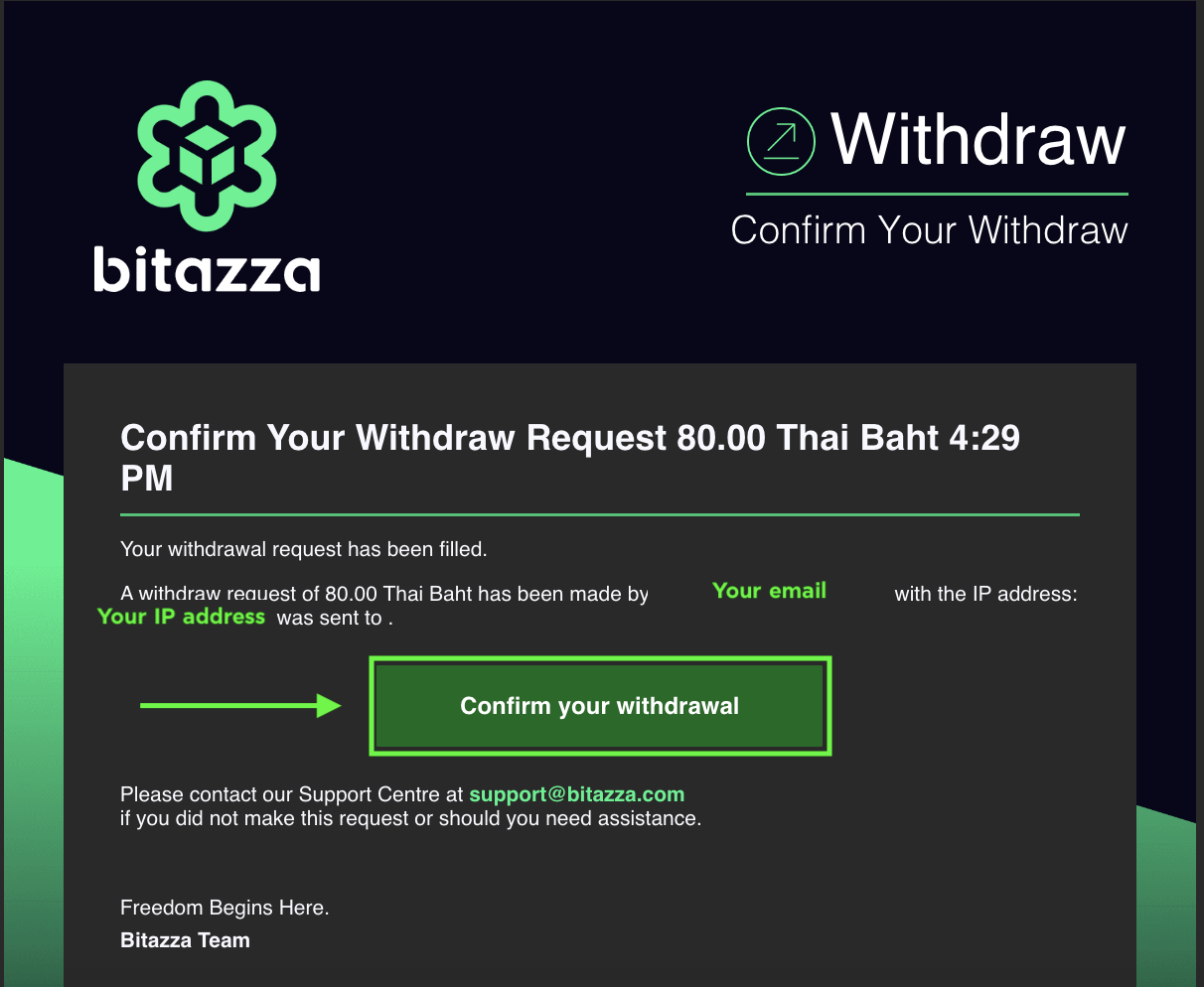
5. กด 'ยืนยันการถอน' ผ่านอีเมลเพื่อให้การถอนเงินเสร็จสิ้น
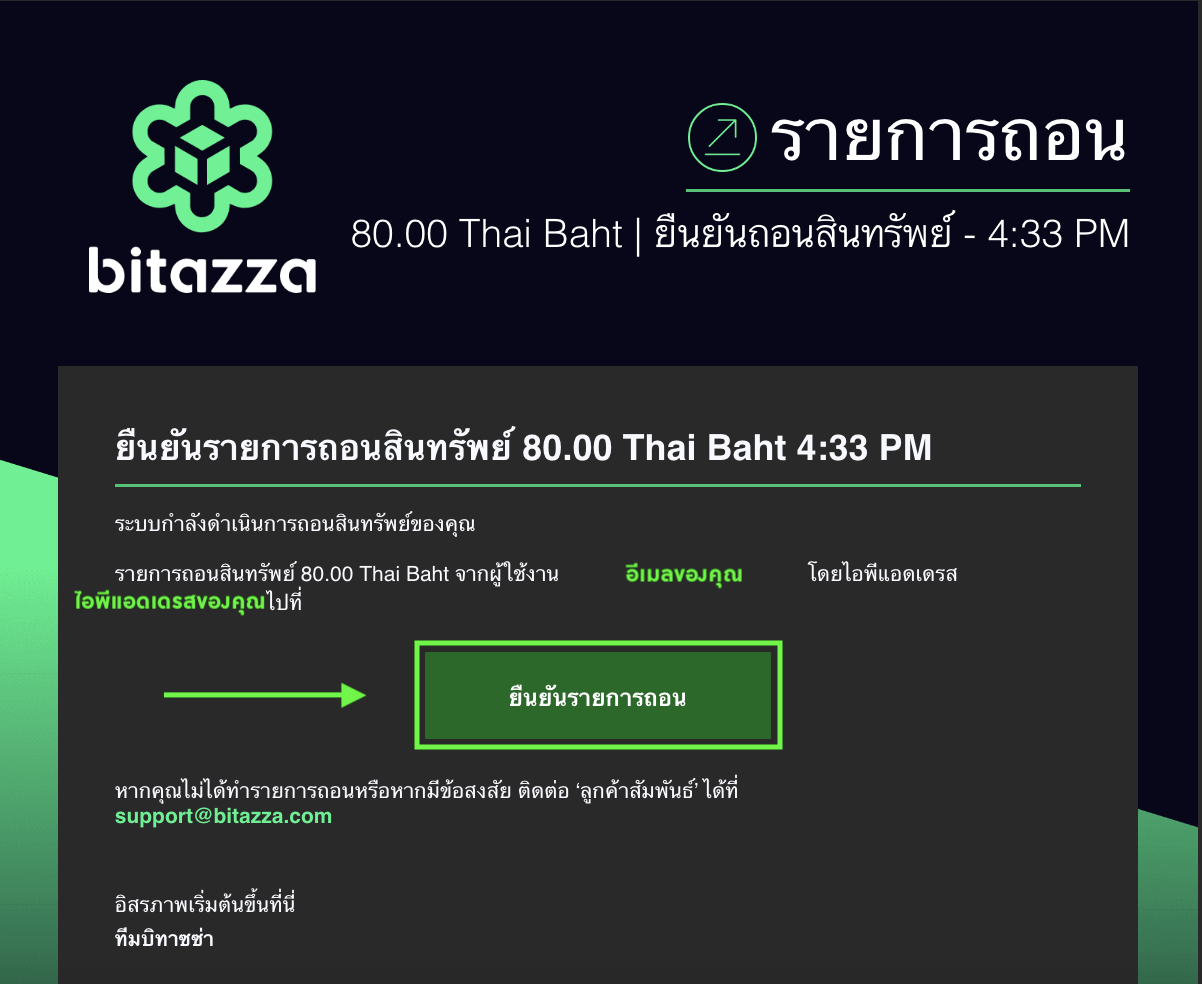
โปรดตรวจสอบสถานะว่ายังคงเป็น รอการยืนยันทางอีเมล (Pending 2FA) อยู่หรือไม่ หากยังคงเป็นดังข้อความข้างต้นหมายถึงการถอนของท่านยังดำเนินการไม่เสร็จสิ้น โปรดยกเลิกและดำเนินการอีกครั้ง โดยตรวจสอบให้มั่นใจว่าได้ยืนยันการถอนผ่านอีเมลล่าสุด
หากเป็นการถอนเงินสด หลังจากใส่รหัส 2FA และยืนยันการถอนทางอีเมลเสร็จสิ้น การถอนเงินอาจใช้เวลา 1-4 ชั่วโมง โดยจะขึ้นอยู่กับจำนวนผู้ถอนและช่วงเวลาที่ทำการถอน หากคุณยังไม่ได้รับเงินหลังจากที่ทำการถอนไปแล้ว 4 ชั่วโมง โปรดติดต่อเจ้าหน้าที่ลูกค้าสัมพันธ์ เพื่อให้เราช่วยเหลือคุณ
การถอนเงินบาทไทยในช่วงเวลา 23.30 - 00.30 อาจเกิดความล่าช้าเนื่องจากเป็นช่วงปรับปรุงระบบของธนาคาร เงินของคุณจะถูกฝากเข้าสู่บัญชีธนาคารเมื่อระบบธนาคารปรับปรุงเสร็จสิ้น
วิธีถอนเงินผ่านเว็บไซต์
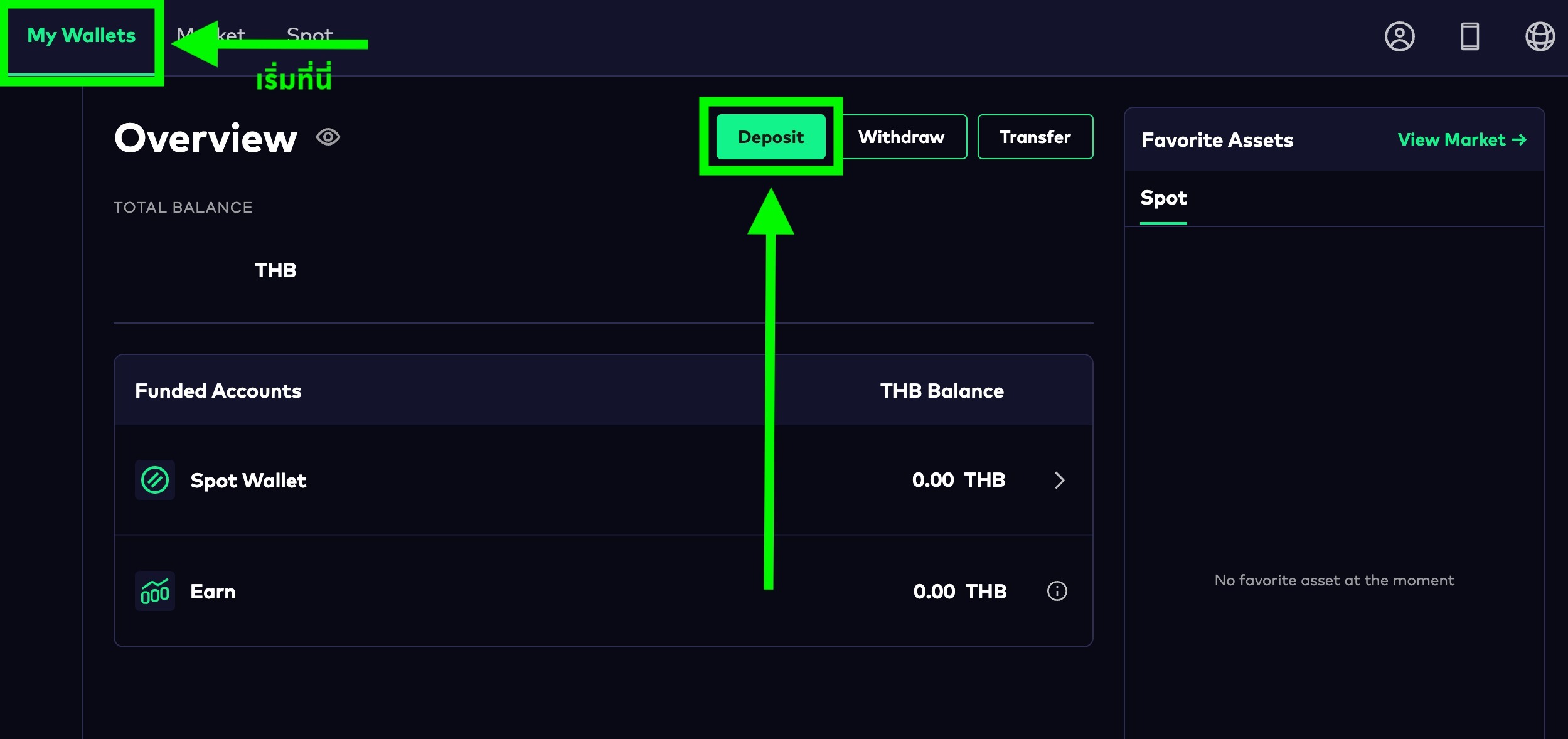
คุณสามารถทำตามขั้นตอนด้านล่างนี้ เพื่อถอนเงินสดได้เลยครับ
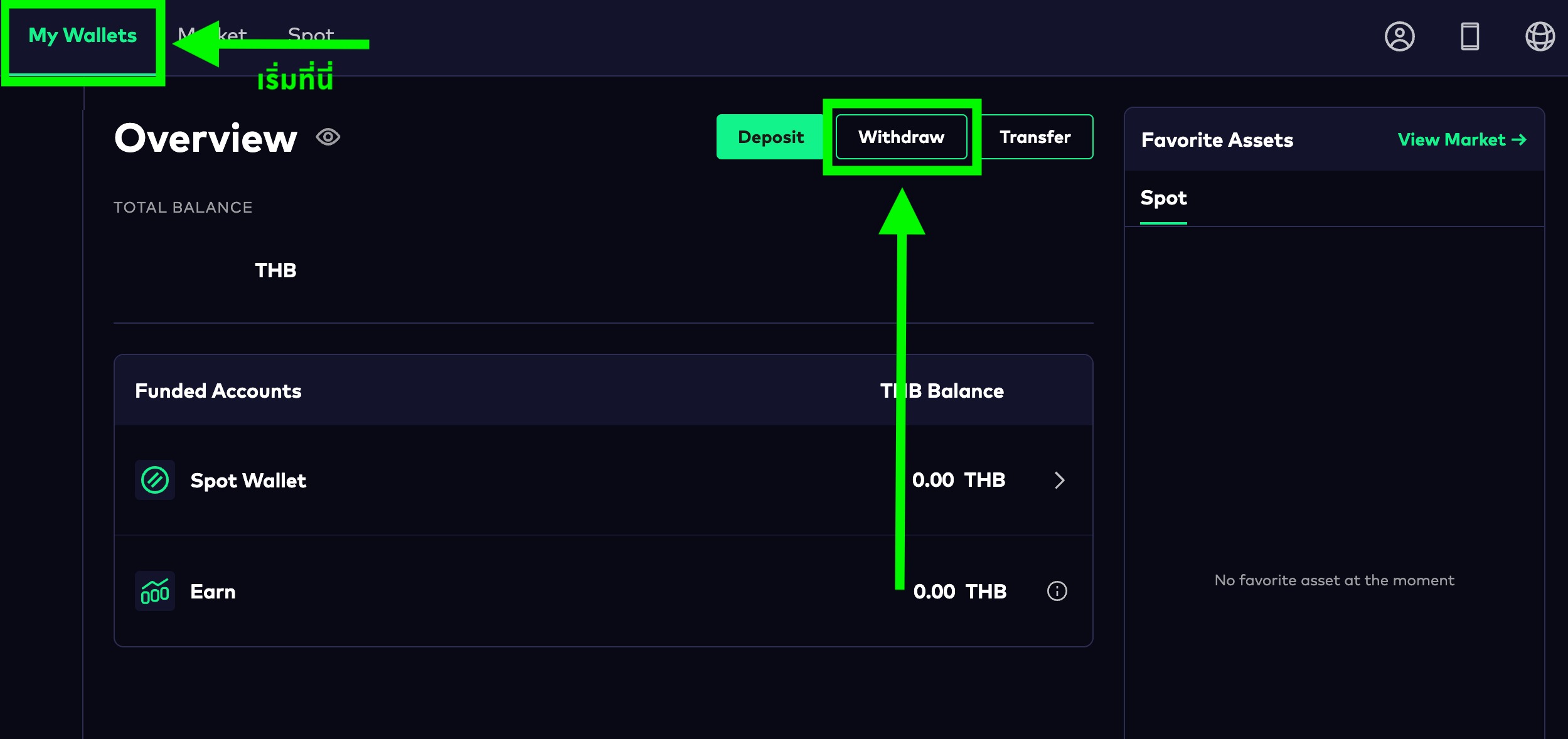
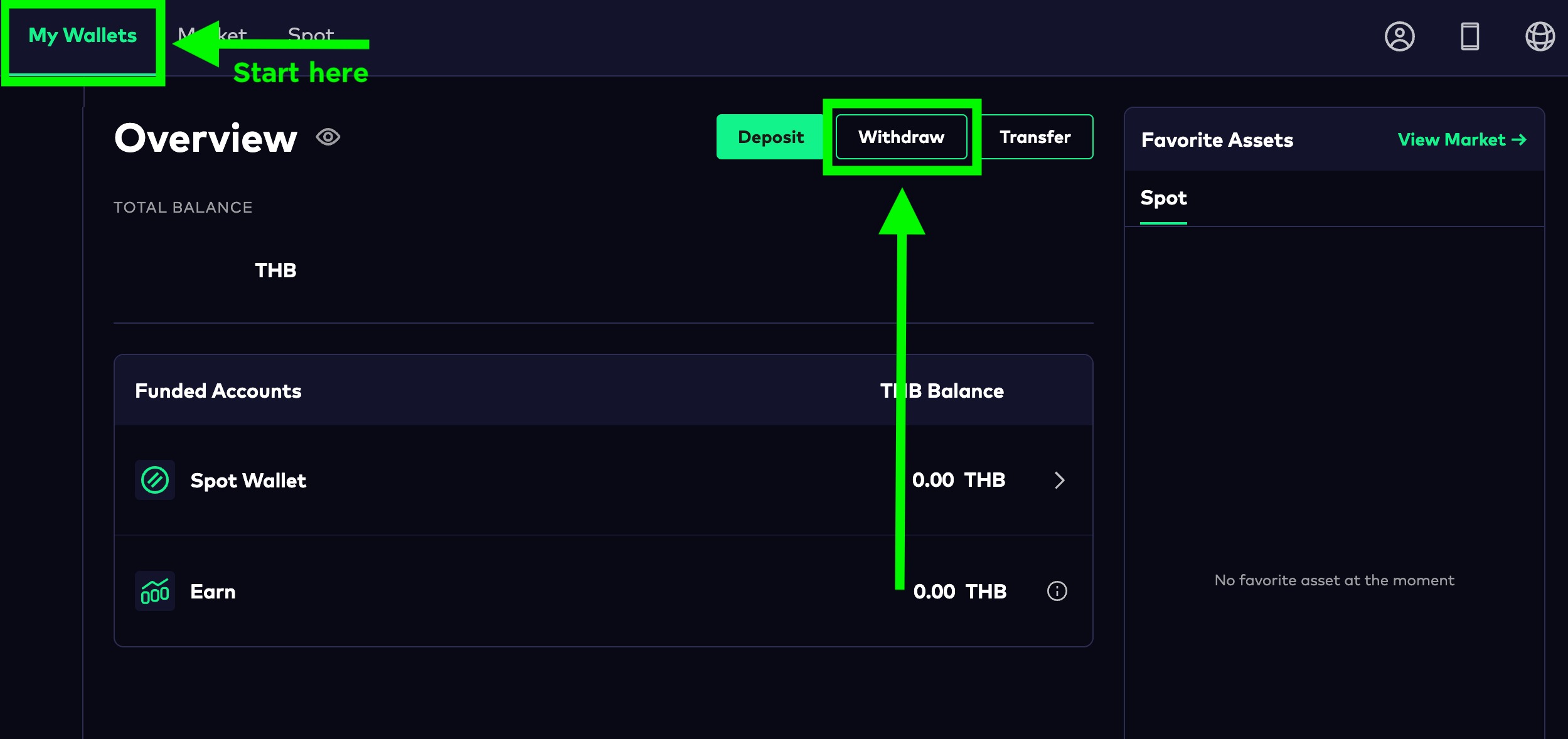
1. คลิกที่ปุ่ม 'Withdraw' จากหน้า 'My Wallets' ของคุณ
2. เพิ่มข้อมูลบัญชีธนาคารของคุณโดยกดที่ 'Add/Edit Account'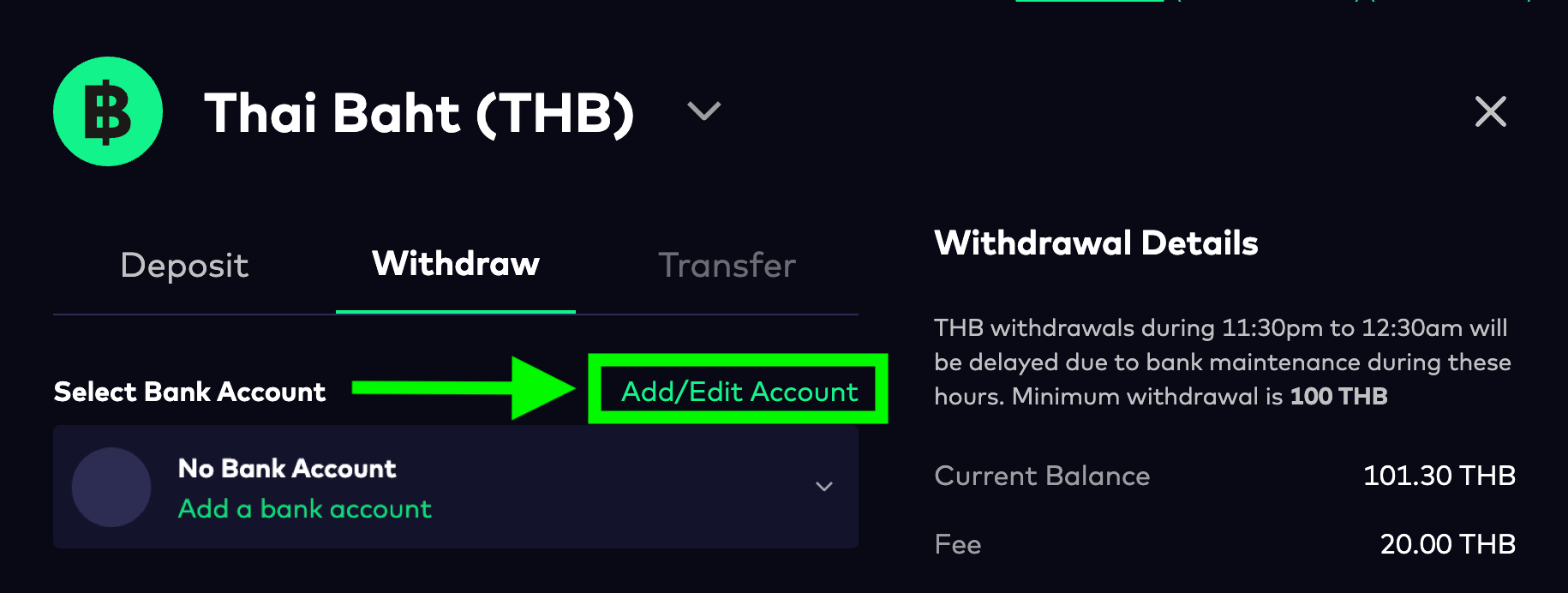
3. เลือกสัญลักษณ์ธนาคารของคุณ จากนั้นกรอกหมายเลขบัญชีธนาคาร และกดที่ 'Add Bank Account'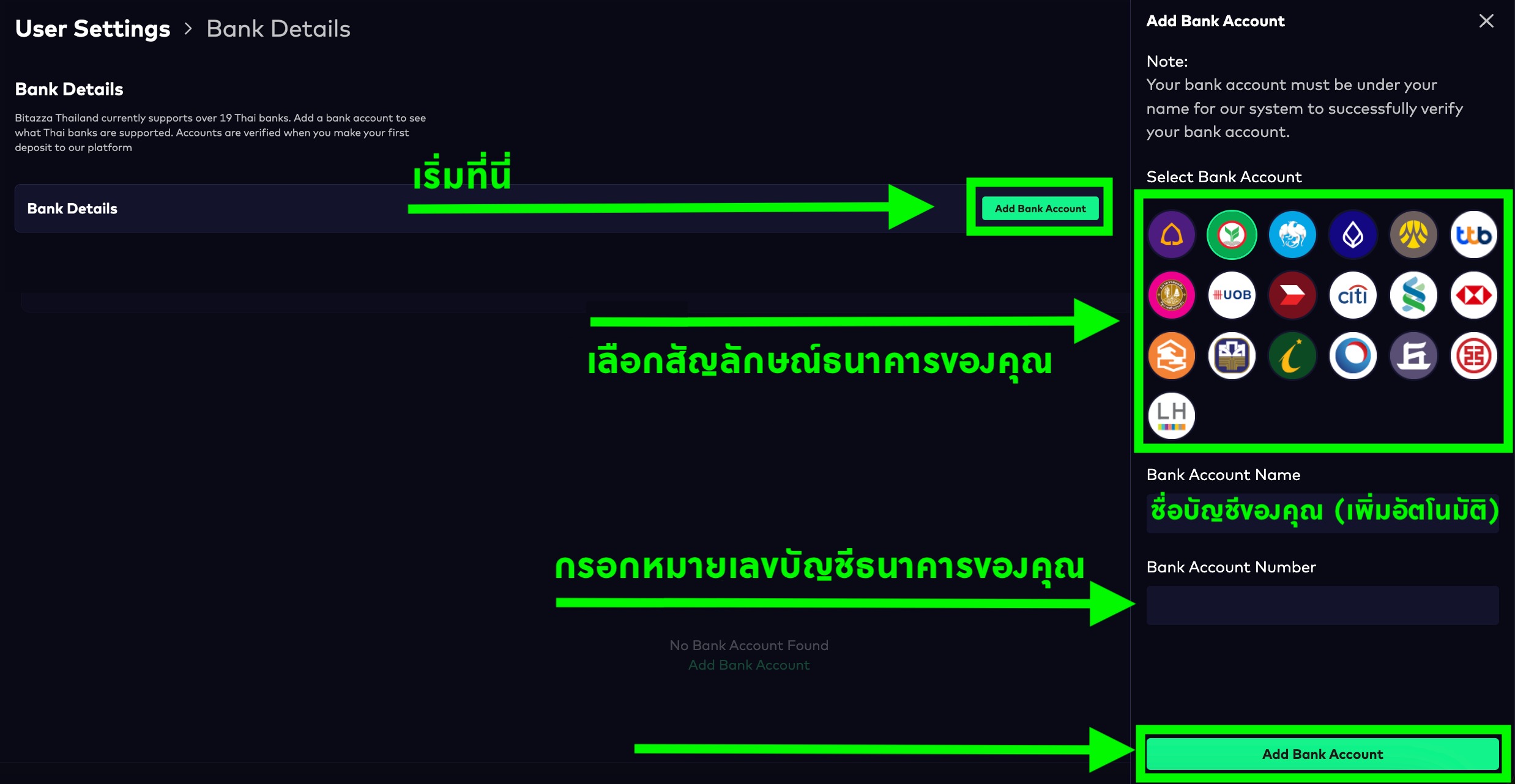
3. เลือกสัญลักษณ์ธนาคารของคุณ จากนั้นกรอกหมายเลขบัญชีธนาคาร และกดที่ 'Add Bank Account'
4. กลับไปที่หน้าการถอน จากนั้นเลือกบัญชีธนาคาร กรอกจำนวนเงินที่ต้องการถอน และกดที่ปุ่ม 'Withdraw THB' *ยอดการถอนต้องไม่เกิน 2 ล้านบาทต่อ 1 ธุรกรรม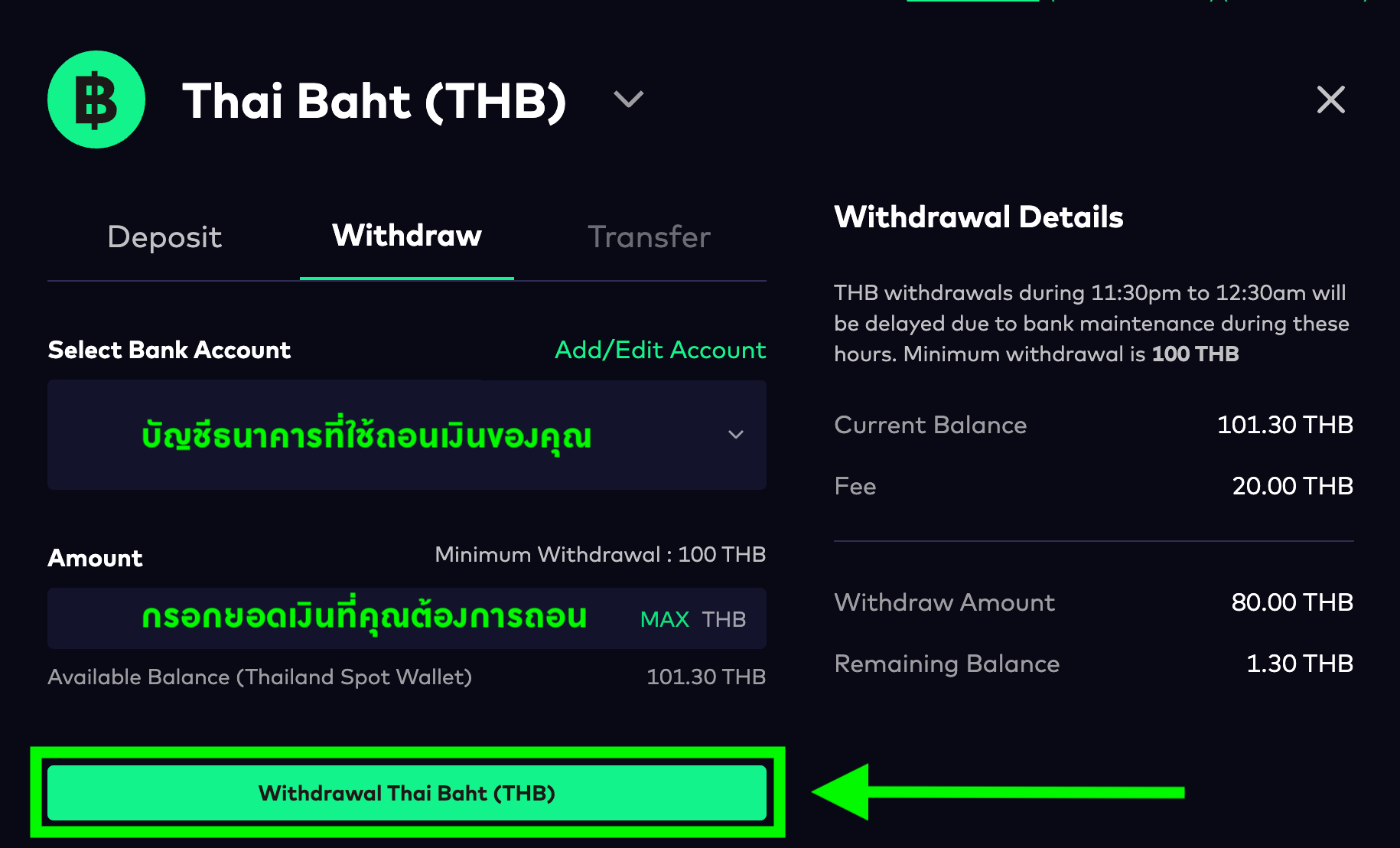
ยอดการถอนต้องไม่เกิน 2 ล้านบาทต่อ 1 ธุรกรรม
5. กด 'ยืนยันการถอน' ผ่านอีเมลเพื่อให้การถอนเงินเสร็จสิ้น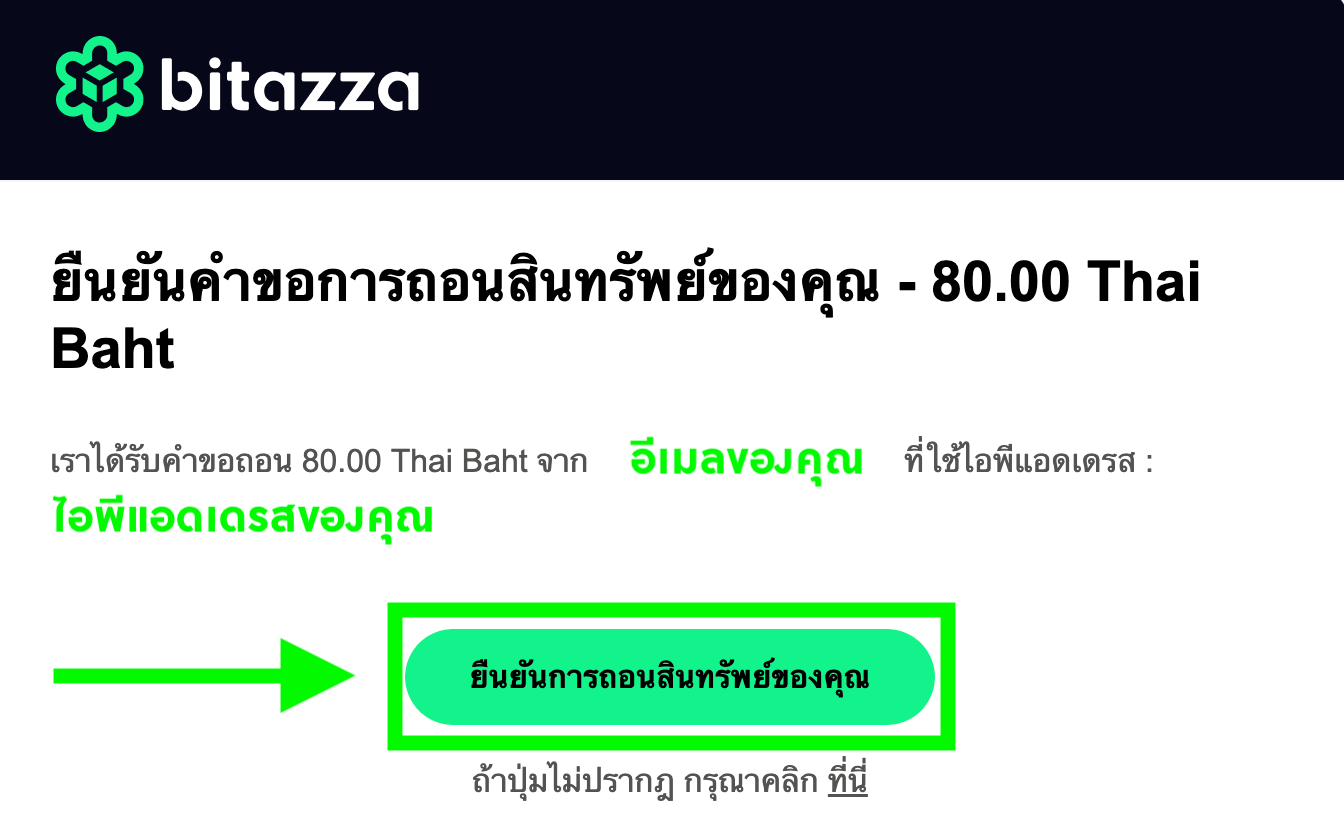
ยอดการถอนต้องไม่เกิน 2 ล้านบาทต่อ 1 ธุรกรรม
- คุณจะต้องยืนยันการถอนผ่านอีเมลล่าสุดที่ถูกส่งไปหลังจากกดถอนเท่านั้น
- บิทาซซ่าไม่กำหนดวงเงินสูงสุดสำหรับการฝากเงินสดต่อวัน อย่างไรก็ตาม การถอนเงินสดมีการจำกัดวงเงินไว้ที่ 5 ล้านบาทต่อวัน
- บิทาซซ่าไม่กำหนดวงเงินสูงสุดสำหรับการฝากเงินสดต่อวัน อย่างไรก็ตาม การถอนเงินสดมีการจำกัดวงเงินไว้ที่ 5 ล้านบาทต่อวัน
Instructions for Mobile App
1. Go to the Wallet tab, Fiat section, and click on the Withdraw button.
2. If this is your first withdrawal transaction, you will need to enter your bank account information by clicking on your bank's logo, entering your bank account number, and clicking VERIFY BANK ACCOUNT.
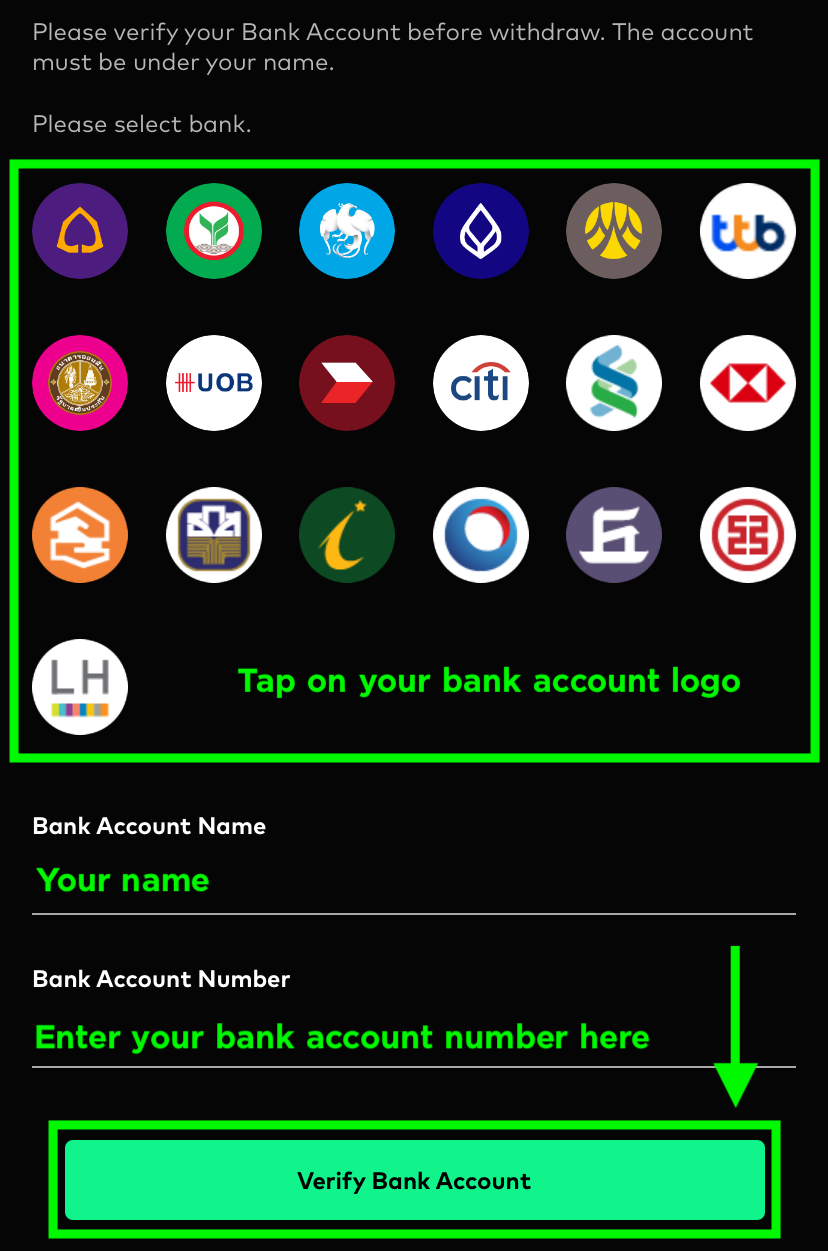
The bank account owner's name used for withdrawal and the Bitazza account name must be the same.
3. Enter the amount of money you wish to withdraw and click the Withdraw button. (minimum 100 THB)
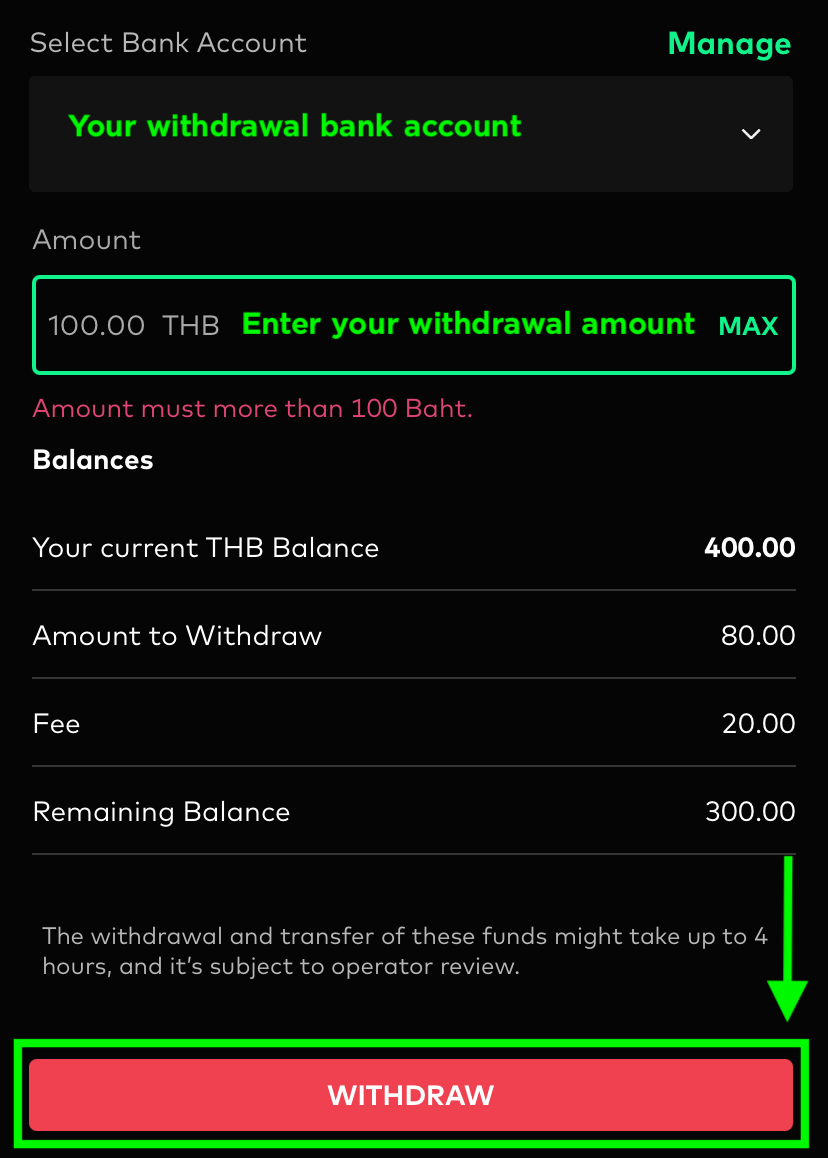
Bitazza does not impose a maximum limit on daily THB deposits. However, THB withdrawals are limited to 5 million baht per day. The minimum withdrawal is 100 THB, and there is a 20 THB withdrawal fee per transaction (Fixed rate for all withdrawal amounts). 4. The system will prompt you to enter the Two-Factor Authentication (2FA) code. After that, a withdrawal confirmation email will be sent to your email address. Please check your email and click on Confirm Withdrawal to complete the withdrawal process.
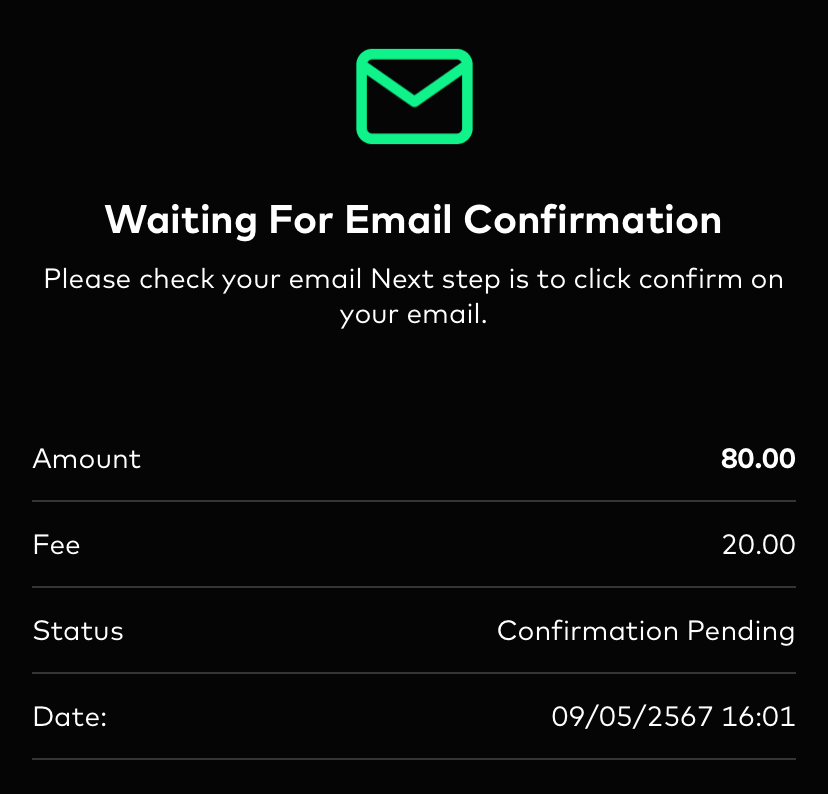
5. Confirm your withdrawal via email to complete the withdrawal process
For your first THB/Crypto withdrawal, please make an initial THB deposit into your account (no minimum amount required) and allow 24 hours for processing
Please check the status to see if it's still "Pending 2FA" in the email confirmation. If it is, it means your withdrawal request has not been completed. In this case, please cancel and try again, ensuring that you have completed the latest email confirmation for the withdrawal.
Regarding cash withdrawals, after entering the 2FA code and confirming the withdrawal through email, it may take 1-4 hours for the withdrawal process to complete, depending on the number of withdrawal requests and the time of the request. If you haven't received the funds after 4 hours of making the withdrawal, please contact our customer relations officers for assistance.
Withdrawals in Thai Baht between 23:30 - 00:30 may experience delays due to the bank's system maintenance. Your funds will be deposited into your bank account once the bank's maintenance is completed.
Instructions for Web Browser
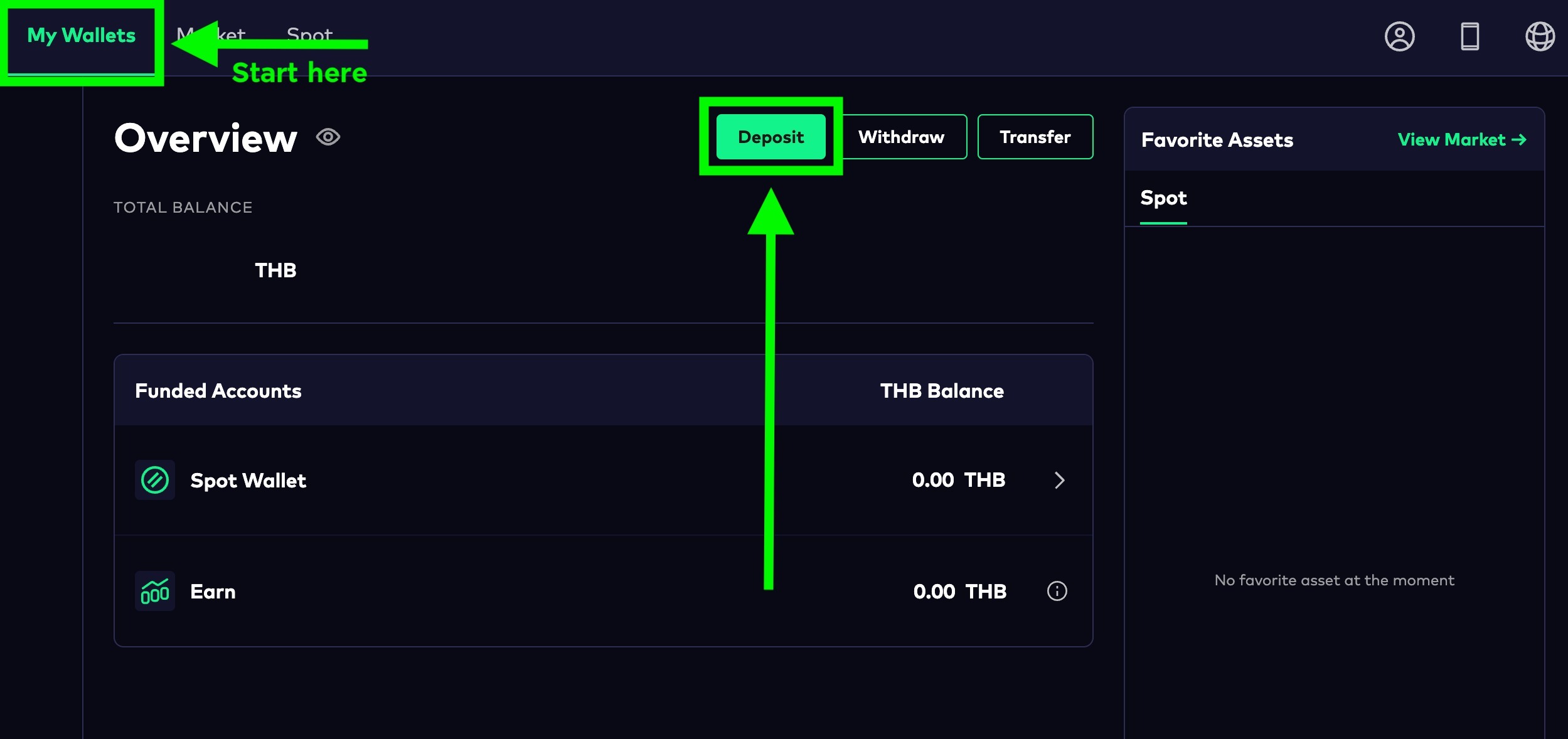
To withdraw THB, please follow the instructions below:1. Click on the 'Withdraw' button in your 'My Wallets' tab
2. Enter your bank account information by clicking on the 'Add/Edit Account'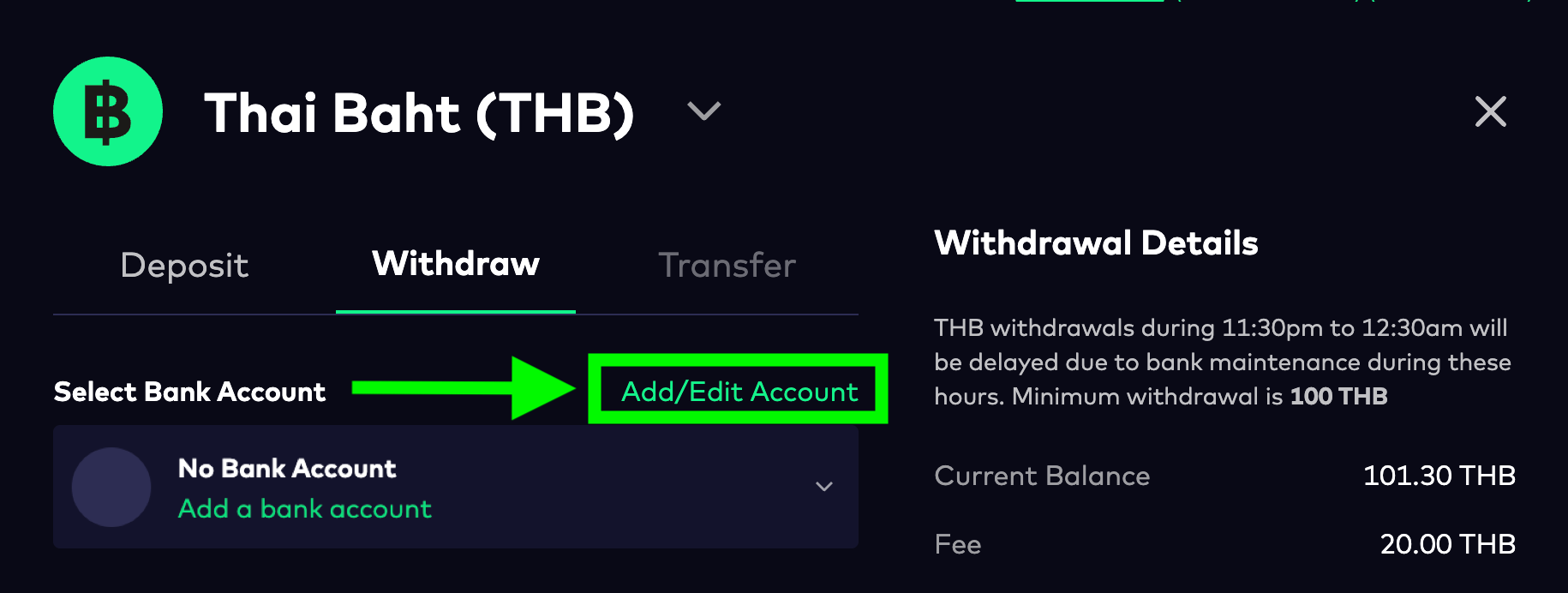
3. Select your bank account logo, enter your bank account number and click 'Add Bank Account'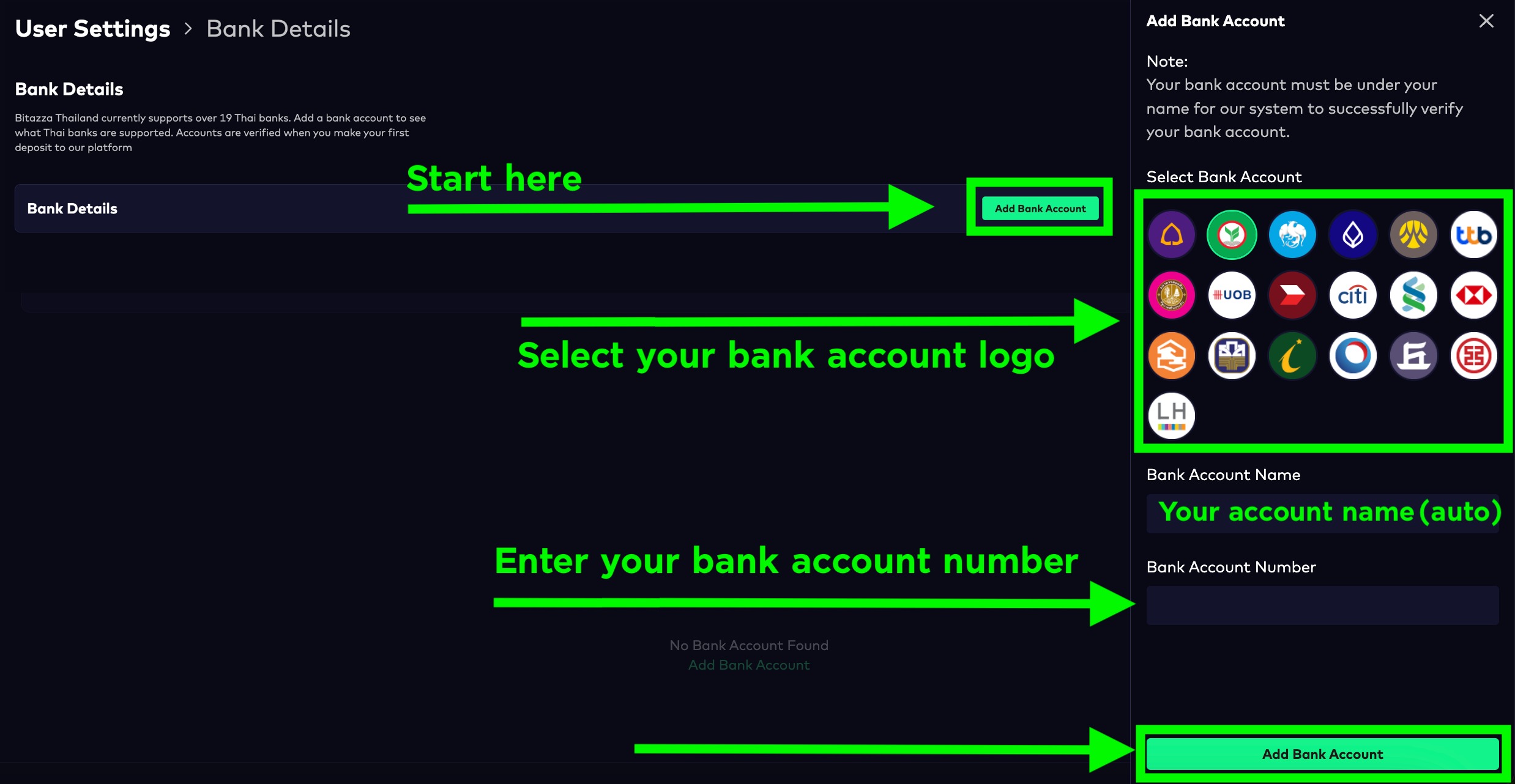
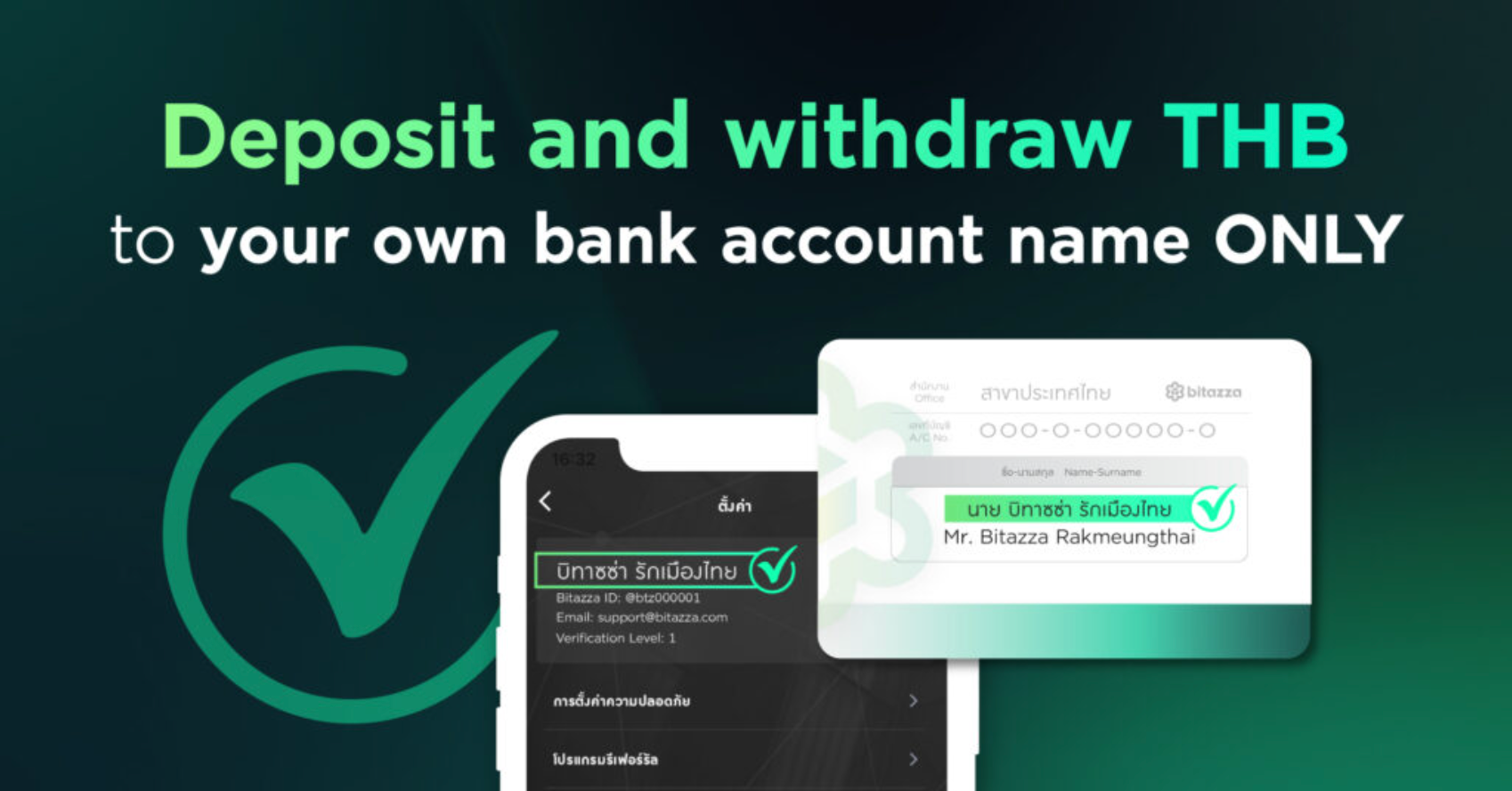 4. Go back to the withdrawal page, select the bank account, enter the amount you wish to withdraw, and click the 'Withdraw THB' button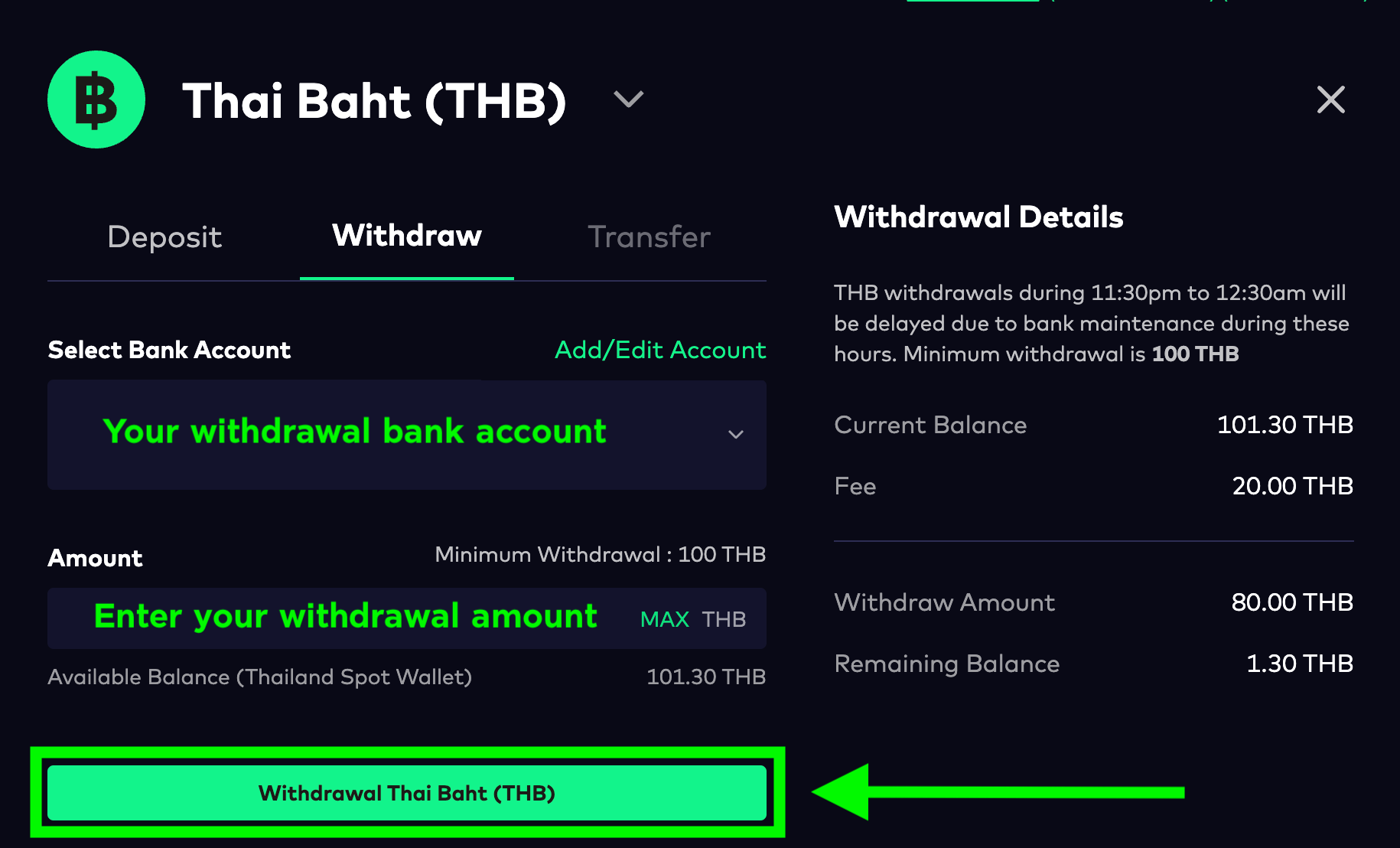
The withdrawal amount must not exceed 2 million baht per transaction
5. Confirm your withdrawal via email to complete the withdrawal process
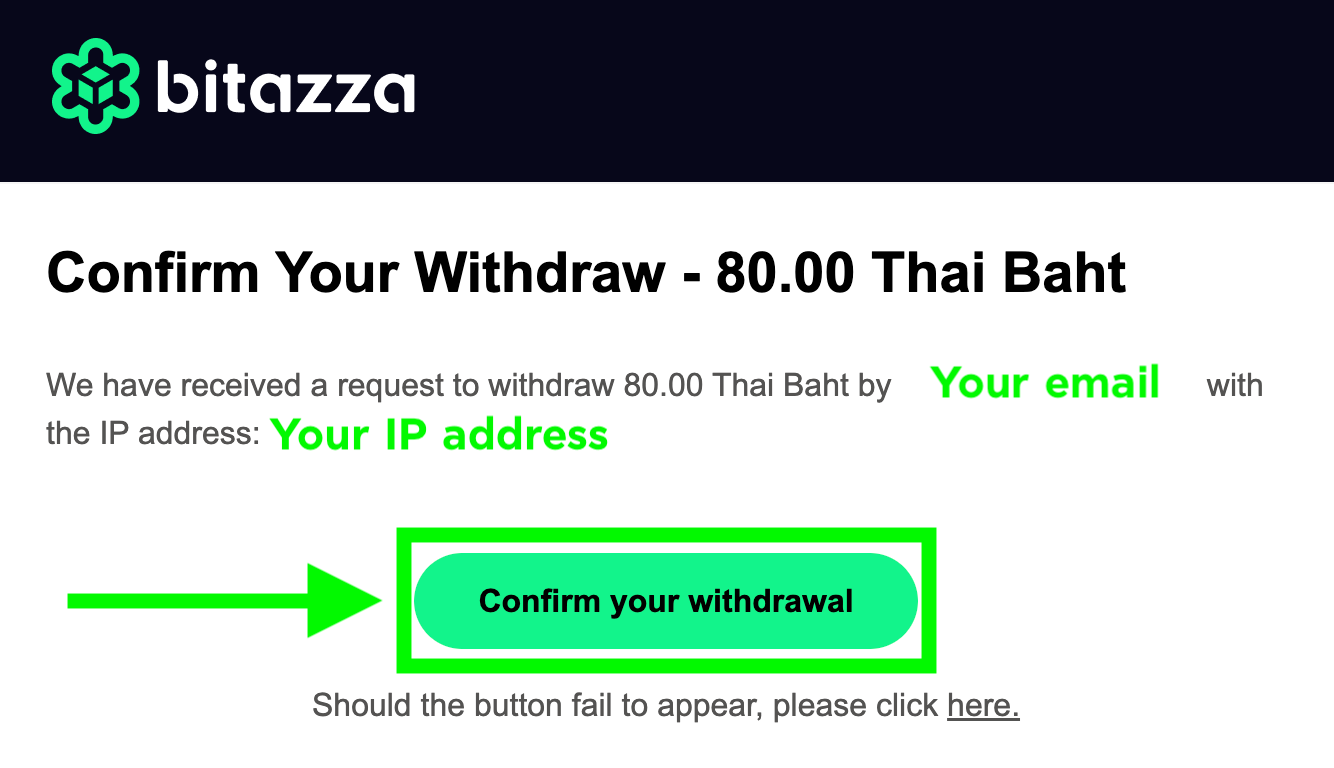
- You must verify your withdrawal via the latest email you receive right after making a withdrawal
- Bitazza does not impose a maximum limit on daily THB deposits. However, THB withdrawals are limited to 5 million baht per day
- Bitazza does not impose a maximum limit on daily THB deposits. However, THB withdrawals are limited to 5 million baht per day